5 Webinar Invitation Emails That Increase Attendance
Discover 5 webinar invitation email examples that help boost opens, clicks, and registrations so more people attend your next webinar.

What is a webinar invitation email?
A webinar invitation email is a message sent before a webinar to invite people to register and attend. It highlights the topic, speakers, and value of the session, and includes a clear call-to-action to sign up. The goal of this email is to get as many attendees registered for your event as possible.
Key takeaways:- Use clear, benefit-driven subject lines
- Optimize preview text (40–90 characters) to increase open rate
- Send 3-5 emails before the webinar
- Focus on one clear call-to-action
- Highlight the value of attending
- Personalize with name or role
- Ensure emails are mobile-friendly
- Keep registration simple and frictionless
- Use social proof or urgency
You spent three weeks on the webinar, the speakers are locked in, the slides actually look good, and then 40% of your registrants ghost you on the day.
The content is rarely the problem, it is almost always the emails: an invite that got buried in a Tuesday inbox, reminders nobody remembers receiving, and a no-show follow-up that never went out because someone forgot to schedule it.
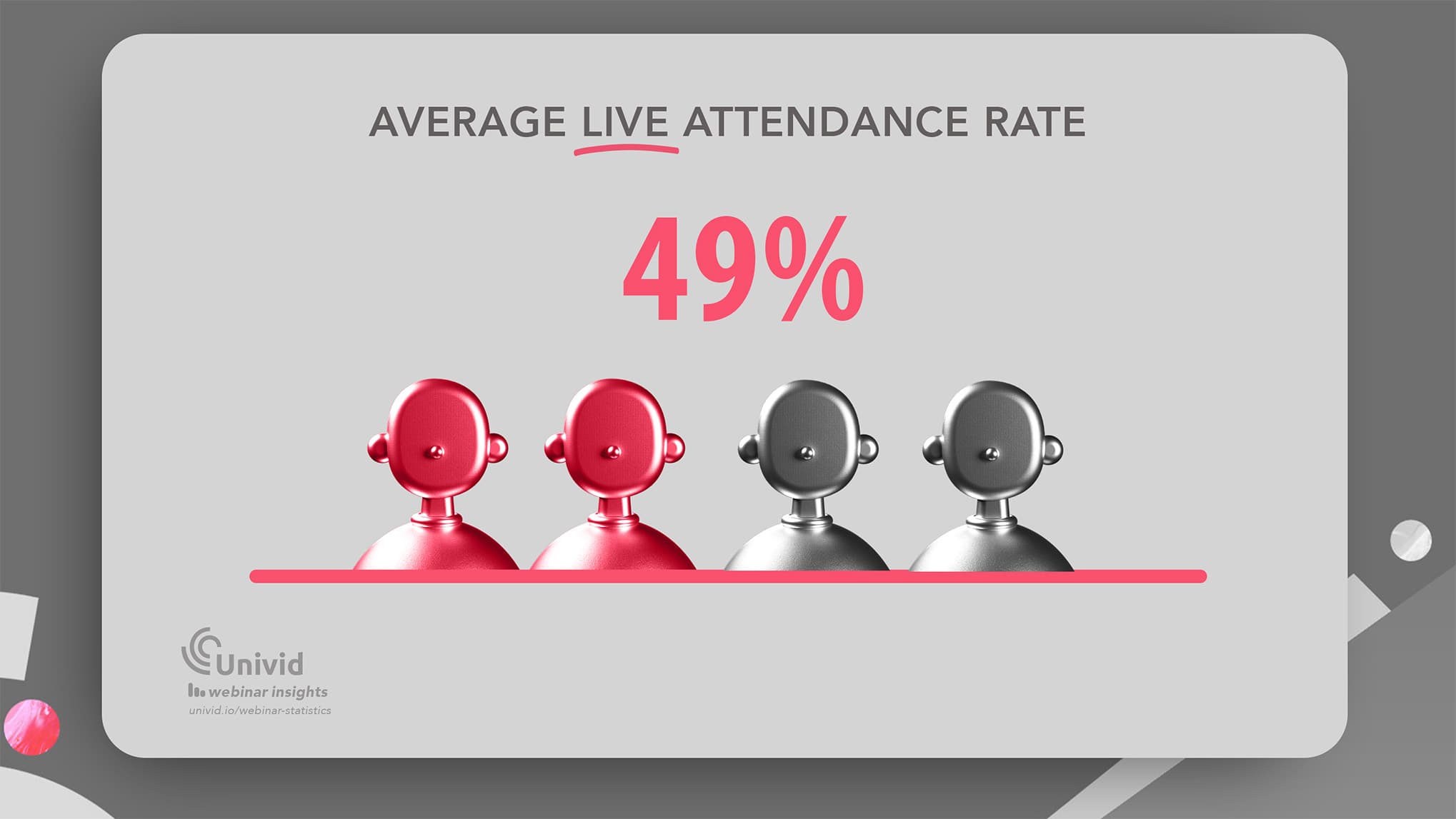
The average B2B webinar attendance rate is only 49%, meaning nearly 2 in 4 registrants never make it to the live session. That gap between "registered" and "showed up" is exactly where smarter invites, and reminders earn their keep.
This piece walks through 5 email examples with real copy across the full pre-webinar lifecycle, the send timing that consistently moves attendance, mobile design rules most teams skip, and the small mistakes that quietly cost you the room.
With a platform like Univid handling the webinar experience itself, your one job upstream is getting people through the door, and these emails do exactly that.
What is a webinar invitation email
A webinar invitation email is a message sent before a webinar to invite people to register and attend. It highlights the topic, speakers, and value of the session, and includes a clear call-to-action to sign up.
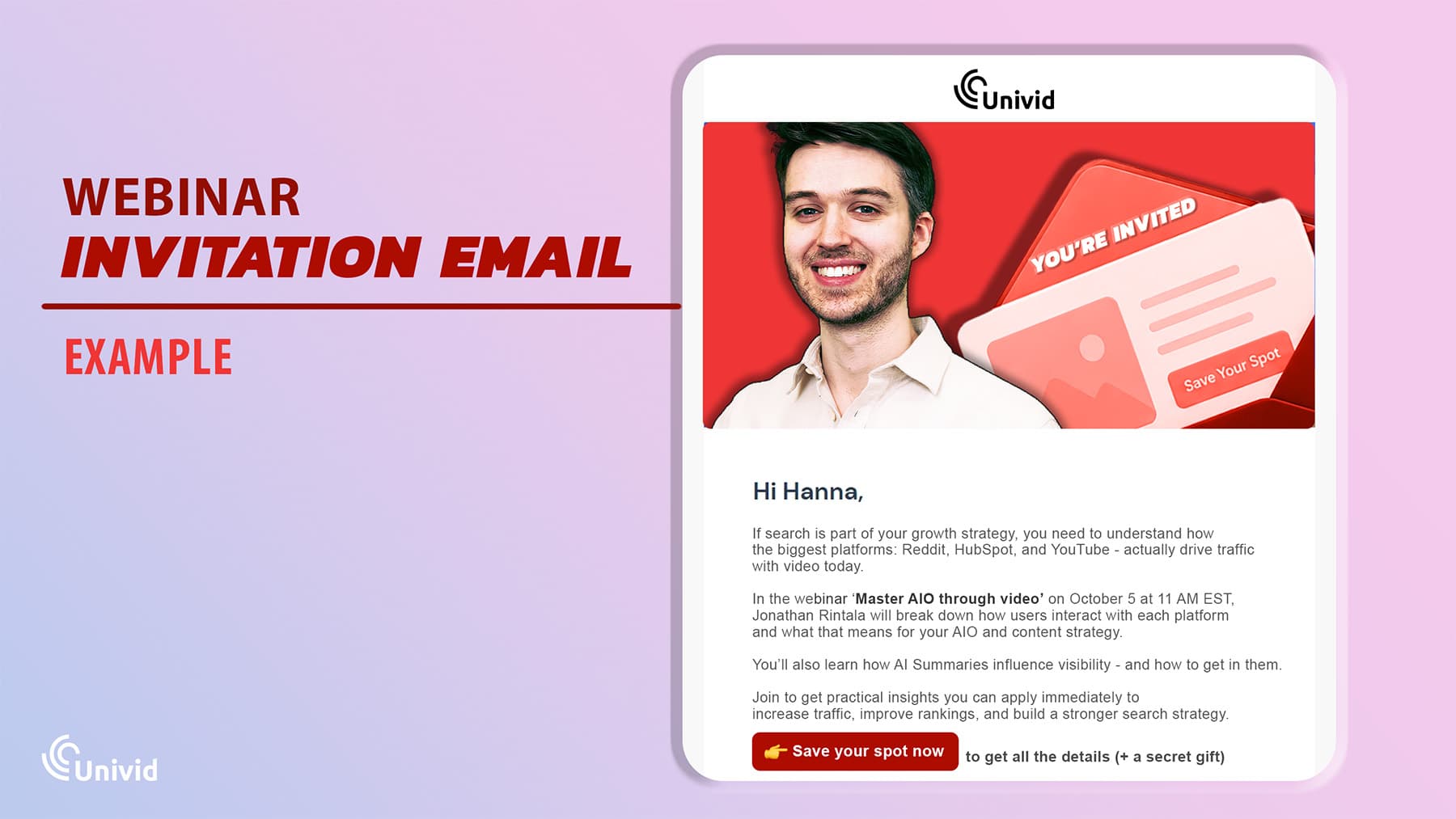
🎯 The goal of the webinar invitation: to get as many attendees registered for your event as possible. A key part of your webinar marketing strategy.
Webinar invitation vs confirmation vs reminder emails
Webinar emails serve different purposes across the funnel: invitation emails drive registrations, confirmation emails validate sign-ups, and reminder emails increase attendance before the event.
Email type | When it's sent | Main goal | Key content |
|---|---|---|---|
Webinar invitation email | Before registration | Drive sign-ups | Topic, value proposition, speakers, CTA to register |
Webinar confirmation email | Immediately after signup | Confirm registration | Event details, calendar link, access info |
1-3 days and hours before event | Increase attendance | Time reminder, urgency, join link |
Additional follow-up emails can be sent after the webinar to improve conversion, or as post-webinar surveys to gather feedback.
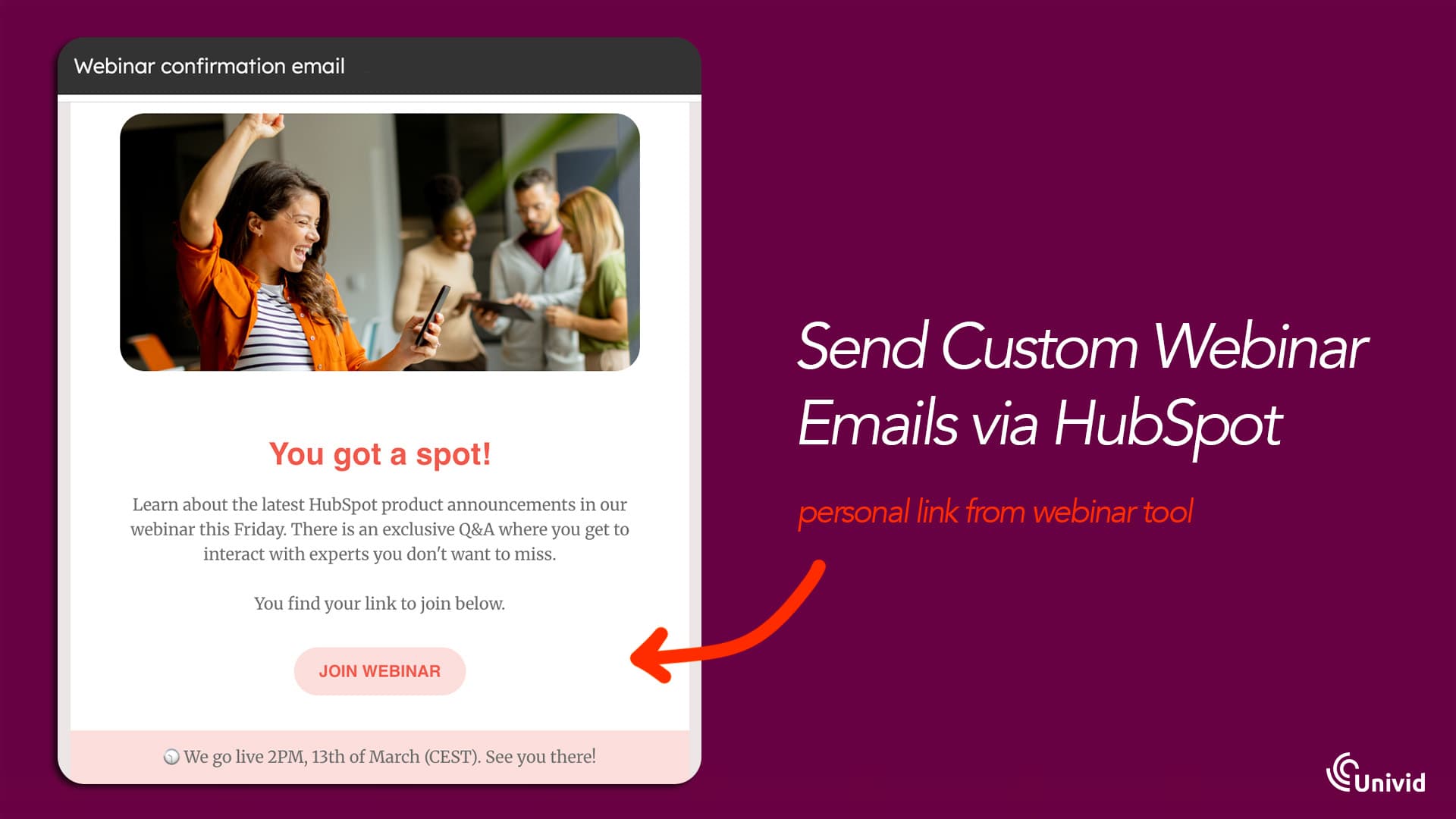
Confirmation email example
What information to include in your invitation email
Here is the information you should aim to include in the webinar invite email.
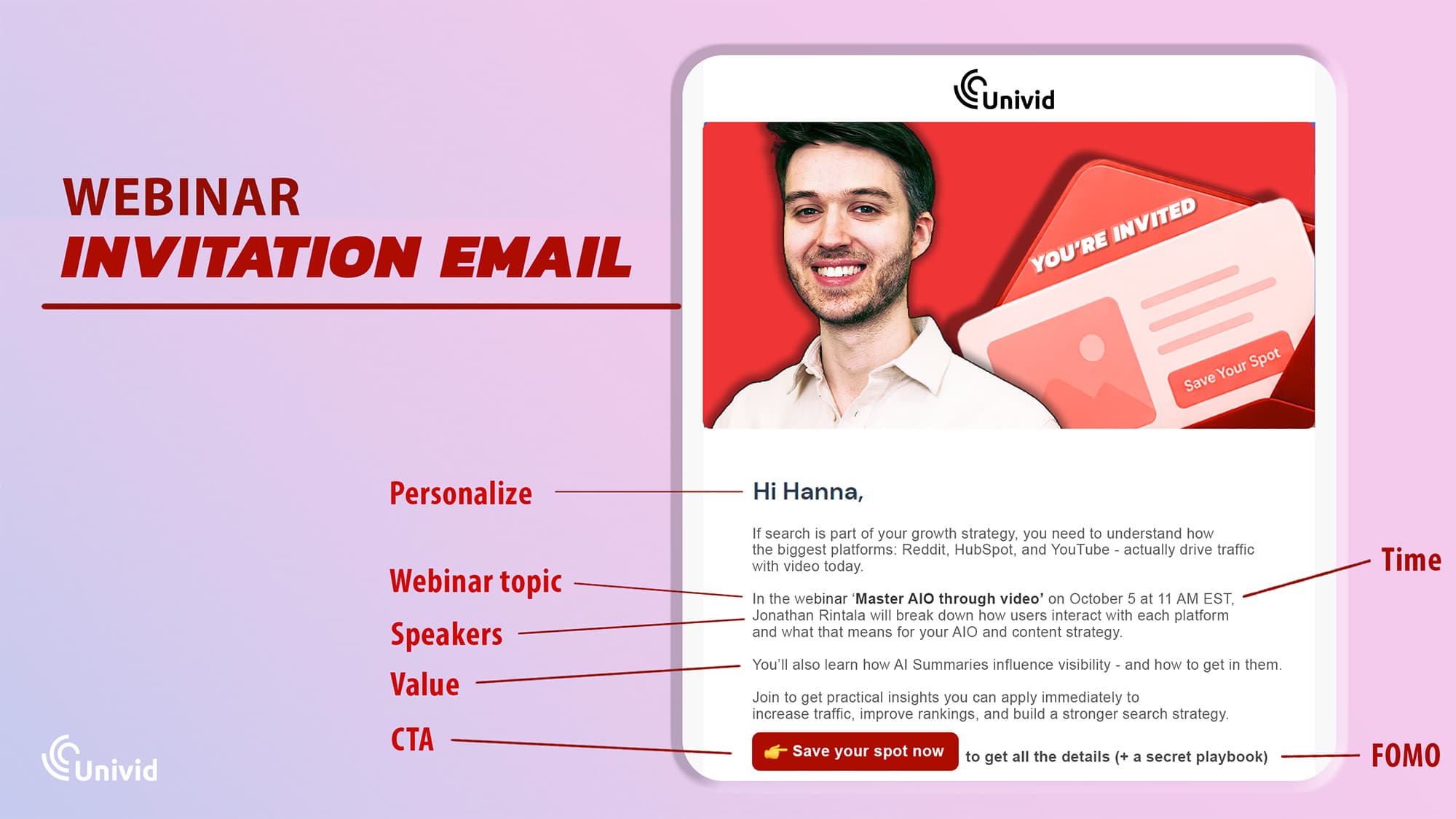
What: webinar topic and title
When: date, time, duration
Who: speakers or hosts
Why: value and learning outcomes
How: clear registration CTA
Optionally also include:
Q&A mention
speaker credibility (short)
After reading this, your audience should be able to decide whether it’s worth attending and if it's the relevant webinar for them and their skills/job/role/goals.
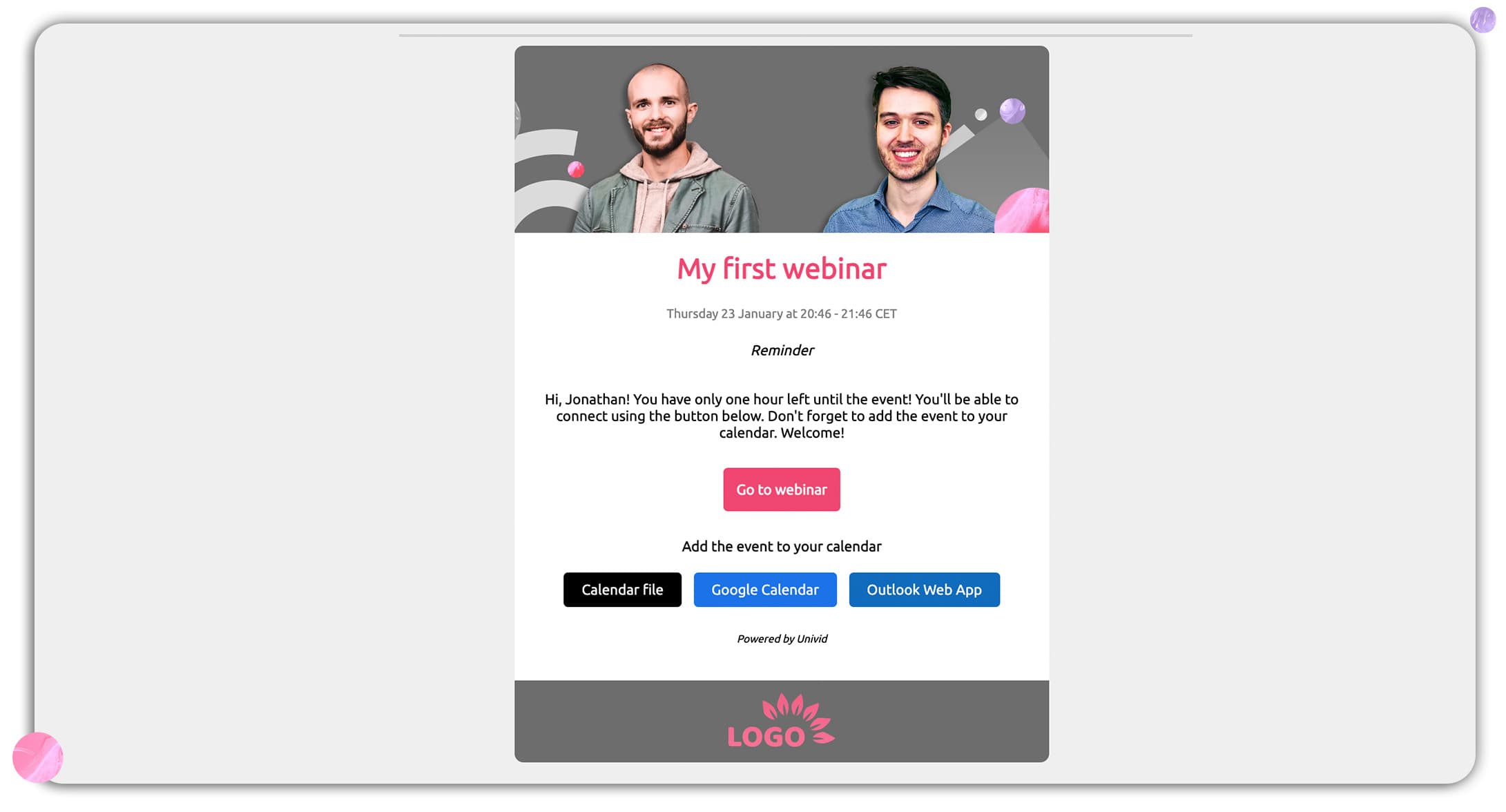
What happens after someone registers? After registration has taken place, you need to send additional information about how attending will occur (typically sending them a unique personal link via a webinar platform such as Univid), and then continue reminding your registrants about the date.
Why Do Most Webinar Emails Get Ignored?
Before we get to the templates, it is worth pulling apart why so many webinar emails quietly underperform in the first place. Most of the time the issue is not the offer or the speaker, it is something small and fixable upstream that pushes the email into the noise pile before anyone even decides whether to click.
The Five Reasons Your Webinar Emails Underperform
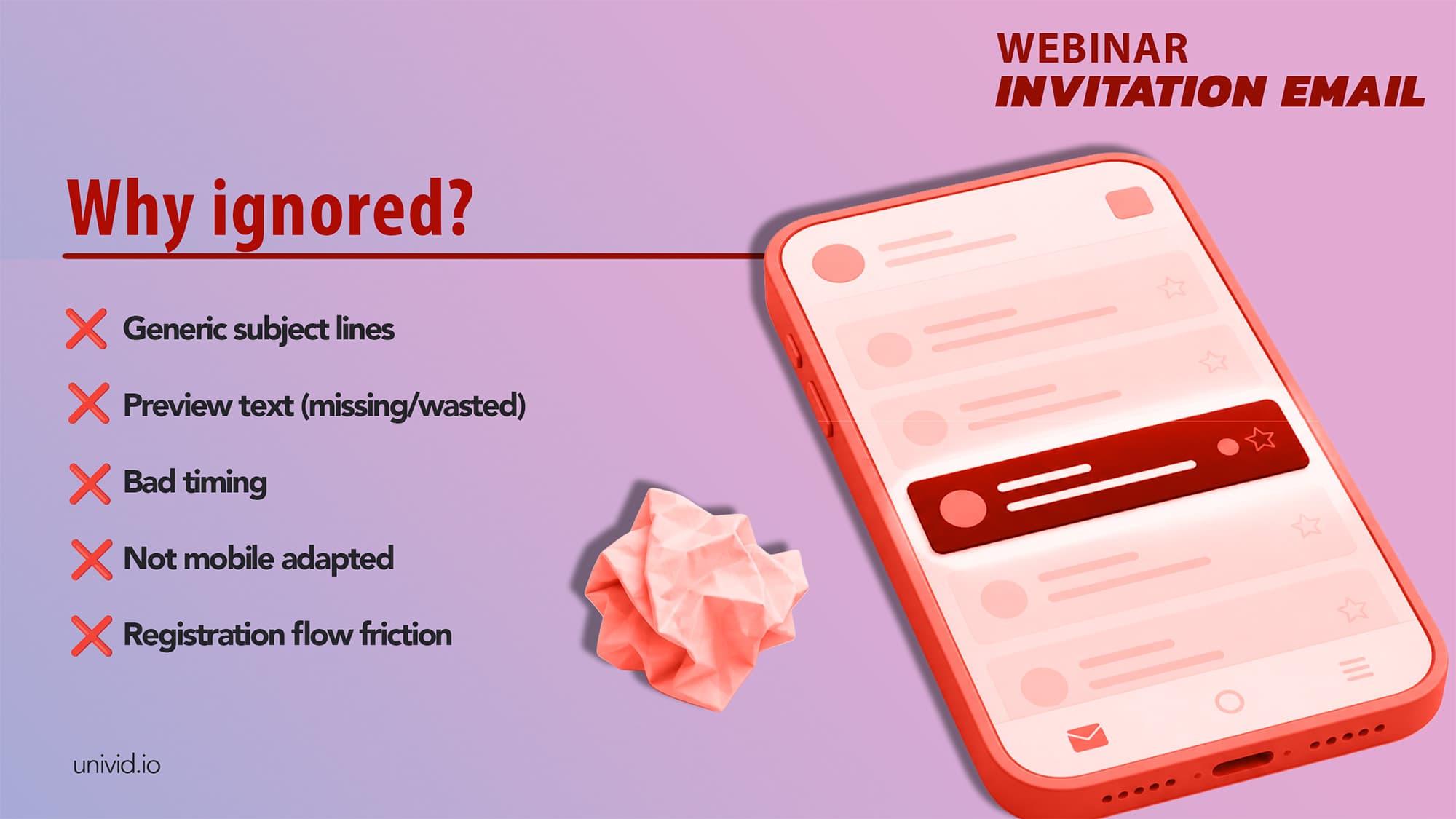
If your open and click rates have been sliding, odds are one of these is the culprit:
Generic subject lines: "Join Our Upcoming Webinar" tells the reader absolutely nothing, and subject lines without a specific benefit, stat, or speaker name get filtered as background noise.
Missing or wasted preview text: Most email clients show 40 to 90 characters of preview text, so if yours reads "View this email in your browser," you have already lost the open before the body copy gets a vote.
Wrong timing: Friday afternoon invites and 3-day-out reminders sit squarely in the dead zone between "too early to care" and "too late to plan," which is a polite way of saying both ends of that window kill attendance.
No mobile optimization: Over 60% of B2B emails are opened on mobile first, so single-column layouts, tappable CTAs, and short copy are important.
Friction in the registration flow: If the CTA leads to a landing page 8 form fields and a software download, attendance drops before the webinar even starts. Browser-based platforms like Univid cut this loop short because attendees join with one click, no installs.
What High-Attendance Teams Do Differently
The teams hitting 50 to 60% live attendance rates are not running magic playbooks, they are running boring discipline. Four habits show up consistently:
They send 3 to 5 emails before the webinar instead of leaning on a single invite and a reminder.
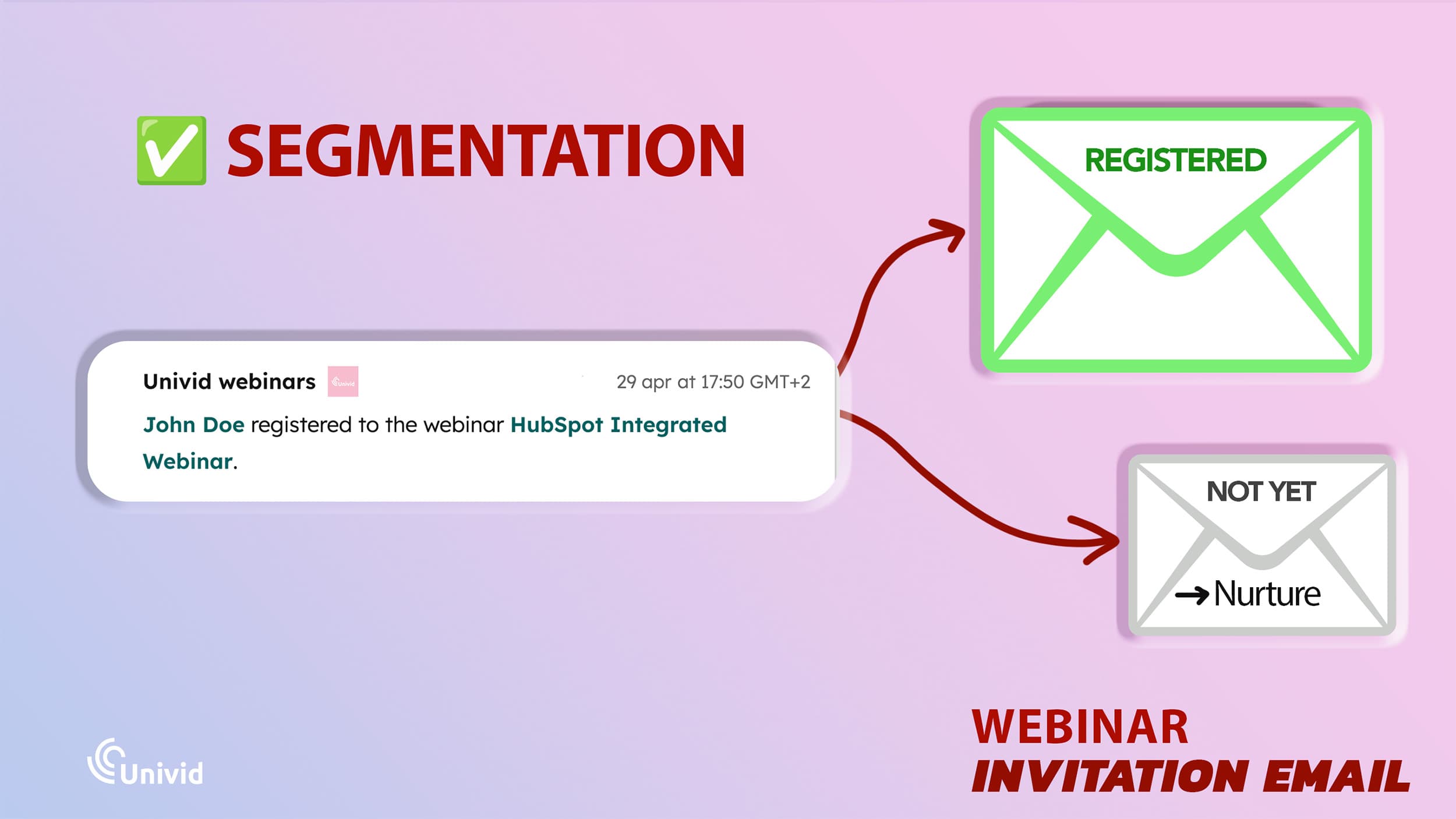
They segment registrants from non-registrants after the first invite, so nobody gets a "reminder" for an event they never signed up for.
They treat every email as a conversion event in its own right, not a courtesy notification anyone ignores.
They tease specific value at every touchpoint, whether that is a speaker, a takeaway, or a live interaction angle, instead of recycling the same paragraph across five sends.
Pre-Event Emails: How to Fill Seats Before the Webinar Starts
The pre-event sequence is doing one job, which is turning interested strangers into registrations.
Five emails, each one hitting a different reason someone might say "later" or "not for me," with the angle shifting between outcome, urgency, credibility, and social proof.
Email 1: The Initial Invitation (2-3 weeks before)
This is the heaviest send of the sequence and it goes to your full target list, so the subject line is doing 80% of the work. Get the specificity right and the rest of the email almost takes care of itself.
Subject line example: "How [Company] cut onboarding time by 40% (live session, March 12)"
Preview text: "30 minutes. Three tactics. No fluff."
Body copy direction: Lead with the outcome, not the logistics. Open with "In 30 minutes, you will learn..." followed by three short bullet takeaways, then the speaker name, title, and headshot. Date and time with time zone go below the fold, with one bold CTA button as the close.
CTA: "Save Your Spot"
Strategic purpose: Convert opens into registrations. Subject line specificity is the single biggest lever you have, so a real stat, a real company, and a real date will outperform any clever wordplay you write.
Email 2: The Urgency/Scarcity Variant (10-14 days before)
The people who opened Email 1 and meant to register are now busy and have forgotten. This email is your second swing at them, with a slightly different frame so it does not read as a copy-paste of the first.
Subject line example: "Only 50 seats left for our live session on pipeline forecasting"
Preview text: "We cap attendance to keep the Q&A useful."
Body copy direction: Short and direct, four to five lines max. Reference the cap or closing date, restate the single strongest takeaway, and add a one-liner that reframes the value, something like "Most teams overspend on pipeline tools, this session shows you how to forecast with what you already have."
CTA: "Claim Your Seat"
Strategic purpose: Catches the "I will register later" crowd before they forget entirely. Urgency only works when it is honest, so if you are actually capping attendance the way Univid lets you. If not, anchor the pressure to the date and stop there, because manufactured scarcity smells from a mile away.
Email 3: The Speaker Spotlight (7-10 days before)
People register for speakers more often than they register for topics, which is why this email is purely about credibility. No agenda, no logistics, just the human who is going to be on screen.
Subject line example: "Meet the speaker: [Name], [Title] at [Company]"
Preview text: "[Name] has helped 200+ B2B teams rethink their demo strategy."
Body copy direction: A short bio paragraph, one pull quote or bold stat from the speaker, and a line teasing the specific question they will answer live. Headshot and title up top, single CTA at the bottom. Worth pairing with a quick read on how to feature and introduce your speakers effectively so the live session matches the promise of the email.
CTA: "Register to Hear [First Name] Live"
Strategic purpose: Converts the people who needed authority before they committed, and travels well as a forward, since "you should hear this person" is one of the easier things to send a colleague.
Email 4: The Social Proof Invite (5-7 days before)
By now your warm list has either registered or quietly decided to skip. This is your last clean shot at the undecided, and it works because nothing converts a fence-sitter faster than other people already being on the bus.
Subject line example: "Why 300+ marketers already registered for this session"
Preview text: "Here's what past attendees said."
Body copy direction: Open with a stat or testimonial from a previous session, something like "after our last webinar, 68% of attendees said they implemented at least one tactic within a week."
Drop in one or two short attendee quotes, restate the date and time, and close with the CTA. Tighten the CTA language and button strategy here because this is where you will see the click-through gap most clearly.
CTA: "Join Them"
Strategic purpose: Final pre-event nudge for the interested-but-not-convinced. Social proof closes the gap between "this looks useful" and "fine, I will block the time."
Email 5: The Final Reminder Invitation (1 day before)
By now, most of your audience has either registered or moved on. This is your final chance to capture the remaining sign-ups and lock in attendance by making it easy to commit and show up.
Subject line example: "Tomorrow: live session on [topic]. Save your seat."
Preview text: "No download needed. Just click and join."
Body direction: Keep it short and focused on logistics. Restate the time and timezone, include the join link, and highlight one compelling reason to attend, such as a live Q&A - to build some final FOMO. Reducing friction (e.g. "no downloads required") can significantly improve attendance.
It should feel easy and fun to join, and like you will miss something of big value if you skip out - as this email will be received by the people that don't plan too far ahead, or are simply very busy.
CTA: "Join Tomorrow"
Purpose: Remove last-minute friction and ensure registrants show up.
When to send webinar invitation emails (timing and schedule)
Just like when scheduling your webinar, timing matters. you can write the perfect email and still kill it with the wrong send time. The schedule below is what consistently moves attendance numbers across B2B webinar programs, with each send timed to the moment it actually does its job.
The full send schedule
When to send | Best day | Best time | Purpose | |
|---|---|---|---|---|
Email 1: Initial Invitation | 2 to 3 weeks before | Tuesday or Wednesday | 9 to 10 a.m. local | Drive registrations |
Email 2: Urgency Variant | 10 to 14 days before | Tuesday or Thursday | 10 to 11 a.m. local | Convert procrastinators |
Email 3: Speaker Spotlight | 7 to 10 days before | Wednesday | 9 a.m. local | Build authority and anticipation |
Email 4: Social Proof Invite | 5 to 7 days before | Tuesday | 10 a.m. local | Convert the undecided |
Email 5: Final Reminder Invitation | 1 day before | Same weekday as the webinar | 9 a.m. local | Lock in attendance |
How to optimize your webinar invitation emails
Most webinar emails are written for desktop and read on a phone. Three quick blocks on what to fix.
Layout and visual basics
Stick to single-column, because two-column designs break on almost every mobile client. Use a branded header image that matches the registration page and the live room, so the visual identity carries across invite, signup, and session (Univid's branded sessions make this easier than it sounds).
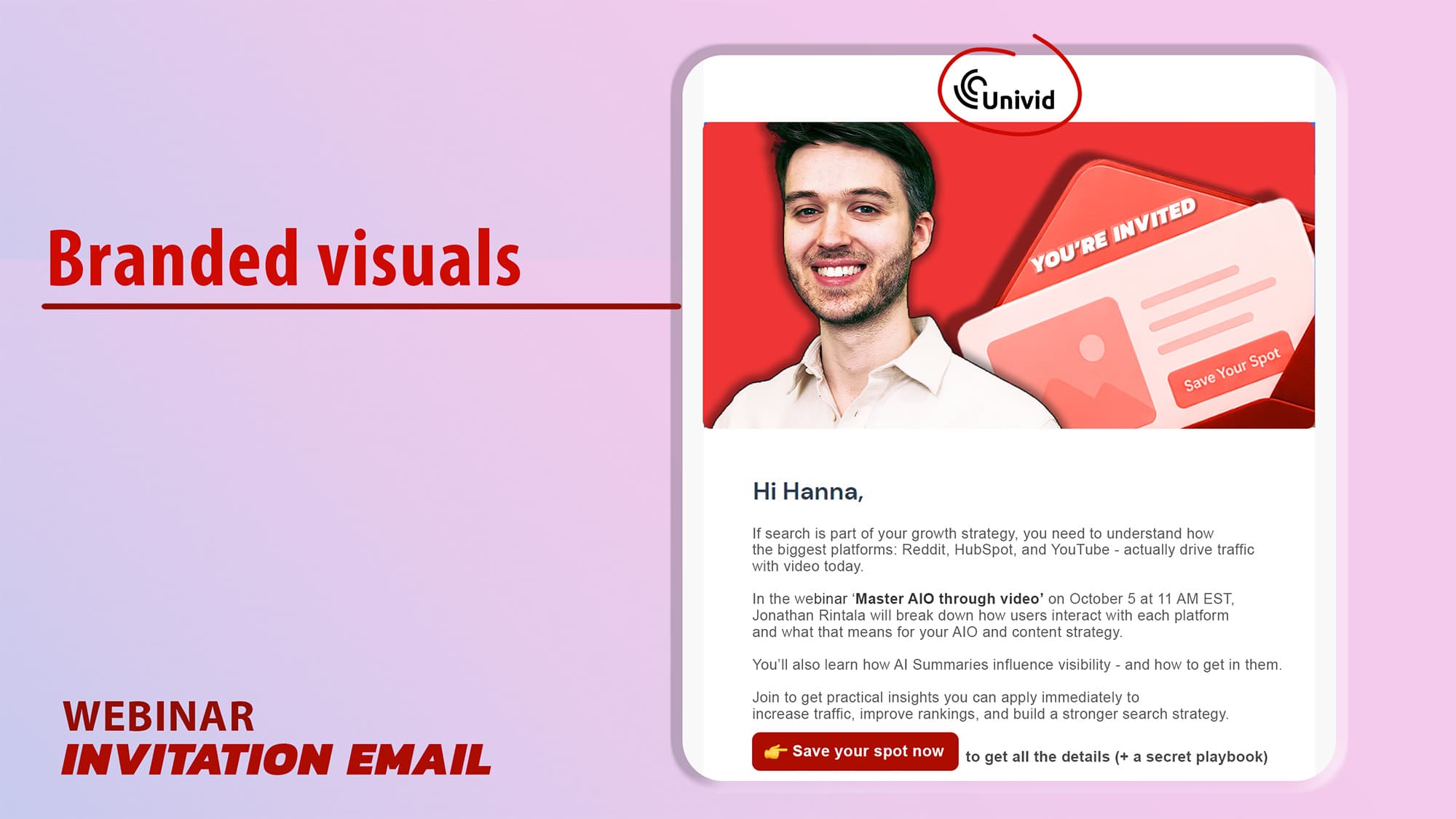
Drop in speaker headshots on the invite and spotlight emails, since faces lift engagement, and keep it to one CTA button per email at minimum 44x44 pixels with high-contrast text.
Mobile-specific rules
Keep subject lines under 40 characters because most mobile clients cut off around 35. Treat preview text as mandatory, not optional, since a blank preview pulls "view in browser" from your footer and burns the open.
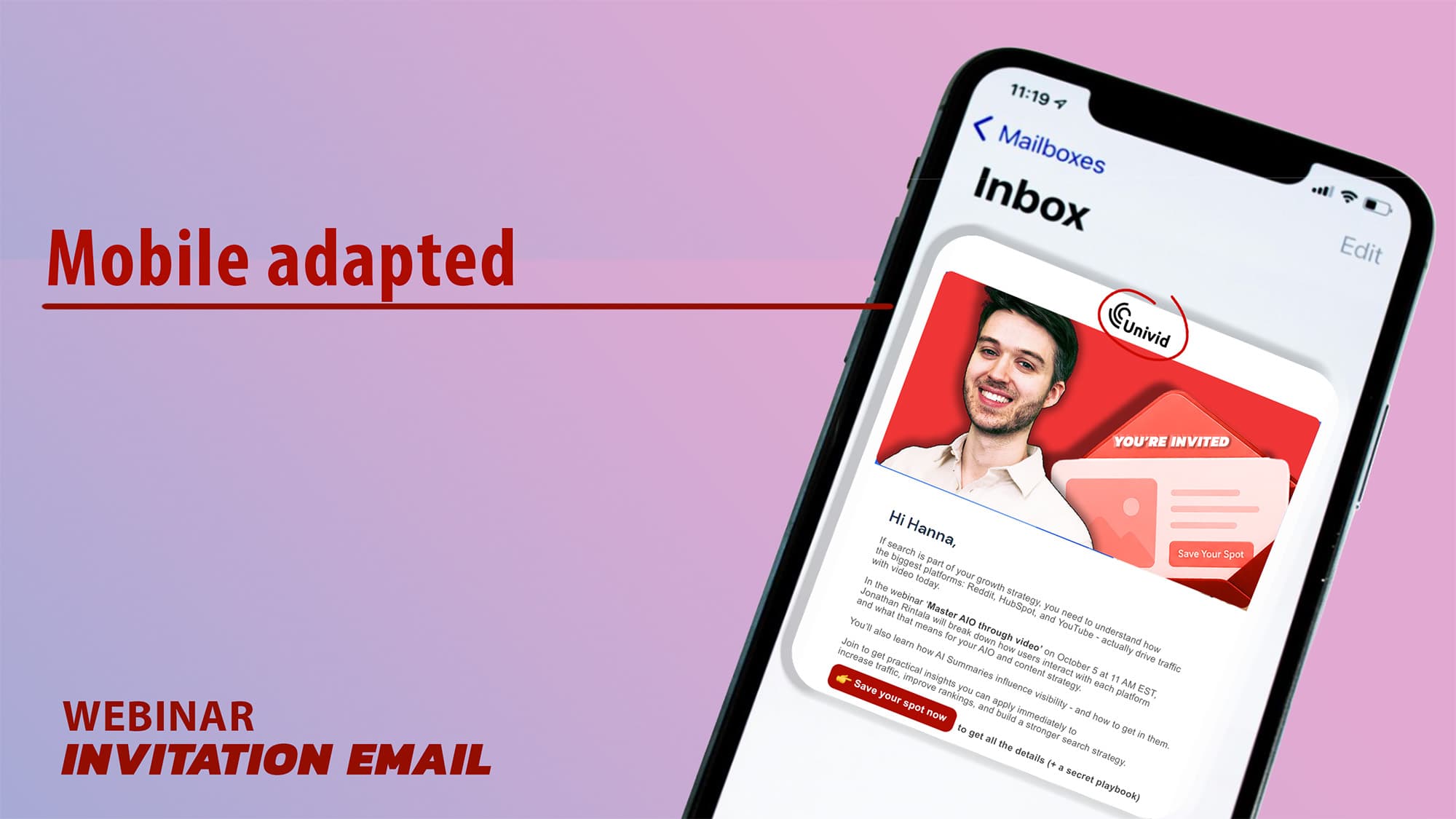
Keep reminder and live emails under 100 words, save longer copy for the initial invite and post-event sends, and test every email on iOS Mail, Gmail mobile, and Outlook mobile before you ship, because those three cover almost everyone in B2B.
GIFs, video, and logos
A short animated GIF (3 to 5 seconds) in the initial invite can lift click-through, but cap it at one per sequence, not per email.
Embedded video has spotty client support, so use a video thumbnail linked to your registration page instead.
If you run a recurring series, design a custom logo for the series itself rather than leaning on your company mark, because it builds recognition across the program.
How to send webinar invitation emails (tools and setup)
To send webinar invitation emails at scale, most teams use a CRM, marketing automation platform, or webinar tool. The right setup helps you automate invites, manage registrations, and track attendance without manual work. Typically, you:
Invite using a CRM or email platform: Tools like HubSpot or Mailchimp let you segment audiences and schedule invitation emails.
Have your webinar software take over after registration: Integrating your webinar platform ensures registration data, personal attendee links (to track engagement), and reminders are handled automatically.
Automate your email sequence: Set up your 3-5 invitation emails in advance so they send at the right time.
Segment your audience: Tailor invites based on role, behavior, or previous engagement.
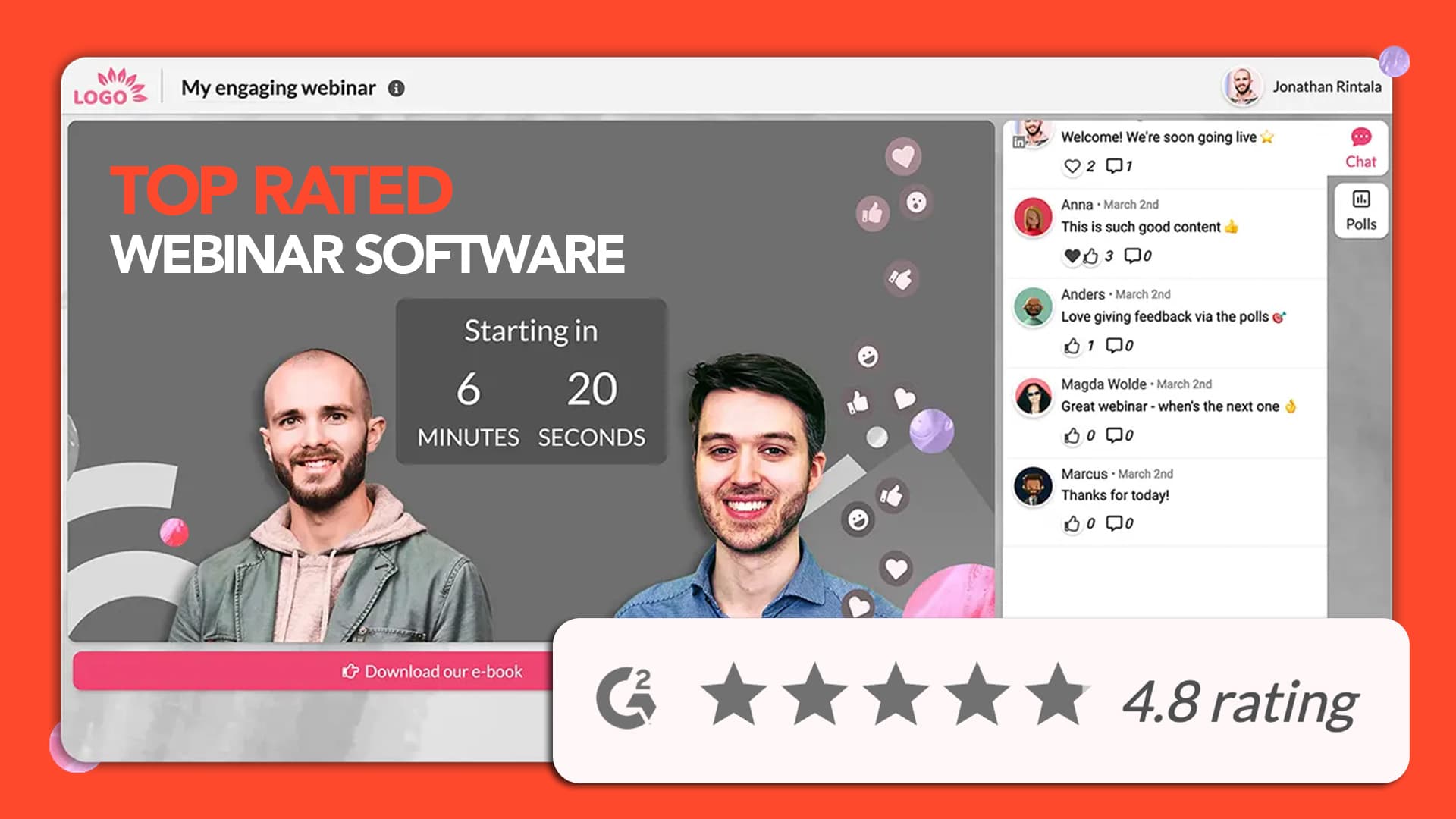
Platforms like Univid let you manage registration pages, send reminder emails, and run webinars in one place - without complex setup. You can also integrate with tools like HubSpot, Zapier, or Mailchimp if you prefer a more advanced workflow and run webinar invitations smoothly.
Takeaway
A structured email sequence is what separates a webinar where registrants actually show up from one where two-thirds quietly disappear. The 5 templates, the cadence, and the mobile rules above give you the full playbook to build it this week.
Your emails get people to the door. Univid makes the webinar worth walking through. Spin up your first branded session in 60 seconds and see why teams keep coming back. And you can use Univid together with any email or CRM platform to send webinar invites, and segment your audience the right way.
Get started todayJoin over 70,000 users and create unique webinars with Univid.Get a demo
Frequently asked questions (FAQs)
Q: How many emails should I send for a single webinar?
Q: What is the best day and time to send a webinar invitation email?
Q: Should I send the same email to registrants and non-registrants?
Q: How do I improve my webinar email open rates?
Q: How long should my webinar invitation email be?
Q: Does the webinar platform I use affect my email content?