How to write webinar follow-up emails that convert [10 templates]
Detailed steps for writing high-converting webinar follow-up emails, with 10 templates to learn from.

How do you write webinar follow-up emails that convert?
To write webinar follow-up emails that convert, send them within 24 hours, segment your audience, use one clear call-to-action, personalize the message, and include resources like the webinar replay. High-converting follow-ups focus on a single next step, such as booking a demo or watching the replay, and use social proof and urgency to drive action.
Step-by-step:- Send follow-ups within 24 hours
- Segment attendees and no-shows
- Use one clear call-to-action
- Personalize your messaging
- Include the webinar replay
- Use social proof and urgency
You’ve held a lively webinar with well-versed speakers who provided valuable information. You spent a lot of time planning for this webinar, and it has finally been successful. We understand why you’re breathing a sigh of relief, but the work isn’t over yet.
How you close a webinar’s chapter is as important as how it began. To drive engagement and encourage participants to return for more webinars, create compelling follow-up emails. The emails should be sent within 24 hours, while the webinar is still fresh in participants’ memories. In this guide, we’ll describe the dos and don’ts of webinar follow-up emails and provide 10 templates you can follow.
Why should I create webinar follow-up emails?
People generally have short attention spans and forget about actions they were nudged to take during a webinar. For example, if participants were encouraged to join a newsletter, most would forget after the webinar. With a follow-up email, you’re keeping up the conversation and reminding attendees to take your suggested action.
Follow-up emails increase conversion rates, and that’s the main reason to create them. You can also use these emails to introduce more content and keep registrants engaged. Send them within 24 hours to both registrants who participated and those who didn’t, as this is when they most remember your webinar.
How do I write engaging webinar follow-up emails?
An engaging follow-up email revolves around these key elements:
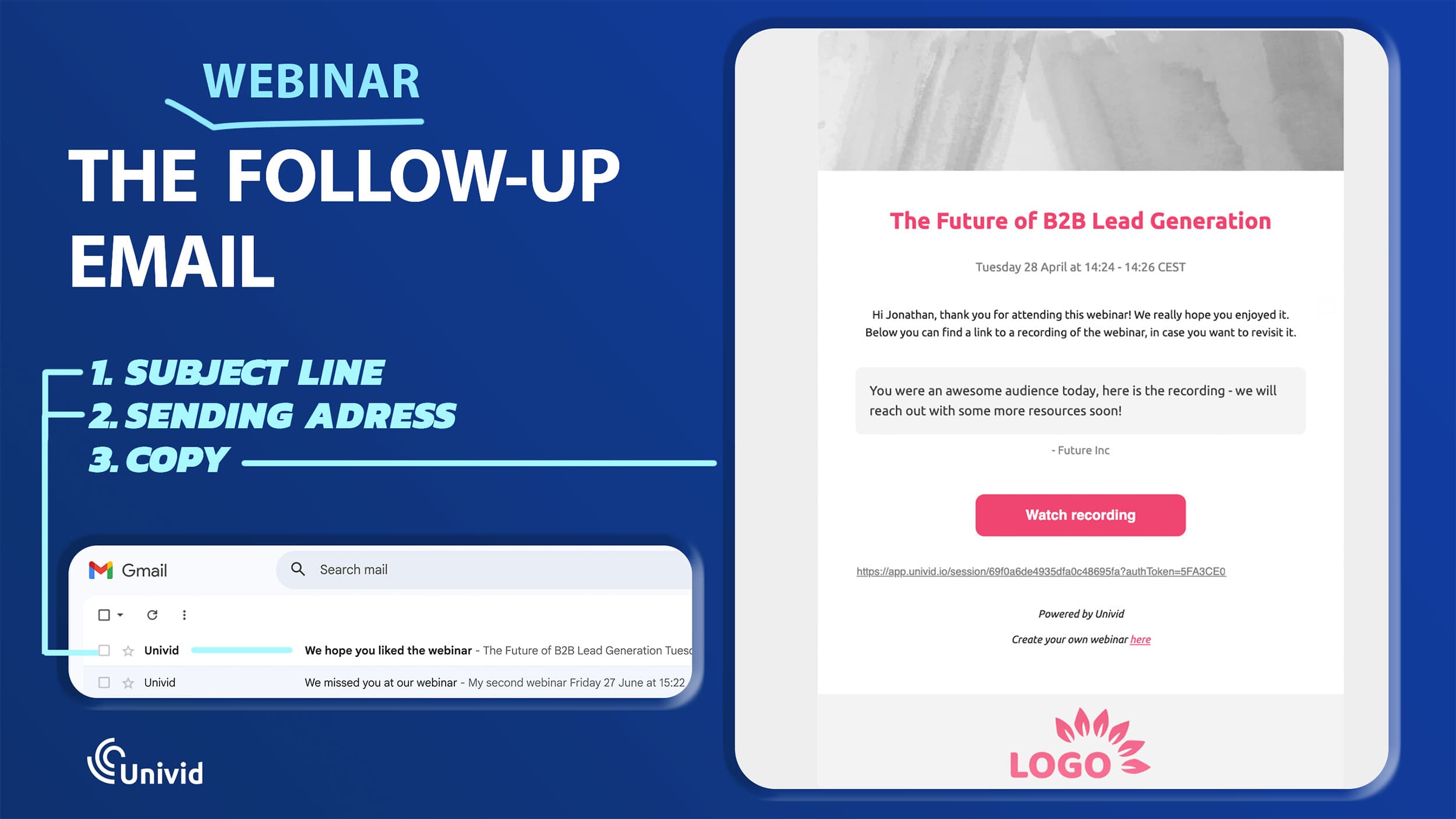
The subject line. The first thing recipients see is the subject line, so it should be compelling enough to make them want to open the email. For instance, you can personalize the subject line with recipients’ names to get their attention.
The sending address. Send the email from an address that clearly relates to your business. Use a custom domain like [CompanyName.com], not generic ones like Gmail.com. It can be a general address like “events@companyname.com” or a team member’s address like “Mike@companyname.com.”
Copy. You’ve compelled a recipient to open your email. Now, it’s time to give them content valuable enough to stick around for. The content can be written in a conversational tone, like you’re speaking one-to-one with each recipient. It should include a call-to-action (CTA) telling recipients the next steps to follow, like signing up for a newsletter.
Tips for writing high-converting follow-up emails
Above, we’ve scratched the surface of what makes an effective webinar follow-up email. Now, let’s dive deeper into practical tips for writing high-converting emails:
1. Segment your audience
Segmentation means grouping your audience into different clusters, then sending messages that are highly relevant to each cluster. For webinars, you can separate the mailing list into ‘attendees’ and ‘non-attendees,’ and each segment gets different follow-up emails.
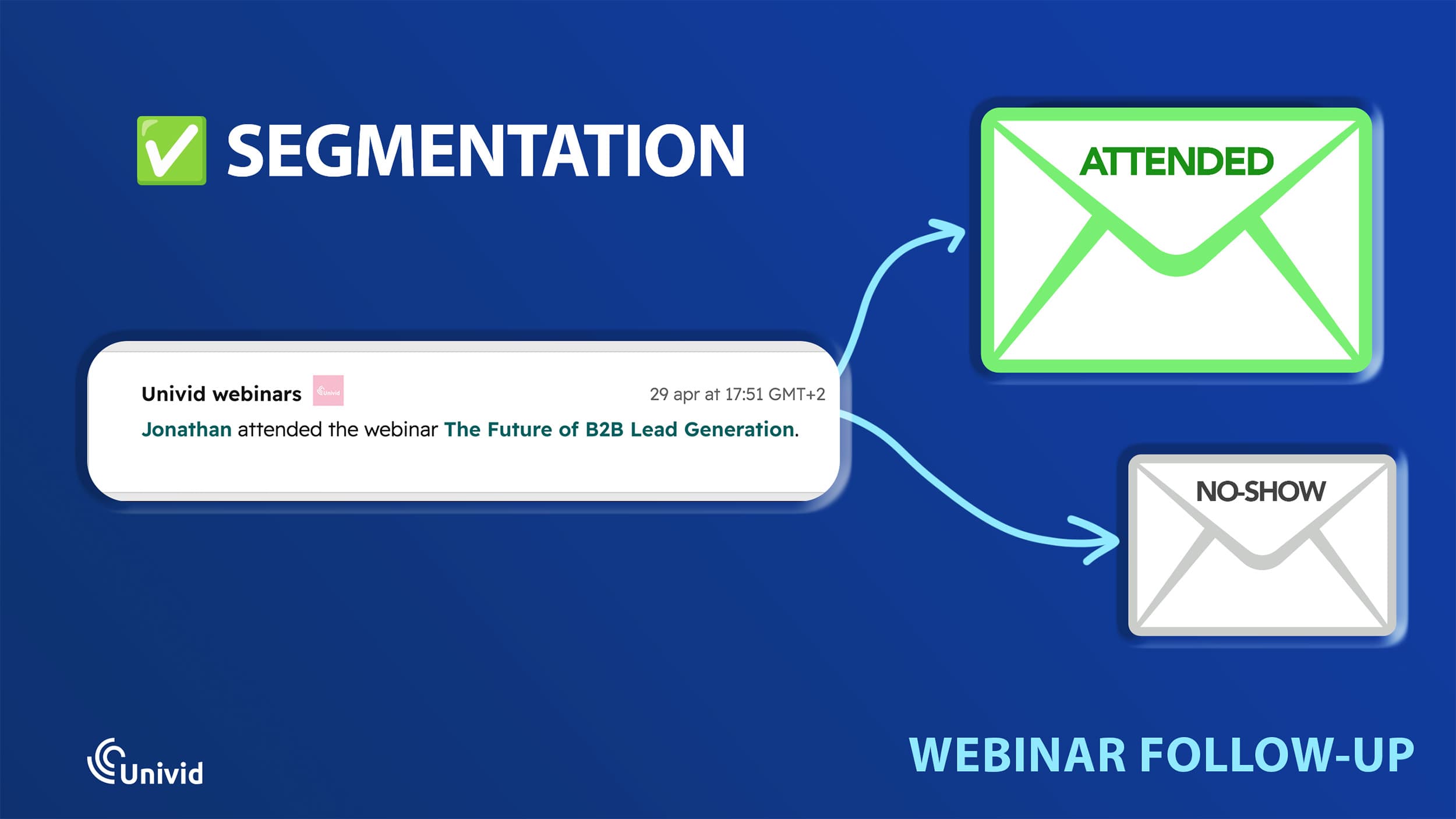
For attendees, the follow-up email can focus on appreciating their participation, highlighting key takeaways from the webinar, and encouraging them to sign up for a future program. For non-attendees, the email will emphasize the value of the webinar they missed, provide a quick replay, and nudge them not to miss further webinars. Each audience will respond better to their tailored messages.
2. Send it at the right time
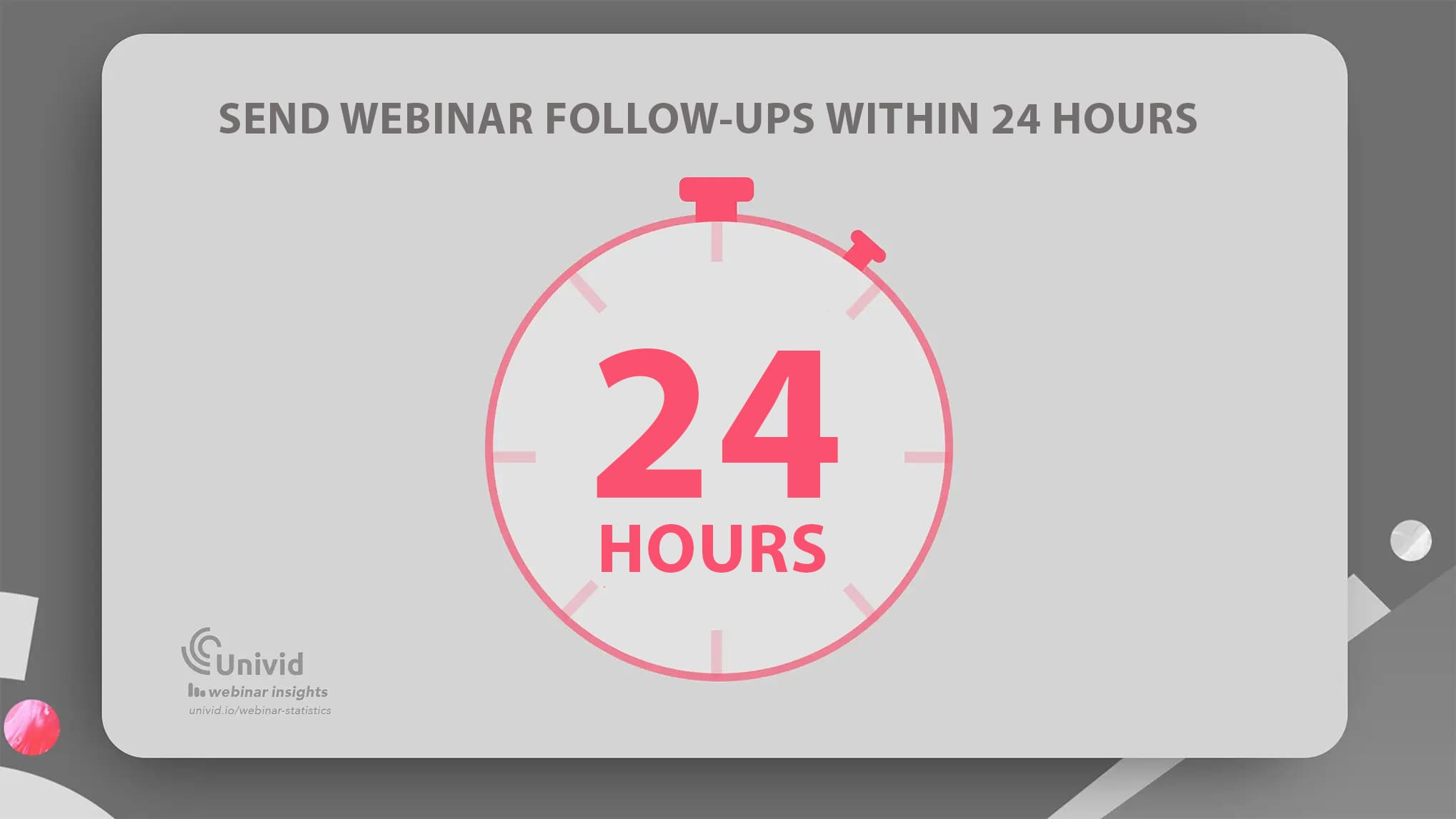
Follow-up emails should be sent shortly after the webinar ends. Just like scheduling your webinar at the right time, sending the follow-up at the right time is just as important. As mentioned, anywhere within 24 hours is the right range, where registrants still have a good memory about the webinar. Once 24 hours have passed, registrants gradually forget about the webinar, and they’ll be less likely to open a follow-up email.
3. Use a single, precise call-to-action (CTA)
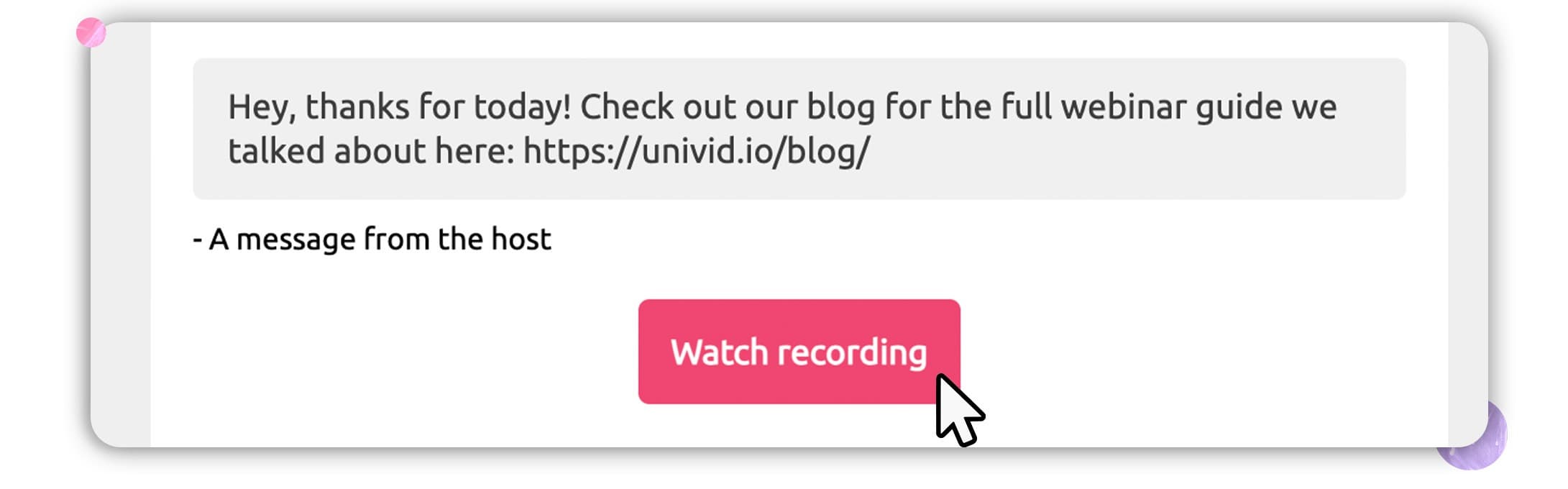
Insert a single, clear call-to-action (CTA) button at the end of the email, like “Join the mailing list,” “Sign up,” or “Register here.” We emphasize using a single CTA because multiple CTAs can confuse readers about the next steps to take. Advisably, use just one CTA with a clear value proposition.
4. Personalize the email
We hinted at personalization when we talked about adding each recipient’s name to the subject line. This may sound cumbersome, but you don’t have to do it manually. Email campaign platforms like Mailchimp or HubSpot let you send personalized subject lines – you’ll use something like *|FNAME|* as the placeholder, and it’ll be filled in with each recipient’s name.
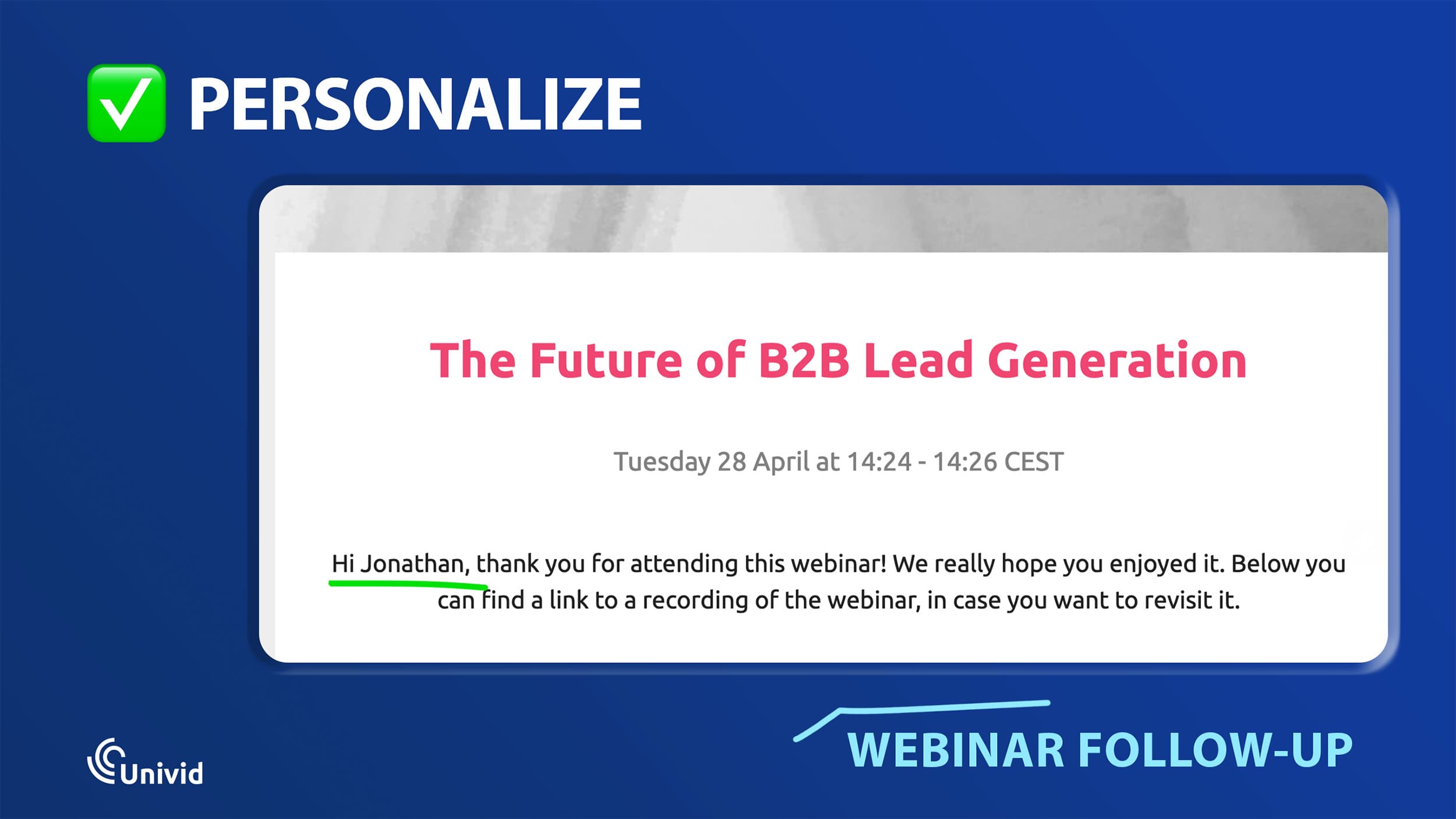
You can also personalize follow-up emails by adding polls for attendees to provide feedback or quizzes to test their knowledge of the webinar. Personalization helps recipients engage with the content better, leading to high CTA click-through rates.
5. Use social proof
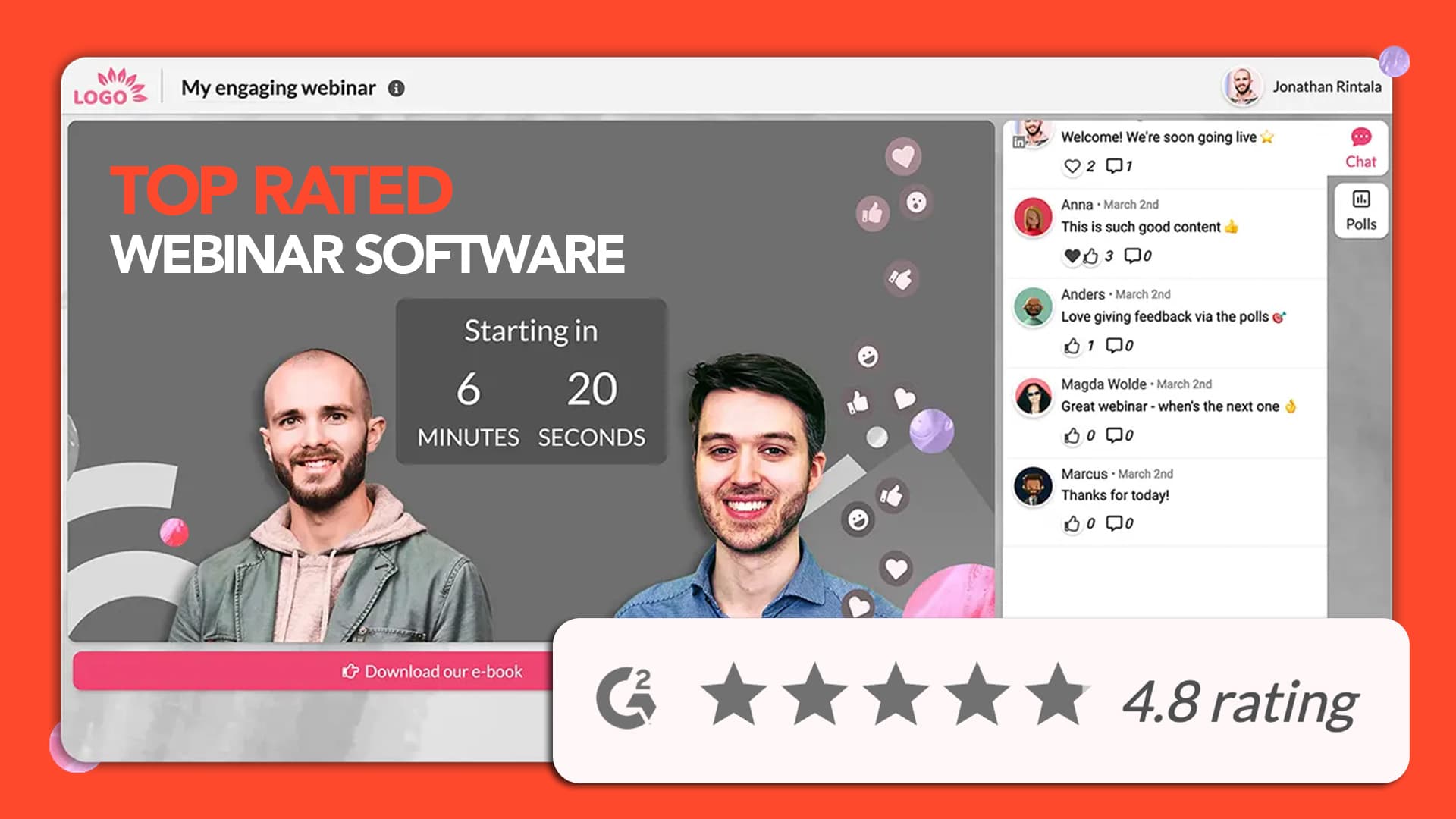
Few things boost your reputation like social proof. When sending a follow-up, you can include a case study relevant to the webinar topic or a participant’s testimonial highlighting how much knowledge they obtained from the webinar. This social proof signals to attendees that they got good value and to non-attendees about the value they missed and need to tune into the next webinar for. Social proof also encourages recipients to follow your call-to-action.
Here is an example how to use social proof (for a webinar software):


6. Create a sense of urgency
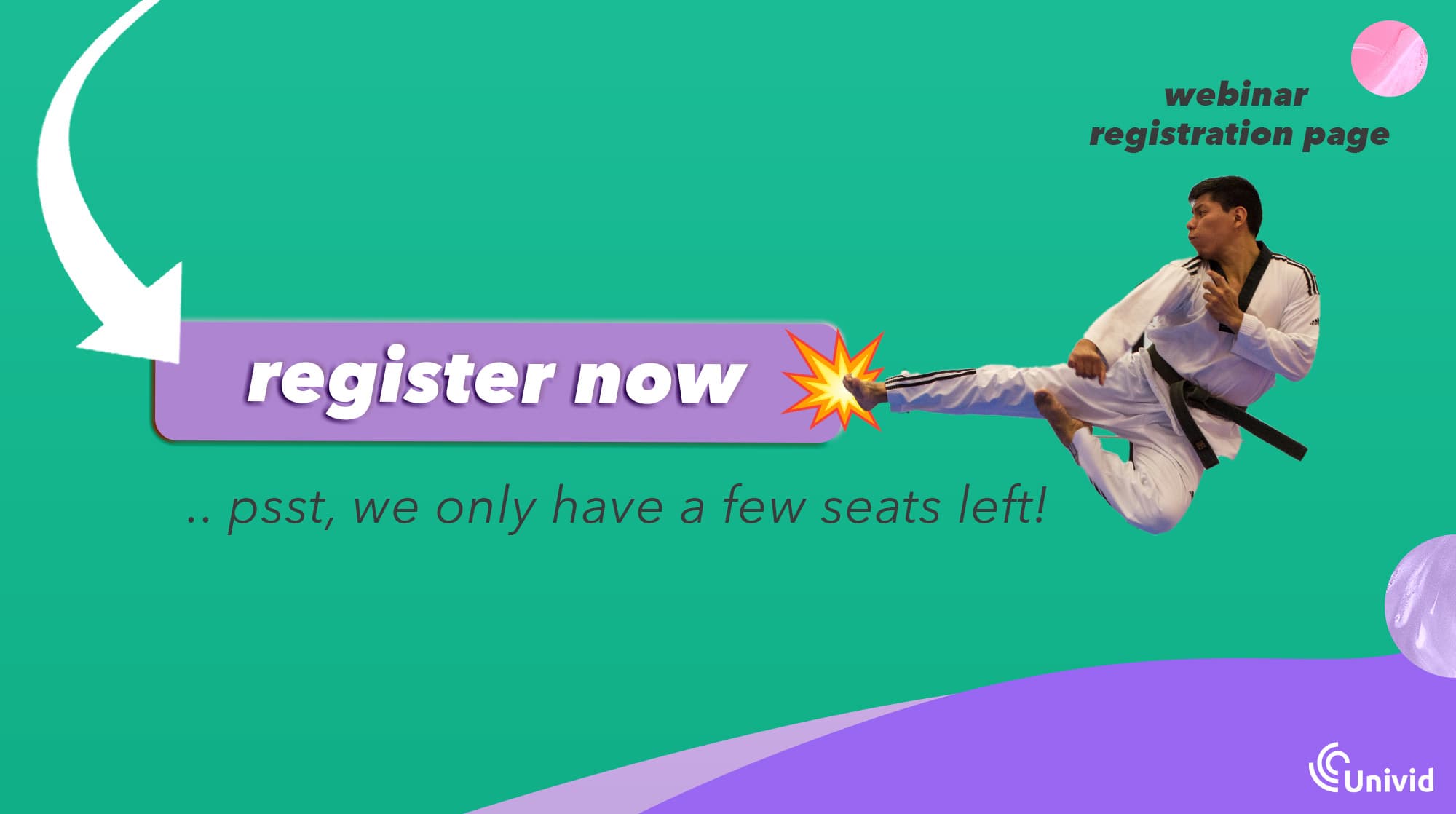
Use phrases that highlight a sense of urgency and value to webinar registrants. For example, the CTA can be “Sign Up Now: Limited Slots Available,” nudging registrants to book the next webinar before slots are filled up.
It could be “Download your e-book copy,” with preceding text highlighting the in-depth knowledge found in the e-book. What matters is having a clear value proposition that recipients can relate to. Similar to how you would write a converting webinar registration page.
Learn more about how to nail CTA:s in webinars in our guide (with 5 examples).
How to automate webinar follow-up emails
If you’re running webinars regularly, sending follow-up emails manually quickly becomes time-consuming. This is where webinar software like Univid helps.
With a webinar platform, you can automatically:
Segment attendees and no-shows
Send follow-up emails at the right time
Personalize messages based on behavior
Include replay links and CTA:s automatically
Send automatic reminders before the webinar to increase attendance rate

This ensures every registrant receives the right message without manual work, while increasing engagement and conversions.
And a quality webinar tool will also allow you to get the right data into your CRM or email platform to do customized follow ups and emails from there.
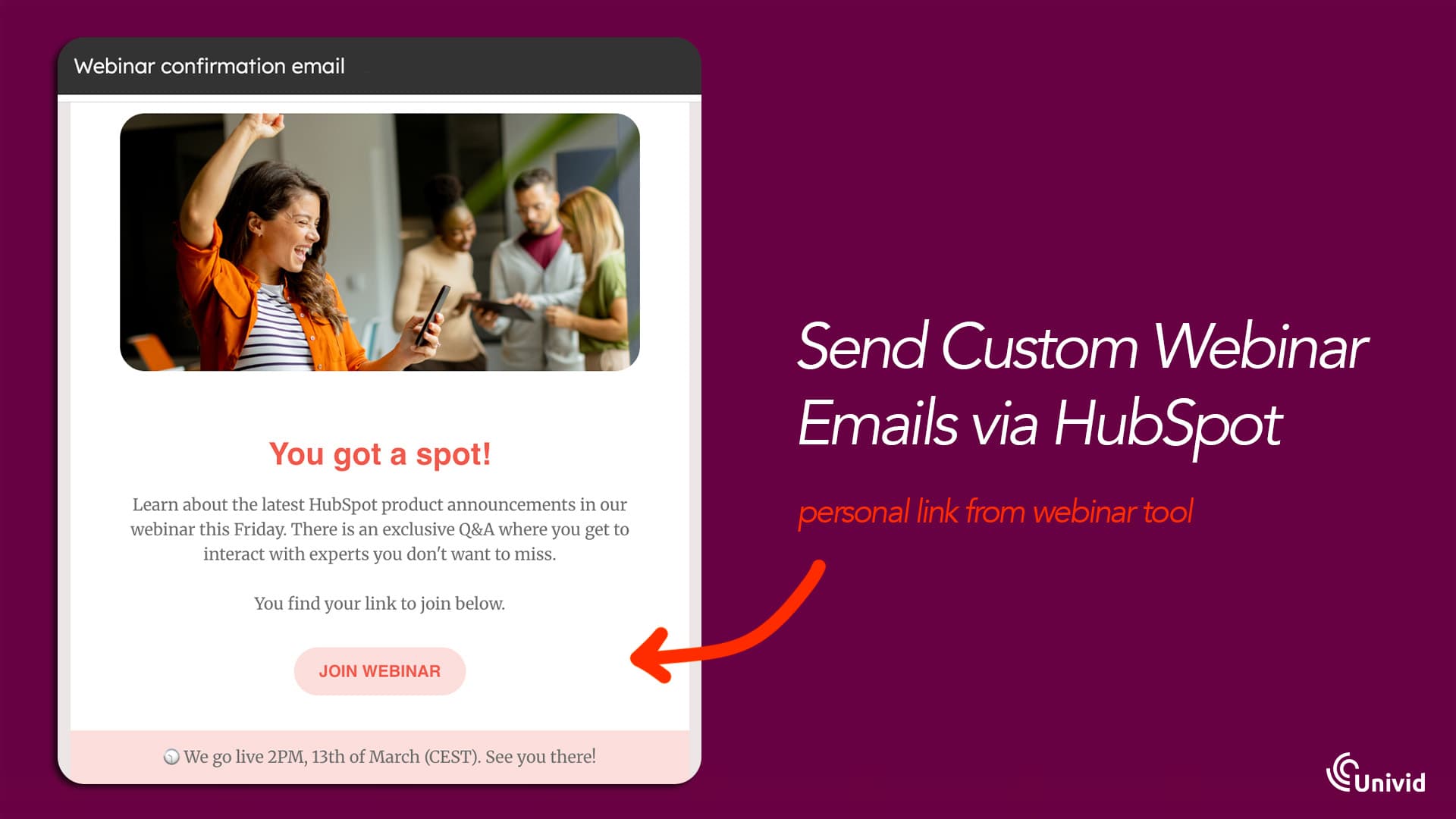
👉 You can learn more about how this works in our webinar platform guide, or try Univid below.


10 proven webinar follow-up email templates
We’ve described how to write engaging follow-up emails. The description isn’t complete if we don’t provide clear templates you can follow to craft yours. So let’s explore 10 templates you can use for different scenarios:
1. Thank you for attending our webinar
After attendees take their time to sit through your webinar, they’ll love an appreciation email. You can send a timely thank-you message and close it with a clear CTA. Here’s a template:
Hi [Recipient’s name]
Thank you so much for participating in our recent webinar, [webinar’s name]. We hope you found the content helpful and got ample knowledge you can apply in future endeavors.
Here’s a summary of what was discussed in the webinar and a link to the full webinar recording:
Summary point 1
Summary point 2
Summary point 3
Summary point 4
[Link to webinar recording]
[CTA button]
If you have any questions, reply to this email. We’re always available to help.
Cheers,
[Company Name]
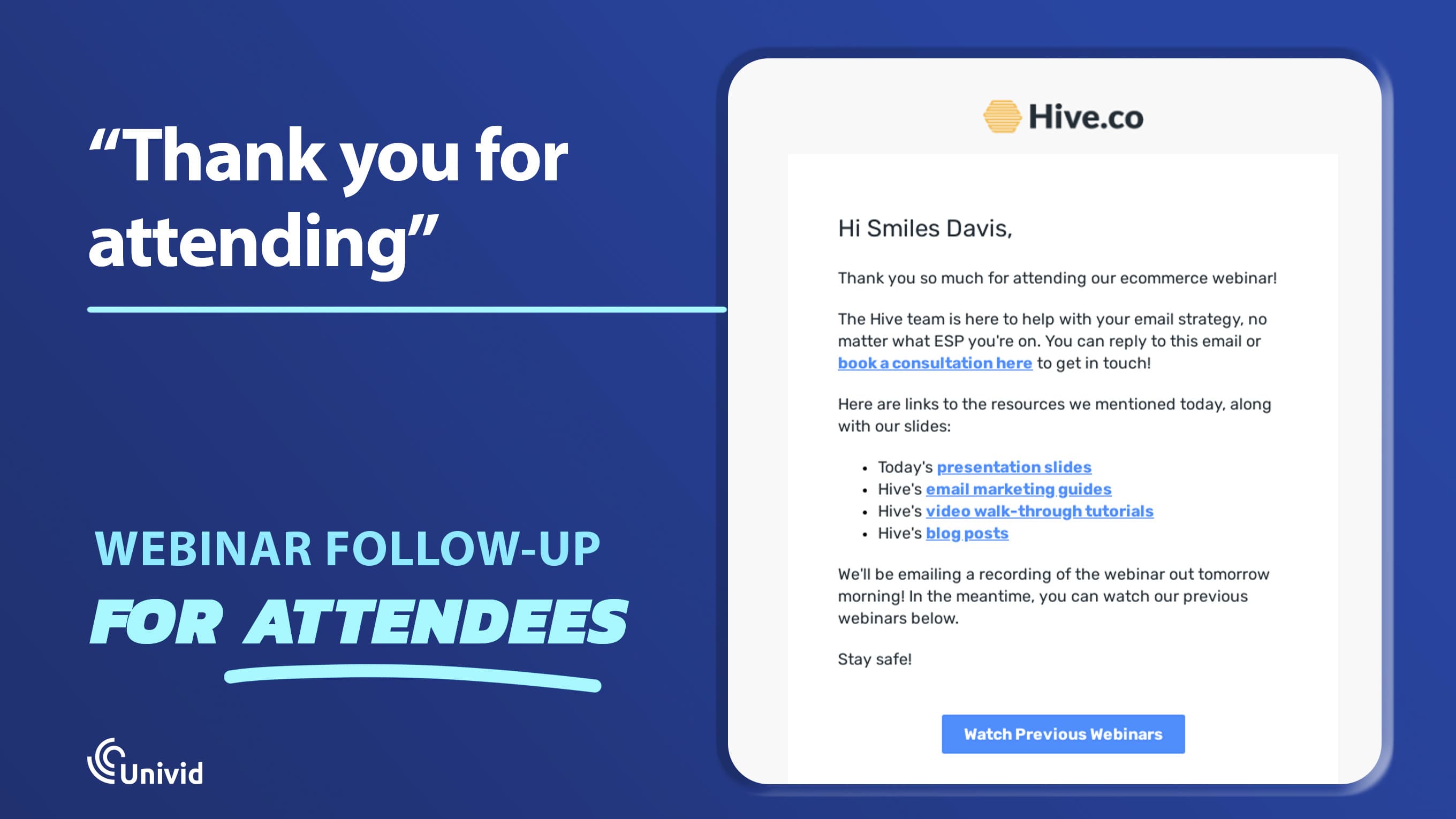
Here’s a good example of a thank-you email sent to a webinar attendee:
Source: Really Good Emails
2. Sorry you couldn’t make it (for no-shows)
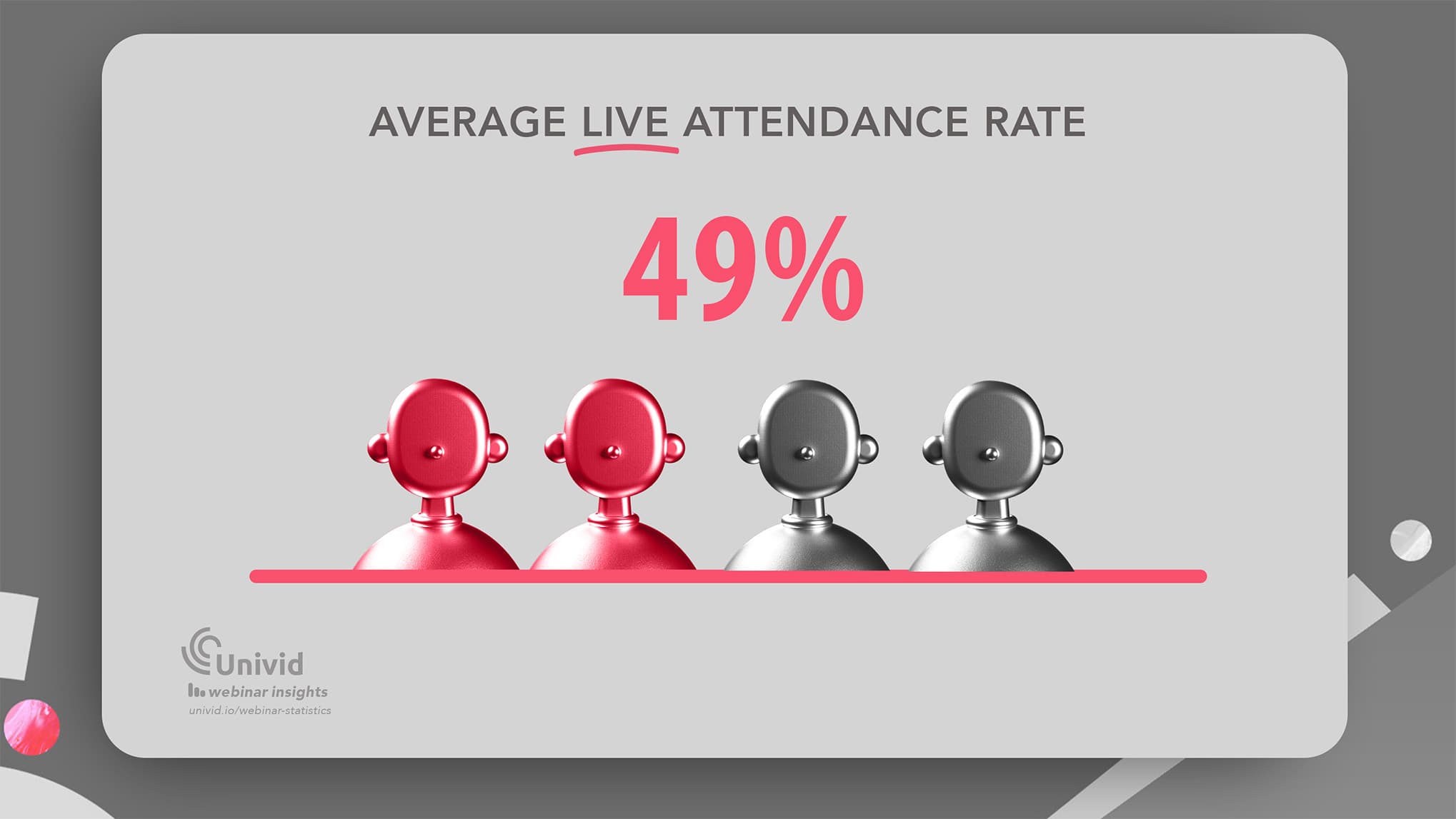
Not everyone who registers eventually attends your webinar. The average live webinar attendance rate hovers at 49%, so half of your registrants may end up not joining the actual event.
However, someone not attending a webinar doesn’t mean they are uninterested in the content. They might have been busy with other things at the allotted time. You should still follow up with non-attendees, providing a recap and a link to replay the full webinar. Here's a template for registrants who didn’t attend the webinar:
Hi [Recipient’s name]
Sorry you couldn’t attend our recent webinar, [webinar name]. Here’s a quick summary of what was discussed during the event and a link to replay the full webinar:
Summary point 1
Summary point 2
Summary point 3
Summary point 4
[Link to webinar recording]
[CTA button]
We hope you get the best ideas after replaying the webinar. Stay tuned for more webinar alerts.
Regards,
[Company Name]
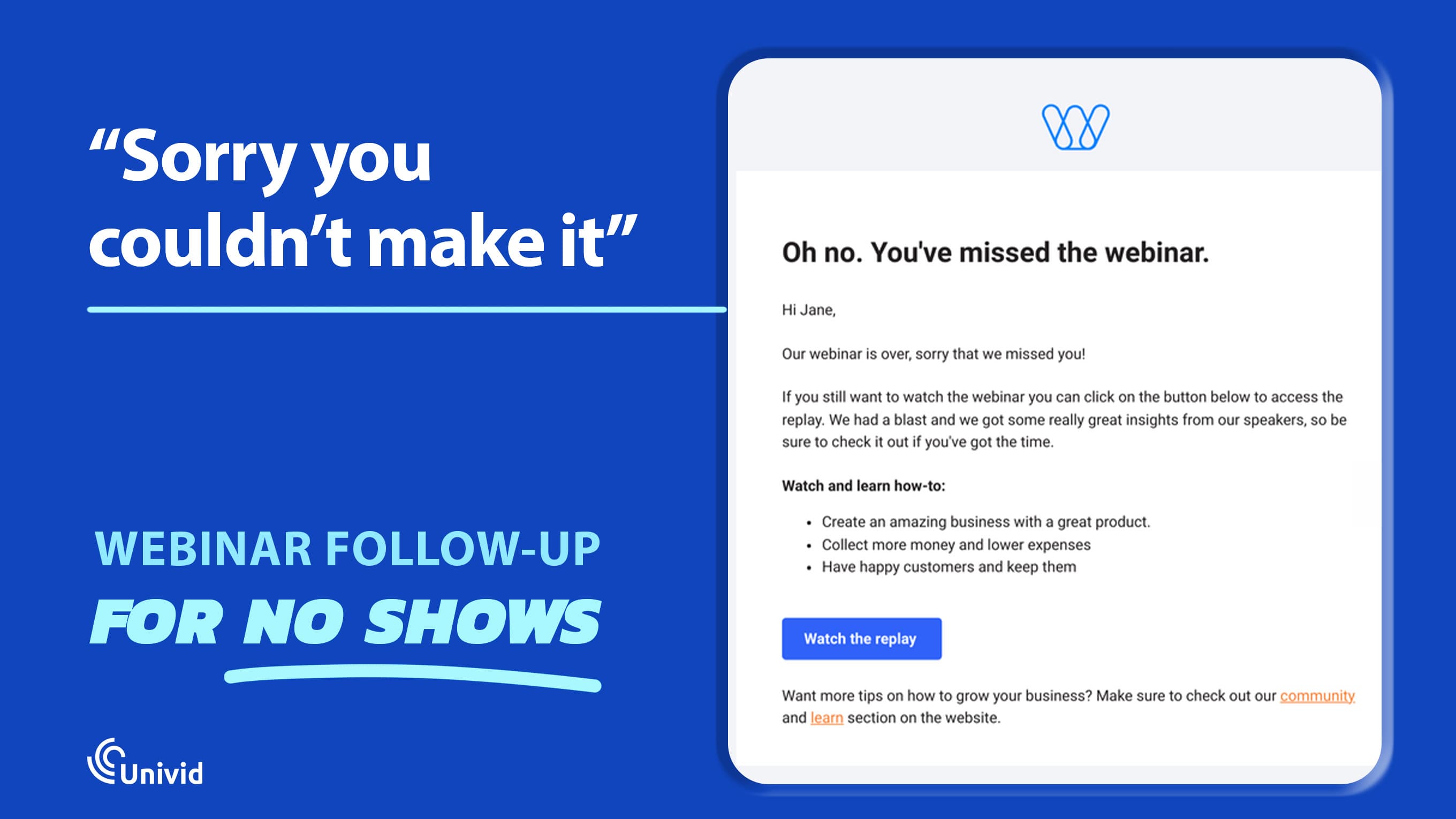
In the above scenario, the CTA can be the link to the full webinar recording or to past webinars. Here’s a real example of this email:
Source: Ortto
3. Feedback
A follow-up email can focus on collecting feedback from webinar attendees. It can be a poll to rate the webinar or an open-ended question asking attendees to reply with their feedback. For example, you can include some post-webinar survey questions to evaluate, or use the Experience Value Score (EVS).
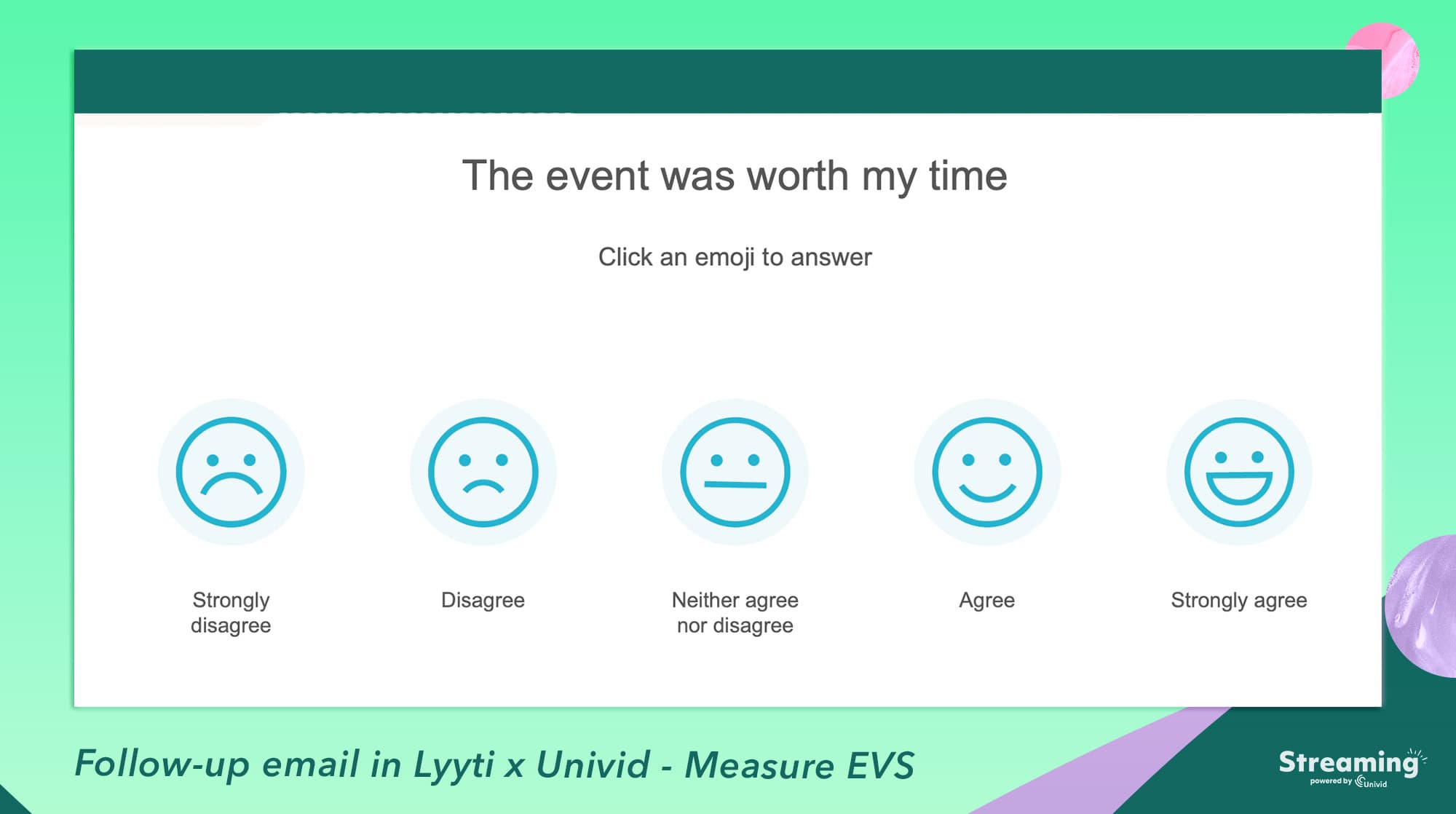
Here’s a feedback template:
Hi [Recipient’s name]
Thank you once again for attending our webinar, [Webinar name]. We’d love to know your opinion about the webinar and consider it for future events. Could you spare a minute of your time to tell us:
What went well in the event?
What can be improved on for future webinars?
If you’d recommend the webinar to a friend.
Feel free to reply to this email with your candid feedback. We value our customers’ opinions highly, and your feedback helps us create the best content.
Cheers,
[Company Name]
4. Highlighting webinar speakers
You can send a follow-up email highlighting the key speakers at your webinar. After all, these speakers took their time to headline your webinar, so they deserve a shoutout. Here’s a template:
Hi [Recipient’s name]
Thank you for attending our recent webinar, [Webinar name]. We hope you enjoyed the content and look forward to more. If you want to learn more from the speakers, follow them on LinkedIn below:
Speaker 1’s LinkedIn profile link.
Speaker 2’s LinkedIn profile link.
Speaker 3’s LinkedIn profile link.
As a reminder, you can replay the full webinar at [link to the webinar recording]
Cheers,
[Company Name]
5. Invitation to upcoming events
A recent webinar just concluded: there’s no better time to promote your upcoming webinars than now. People who liked what they saw in the recent one won’t hesitate to sign up for upcoming ones. Here’s a template:
Hi [Recipient’s name]
Thank you for joining our recent webinar, [webinar title]. There’s much more in store for you. Here’s our list of upcoming webinars you can tune into:
Webinar name, date, and link.
Webinar name, date, and link.
Webinar name, date, and link.
Slots are limited. Sign up now and claim your spot.
Cheers,
[Company Name]
Here’s a related sample.
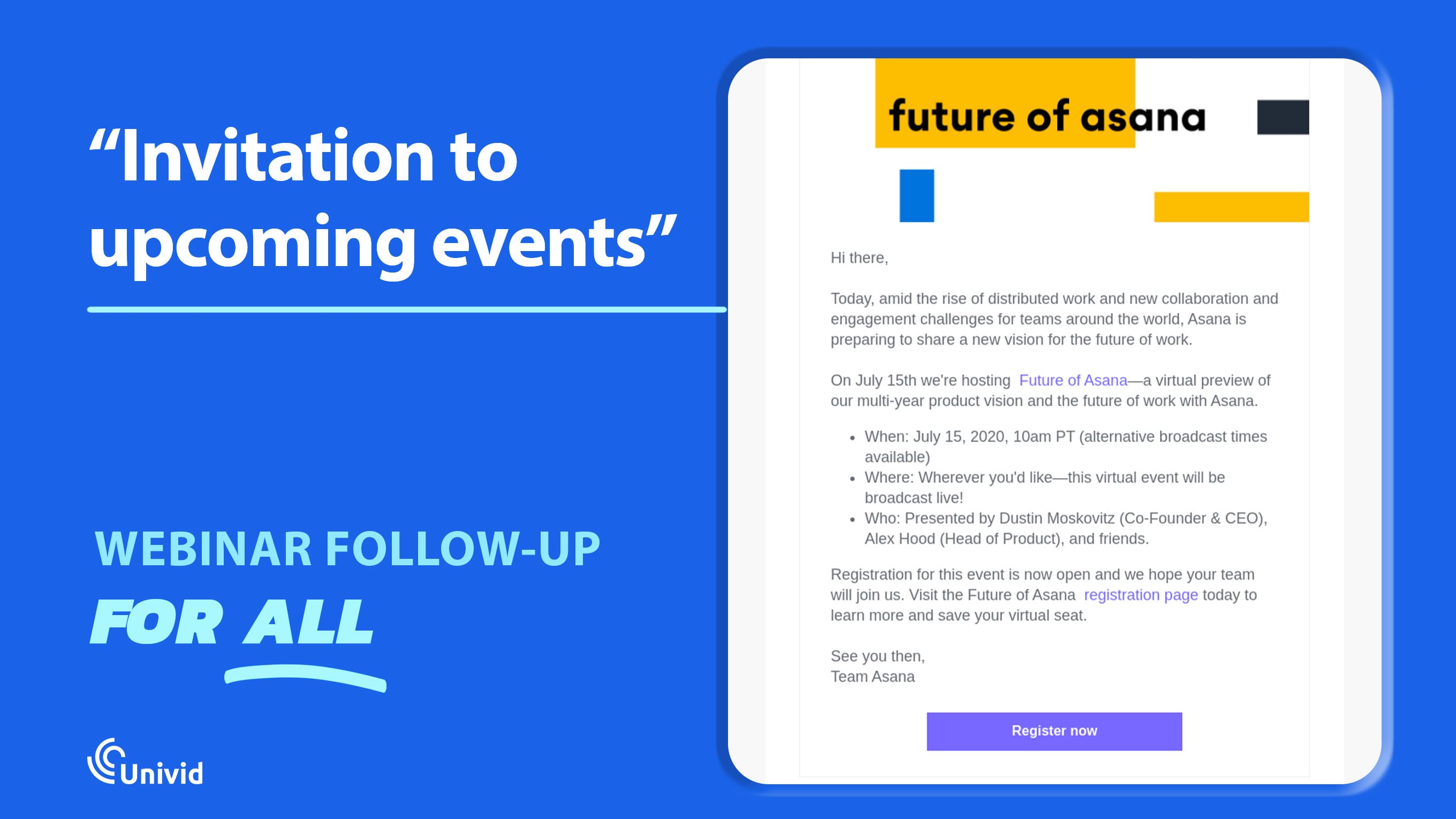
6. Highlighting related content for registrants
Your follow-up email can provide value by directing attendees to other resources related to the topics covered during the webinar. For example, if the webinar was about “e-commerce marketing in the AI age,” you can send attendees links to other valuable articles about this topic. Here’s a template:
Hi [Recipient’s name]
Thanks for joining our recent webinar, [webinar title]. Because you’re interested in [webinar topic], we thought you’d like to read through other content related to this topic. We’ve curated the best ones below:
Content 1 summary + link
Content 2 summary + link
Content 3 summary + link
Feel free to reply if you have any questions.
Cheers,
[Company Name]
7. A gift for attendees
Sometimes, you want to appreciate people who took the time to attend your webinar. What better way to do that than with a little freebie? This works mostly for small webinars with relatively few attendees, as brands don’t have to break the bank to provide freebies. Here’s a template:
Hi [Recipient’s name]
Thank you for taking the time to attend our recent webinar, [webinar title]. We’re happy you attended and hope you got a lot of fresh ideas from the sessions.
As a token of appreciation, here’s a $10 Google Play gift card (details attached to this email).
Thank you for being part of our online community, and we look forward to you joining more webinars.
Cheers,
[Company Name]
Below is a fitting example sent by AWeber, an email marketing platform:
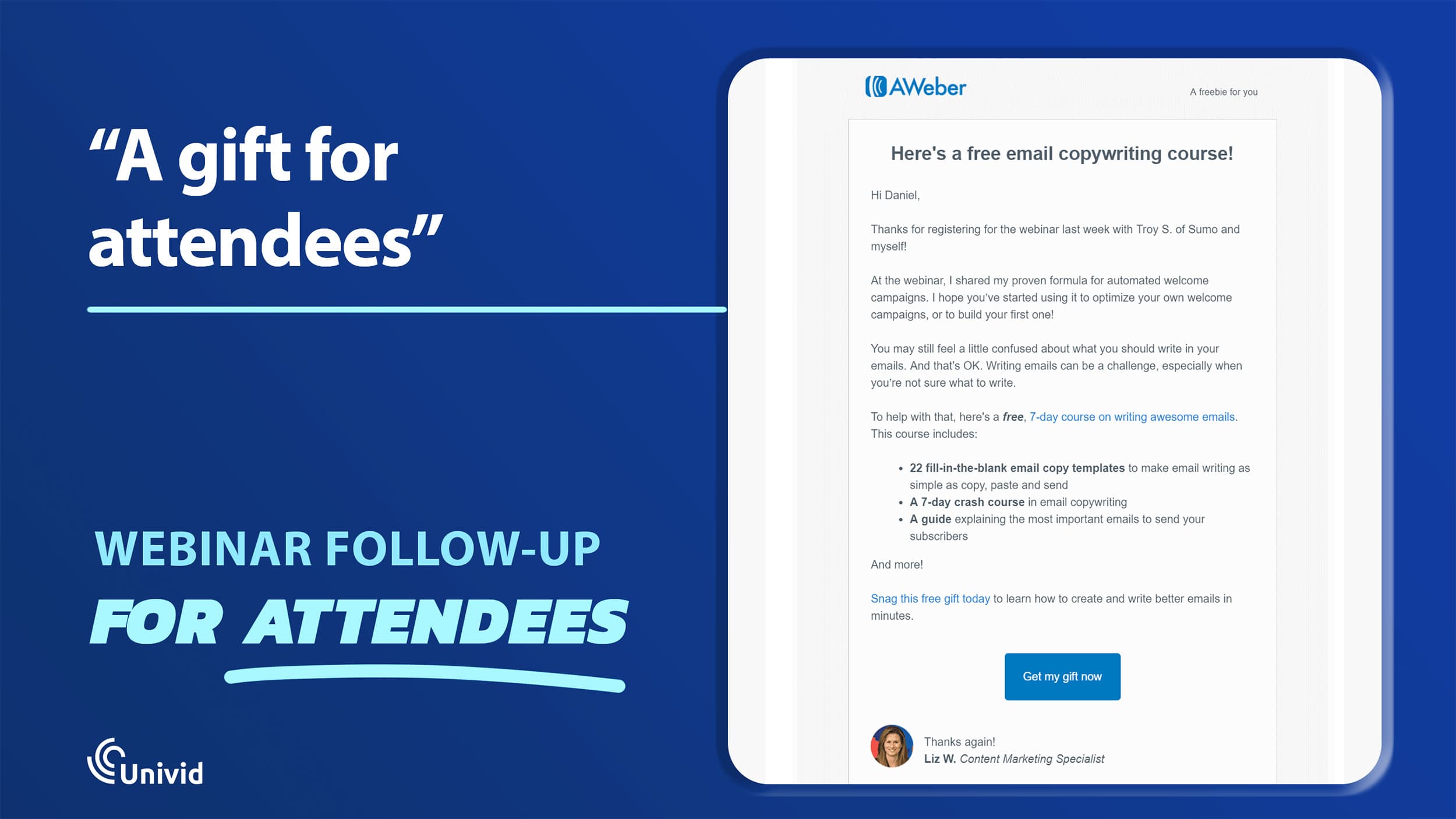
Source: AWeber
8. Sales/demo pitch
People who attended your webinar may be the best audience for a product pitch. You can use your follow-up email to pitch a product with a clear value proposition related to the webinar’s topic. Here’s an example:
Hi [Recipient’s name]
Thanks for joining our recent webinar, [webinar name]. I observed your increased engagement when the speaker discussed [specific segment of the webinar]. Your live feedback addressed [problem statement] and emphasized that resolving it is a priority for your company. Based on that, I’ll recommend [product/service] as a reliable solution.
Are you open to a quick chat about the product and how it can be applied to solve the [problem statement]? If so, please reply to this email for further details.
I look forward to hearing your thoughts.
Cheers,
[Company Name]
The above template is a highly personalized sales pitch sent as a follow-up email. It goes straight to the point, telling the recipient about the problem they mentioned during the webinar and providing a solution. Personalized sales pitches increase the chances of getting positive responses.
9. Free trial pitch
For software companies, webinar follow-up emails provide a good opportunity to nudge attendees to sign up for free trials. Here’s an example:
Hi [Recipient’s name]
Thanks for participating in our recent webinar, [webinar name]. Here’s a recap of what we discussed:
Summary topic 1
Summary topic 2
Summary topic 3
Our product helps a lot with the [problem statement discussed at the webinar]. If you’d like to know more about it, book a slot with our demo team here: [link].
We look forward to your reply.
Best,
[Company Name]
10. Special promo offer
You can appreciate webinar attendees with a special promo offer related to your business. It can be a one-to-one consultation, free use of your product for a specific period, a free product sample, etc. Here’s an example:
Hi [Recipient’s name]
We’re glad you took the time to join our recent webinar, [webinar name]. To show our appreciation, we’re extending a 90-day free trial of our product, compared to the usual 30 days. You can take advantage of this extended free trial to test the functionality and see if it suits your business.
Here’s an overview of our product’s core features:
Feature 1
Feature 2
Feature 3
Feature 4
[Screenshots]
If you have questions about the product, feel free to reply to this email, and expect a quick response.
Cheers,
[Company Name]
Common mistakes to avoid when sending follow-up emails
If webinar follow-up emails don’t generate sufficient conversions, the problem could be from the emails themselves, not the webinar. Brands often make mistakes that lead to lower conversions, and it’s important to know and avoid these mistakes. They include:
1. Sending the same email to both attendees and non-attendees
People who attended your webinar and those who didn’t attend don’t have the same profile. Attendees have higher intent than non-attendees, as they took the time to participate in the webinar. They’re more likely to respond to sales pitches and provide feedback, so focus your promotional efforts more on this cohort.
For non-attendees, focus on convincing them about the value they missed, then nudge them to participate in future webinars. You can still send sales pitches to this audience, but expect lower conversion rates.
2. Waiting too long
If a follow-up email lands 3 to 5 days after the webinar was concluded, it won’t get high conversions because intent has largely faded. By this time, the webinar’s topic has gradually faded from attendees’ memories, so they’re less likely to respond. To get the best results, send follow-up emails within 24 hours.
3. One-touch follow-ups
Your follow-up doesn’t have to be just one email. You can send the first email within 24 hours, then send additional emails over 5 to 7 days. A registrant may not reply to the first follow-up, but additional emails can convince them to respond to your pitch.
Get started todayJoin over 70,000 users and create unique webinars with Univid.Get a demo