Post-Webinar Survey Questions: 20 Examples [to copy]
Copy these 20 post-webinar survey questions to collect better feedback, measure attendee satisfaction, and improve your next webinar.

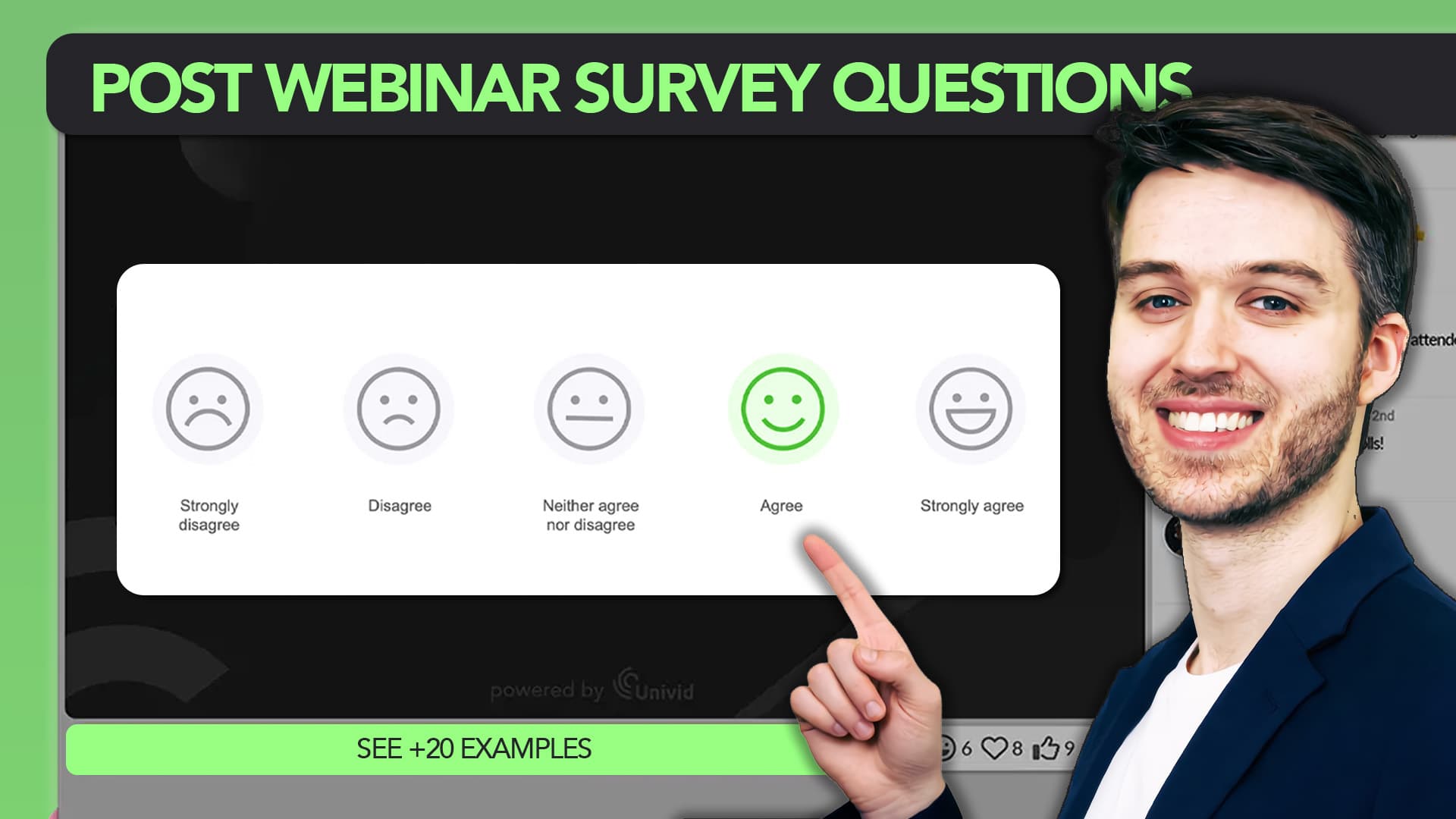
What are post-webinar survey questions?
Post-webinar survey questions are short prompts sent to attendees right after a session to measure content fit, speaker quality, platform experience, and buying intent. Done well, they qualify leads, sharpen your next topic, and turn feedback into pipeline.
You ran the webinar. Attendance was solid, the chat was active, the slides looked sharp. Now what? You have 300 registrants in your CRM and almost no idea which ones are warm, what actually landed, or what to run next month.
The gap between "good webinar" and "good pipeline" is usually a survey nobody answered, or one that asked the wrong things. And the window to fix that is smaller than most teams think.
Post-event feedback typically sees 20 to 30% response rates, and event surveys sent within 2 hours of the session ending score 40% higher on actionability than delayed ones. Wait until tomorrow morning and you are basically writing off half your data.
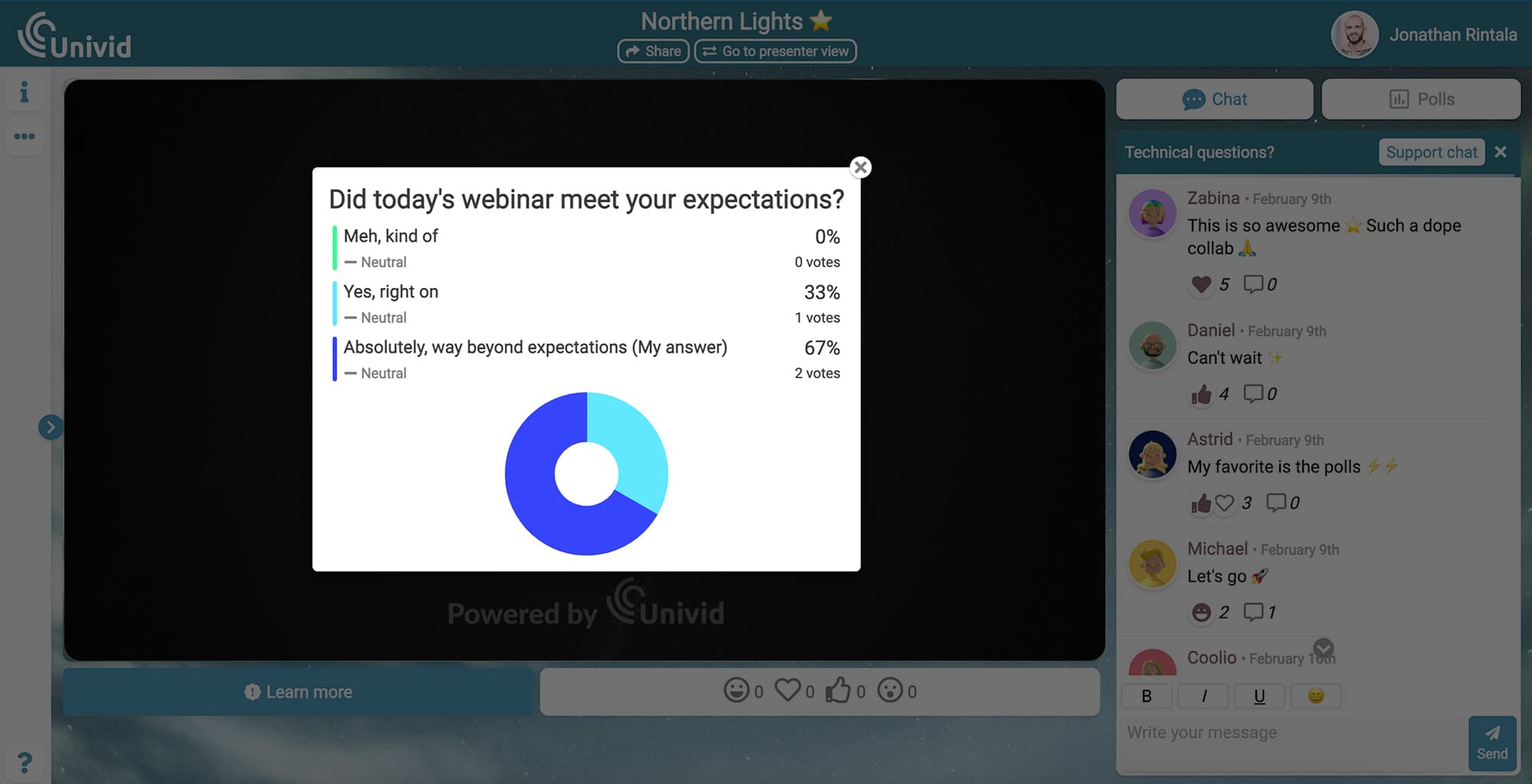
This article gives you 20 ready-to-use questions, organized into six categories built around pipeline intelligence rather than generic feedback. You also get timing rules, length benchmarks, and a few design tricks that lift response rates from sad to useful.
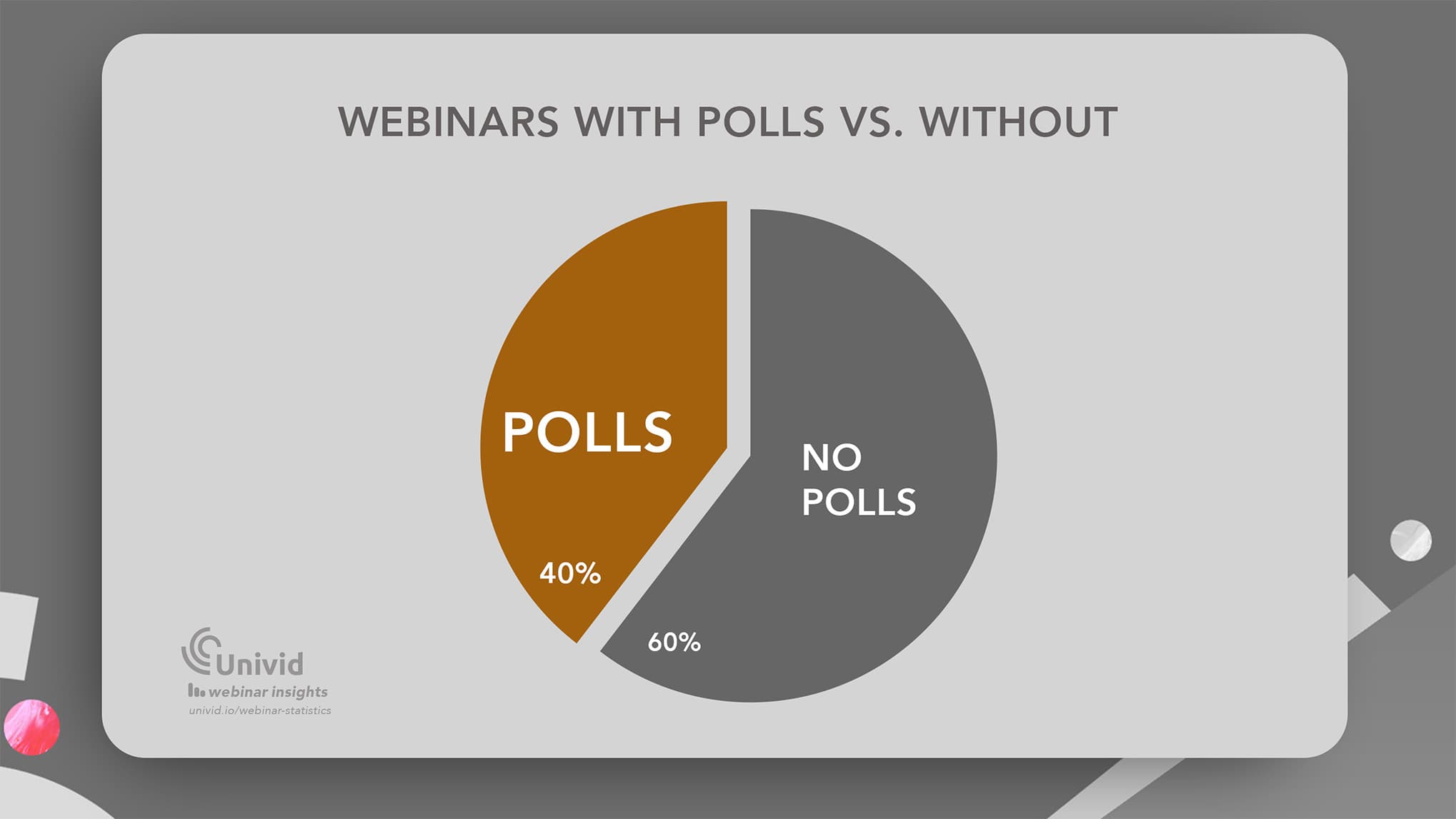
Webinar data also shows around 40% of webinars today use polls (as we will learn, being one way of running audience surveys) - but 60% of webinars still do not use a structured way to ask the audience for feedback.
Univid handles the webinar setup in 60 seconds so you can spend your time on the part that actually compounds, which is understanding your audience and how to move them to convert.
Why Post-webinar Surveys Are a Pipeline Tool, Not a Feedback Form
Most teams treat surveys like a courtesy, while operators who hit pipeline targets treat them like lead scoring.
Think about what your CRM knows after a webinar without a survey: who registered, who showed up, how long they stayed, maybe a CTA click. That is behavioral data, and it tells you what people did but not why.
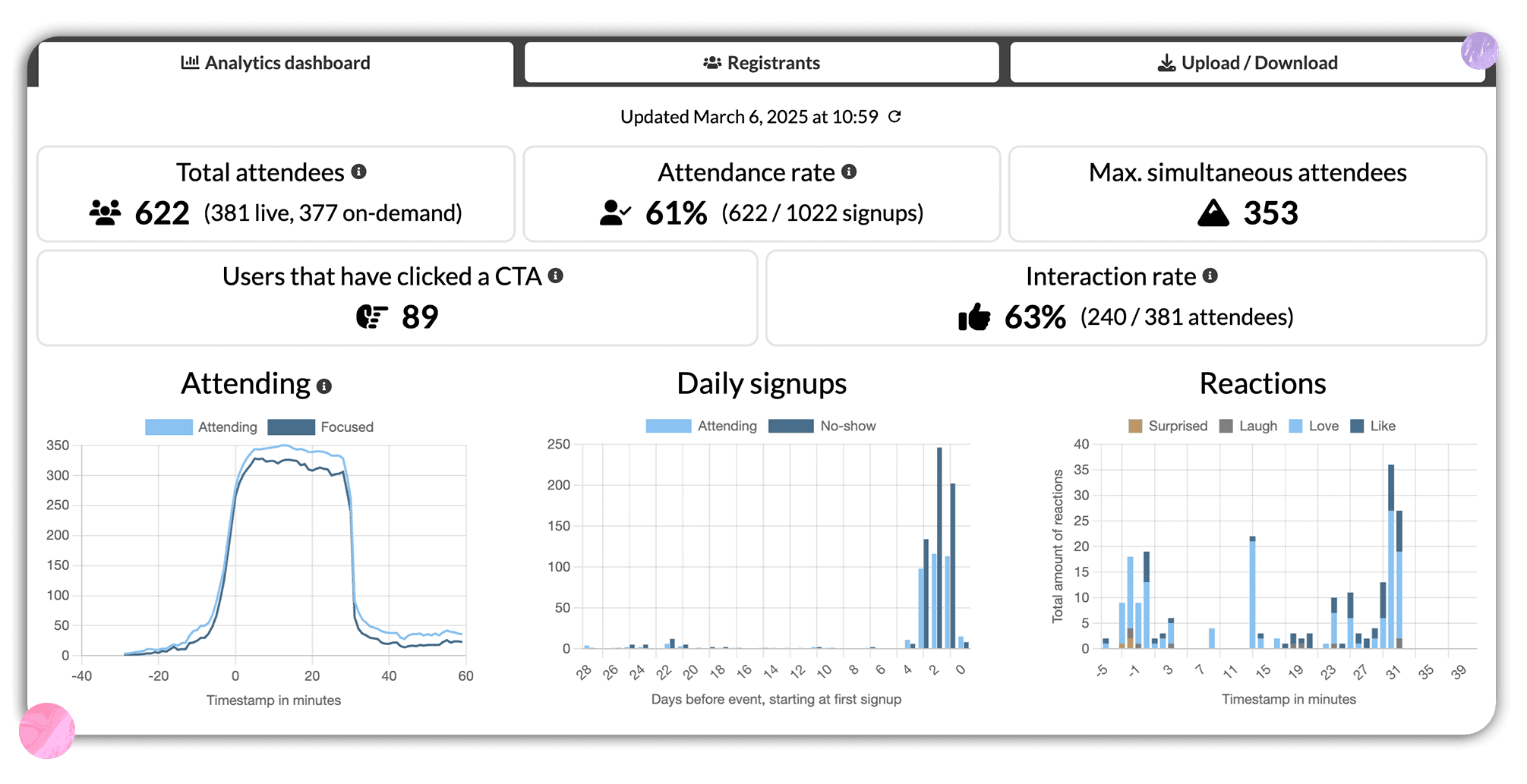
Example: Webinar Analytics and KPI
A finance director who sat through your "ROI of automation" session for 47 minutes looks identical to a curious intern in your dashboard. The survey is the thing that pulls them apart.
A good post-webinar survey does three things engagement metrics cannot: it tells you who is ready to buy this quarter, why people showed up in the first place, and what to run next sourced from the people who already came once. Every question should map to a pipeline action, a content decision, or a channel decision, otherwise cut it.


What weak surveys cost you
Not getting proper webinar data from your webinar tool, is often a sign you're using the wrong platform, and skipping out on the surveys creates a bunch of problems:
Generic ratings give you nothing actionable: A 4.2 out of 5 on "how was the webinar today" tells you the room was polite, not that 60% wanted more pricing strategy while your speaker spent 20 minutes on company history.
Vague feedback turns your editorial calendar into guesswork: Without a "what topic next" question, your team runs a Slack vote on Monday while the actual buyers already had an answer you never asked for.
No buying-intent flags means cold sales handoffs: A list of 280 attendees lands in Salesforce with no signal on who is evaluating now versus researching for Q3, so sales either spray-calls everyone or skips the list.
No attribution means you cannot defend the spend: When finance asks why LinkedIn got 40% of the budget, you have register counts but no answer to whether LinkedIn drove the people who became opportunities.
No format data means you keep running the wrong shape: Q4 panel pulled 800 registrants, Q1 solo deep-dive pulled 320, and without asking why, you are correlating gut feel against attendance and optimizing the wrong variable.
The 20 Post-webinar Survey Questions, Organized by Purpose
These are written exactly as you should send them. Copy, paste, ship. Every question carries a short note on the insight it produces and the action it should trigger, so nothing on your form is sitting there for decoration.
Attribution and Channel Intelligence
Before you can defend a budget or rebuild a channel mix, you need to know how people actually found you. The next three questions do that in 20 seconds of respondent time.
Q1. "How did you first hear about this webinar?"
Multi-select: Email, LinkedIn, Colleague, Search, Partner, Other.
The cleanest channel attribution you will get, straight from the registrant before the data passes through three platforms and loses its source. Use it to redistribute paid budget and lean into the channels that actually convert, not the ones that just register the most clicks.
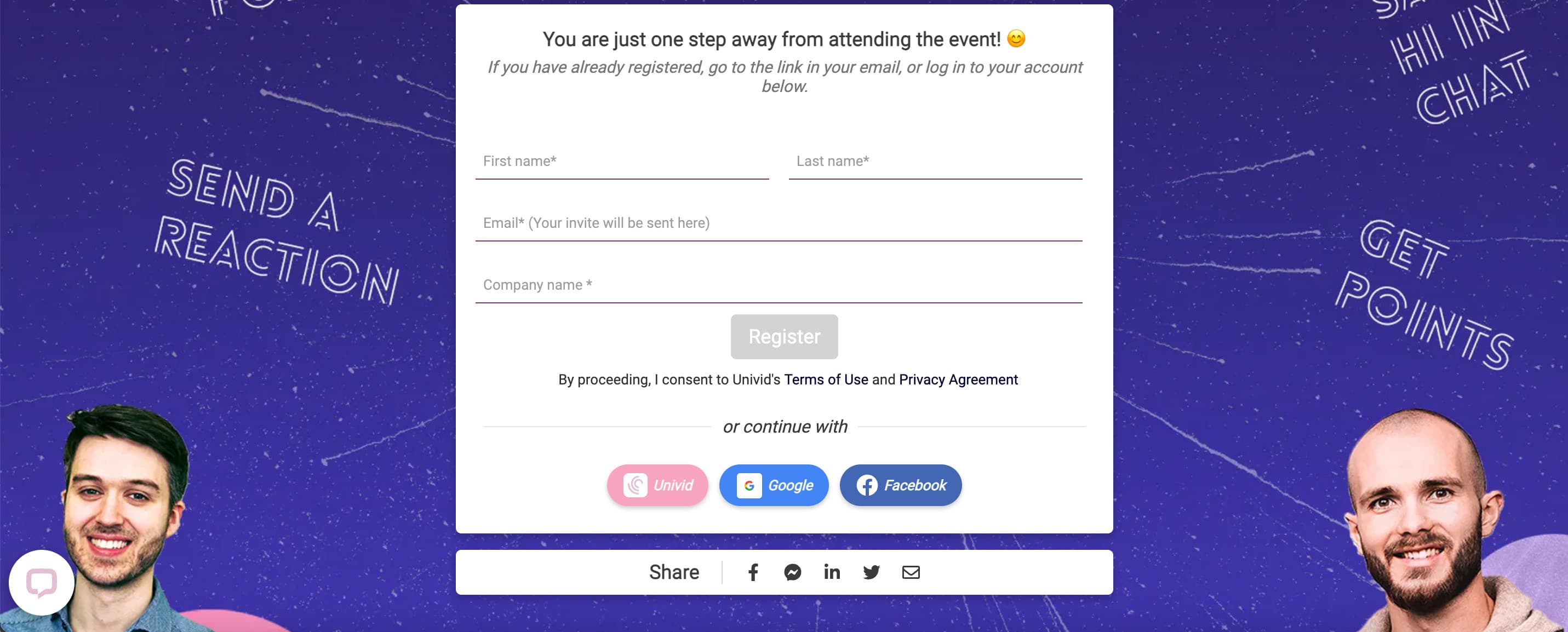
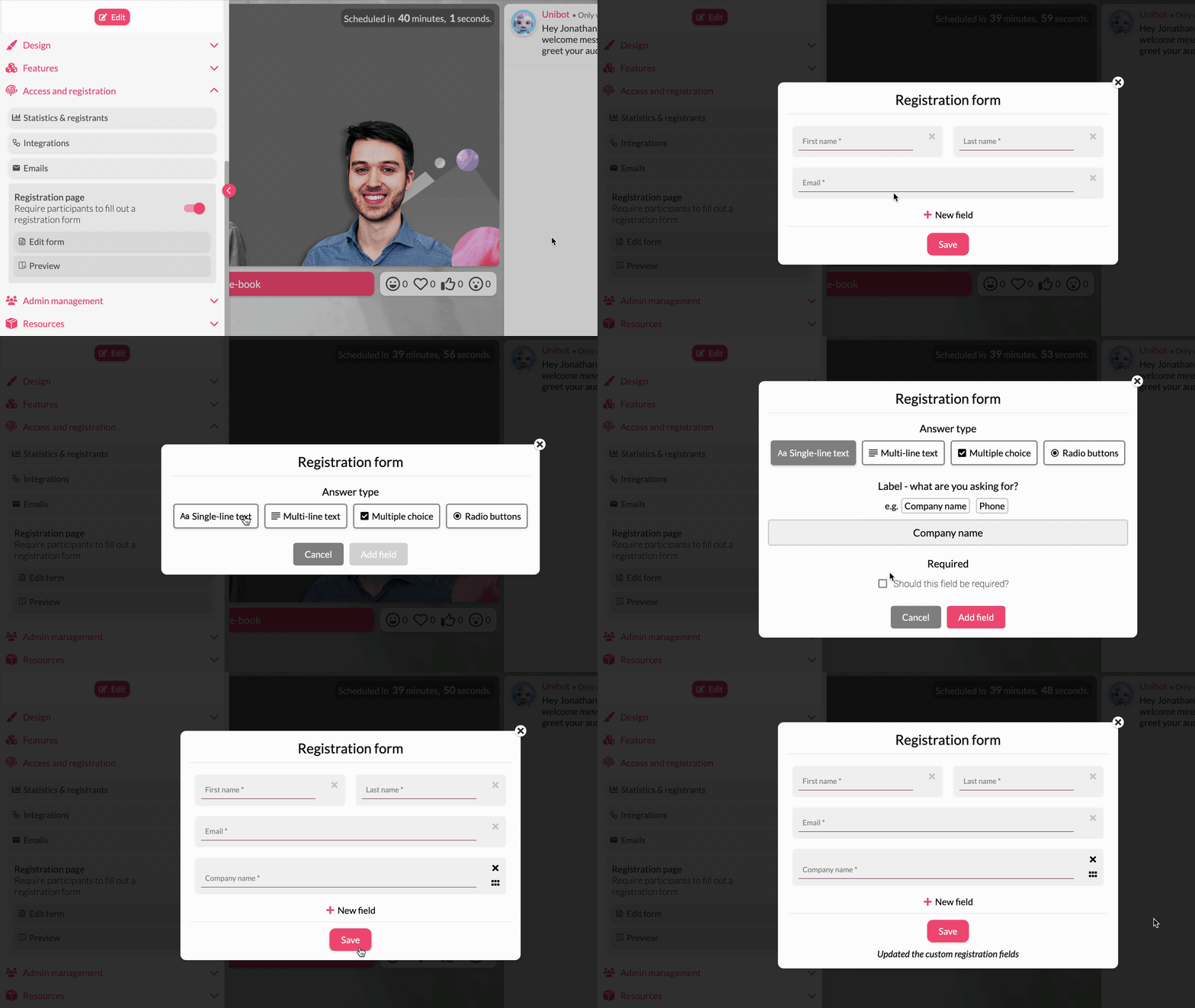
Tip: you can also place this question directly on the webinar landing page, as a question in your registration form.
Q2. "What made you decide to register?"
Multi-select or open: Topic, Speaker, Use case, Sent by a colleague, Curious about the company.
Tells you whether you are winning on topic, talent, or brand pull. If 80% pick "topic," your speaker brand is underweight and you are over-relying on subject-line magic. If most say "company," you have category awareness most marketers would kill for, so stop hiding the brand on your registration pages.
Q3. "Have you attended one of our webinars before?"
Yes / No.
Splits your audience into first-touch and repeat in one click. Repeat attendees are warmer leads and should be scored differently in your CRM, because someone showing up to webinar number four is not the same lead grade as someone showing up to their first.
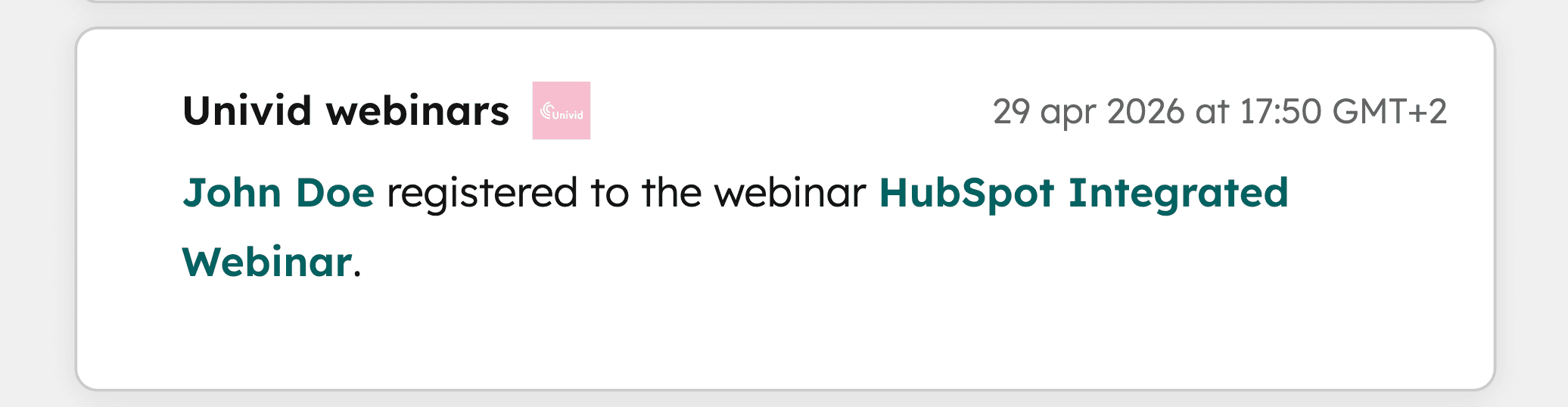
Note: if you work with a webinar tool that has proper attendee tracking, like Univid, you should already have this data in your CRM or analytics from previously; meaning you don't have to ask the attendees for it.
Content Quality and Topic-Market Fit
Now the audience is mapped, the next question is whether the session you actually delivered matched the one they signed up for. These four questions surface the gap between promise and product.
Q4. "Did the session match your expectations?"
Yes / Somewhat / No.
Catches a gap between marketing copy and content delivery, the kind of gap that quietly kills repeat attendance. A "Somewhat" or "No" majority means your registration page is overpromising, and the next webinar will land softer no matter how good the content is.
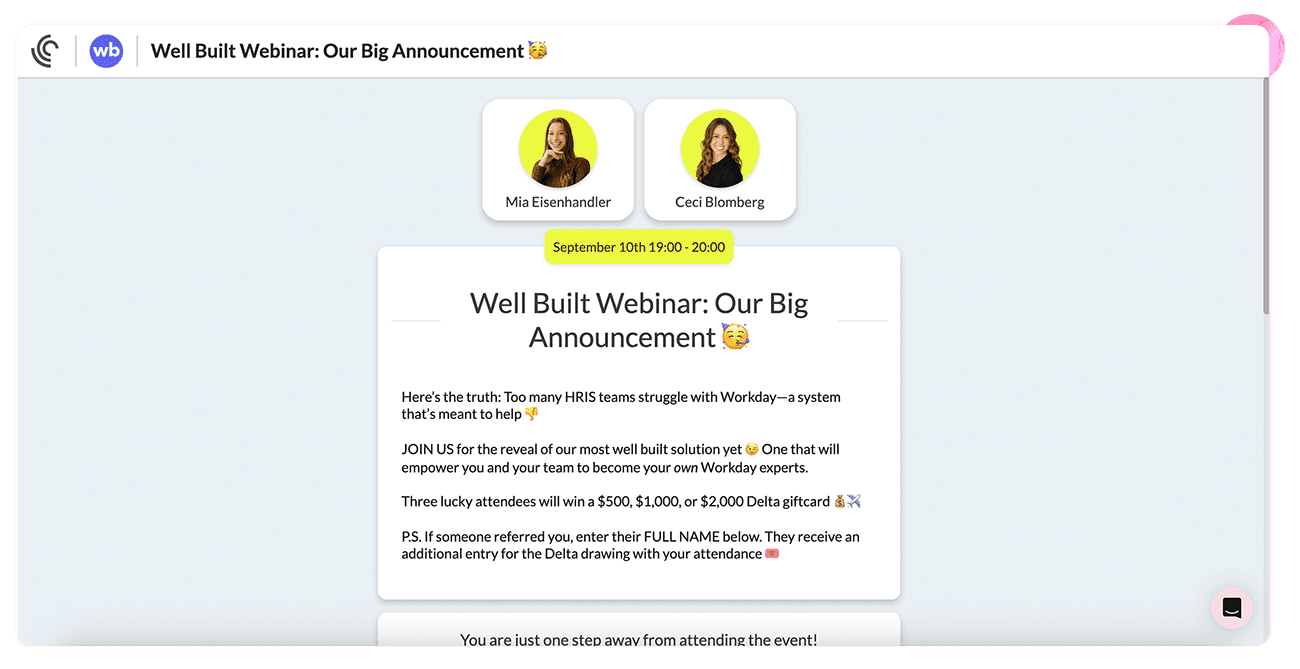
Q5. "Was the depth of content right for you?"
Too basic / Just right / Too advanced.
Reveals whether your audience is more senior or more junior than you assumed, and assumptions here are usually wrong. This one question drives the editorial calendar for the next quarter, because you stop guessing whether your buyer wants a 101 or a deep dive.
Q6. "What was the most useful thing you took away today?"
Open-ended.
Free user research. Pull these answers straight into your next landing page, ad copy, and follow-up email subject lines. Your buyers are quietly writing your marketing for you, in their own language, with the exact phrases that resonated enough to remember.
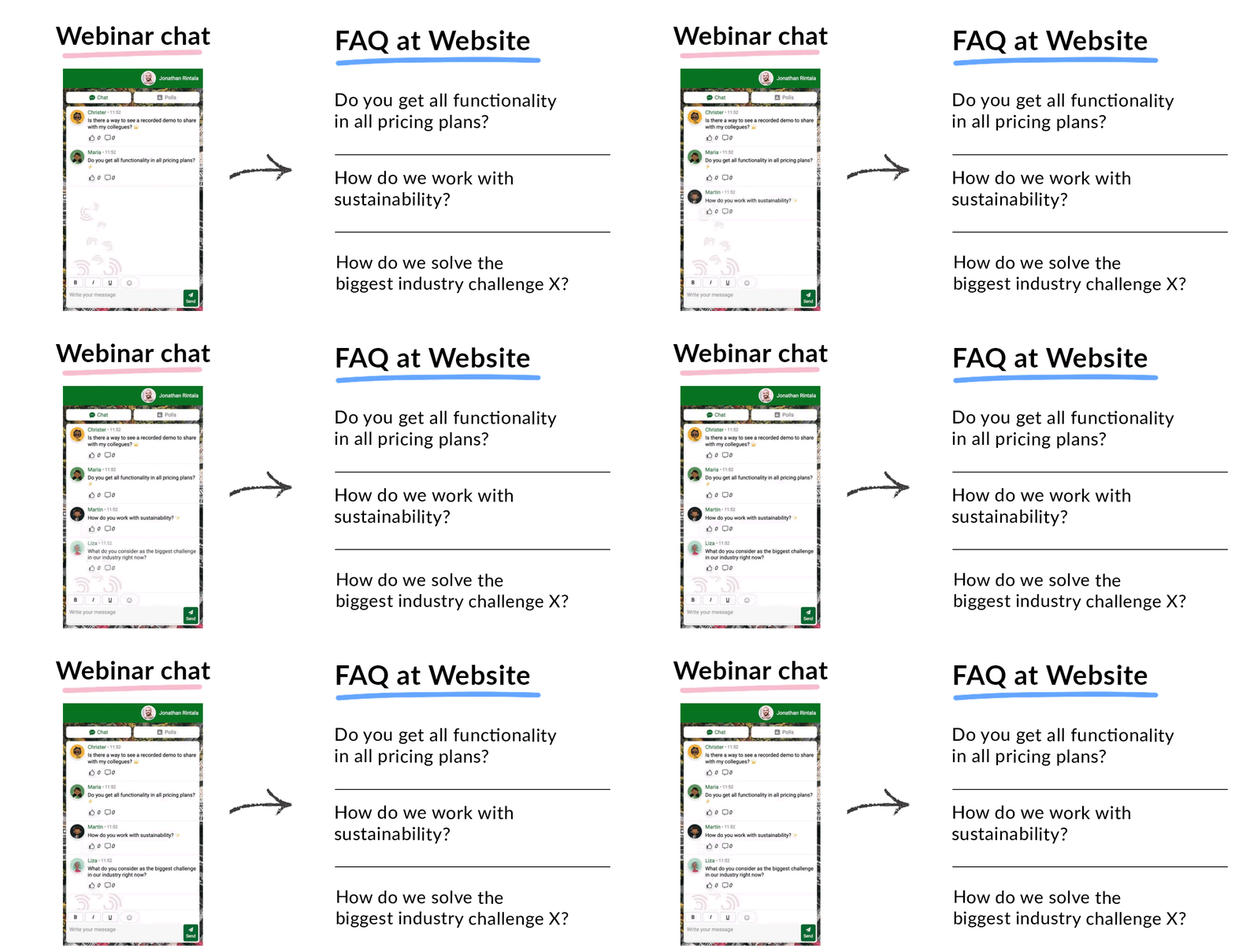
Example: pull Q&A answers and poll survey questions to content on your website.
Q7. "Was there anything you came hoping to learn that we did not cover?"
Open-ended.
A topic backlog generator that pays for itself. Every gap becomes a future webinar, blog post, or sales enablement asset, which is also how you turn one webinar into months of content without running another session.
Speaker and Format Effectiveness
Content fit is one half of the equation, and the people and shape delivering it are the other. The next four questions tell you what to keep, swap, or restructure.
Q8. "How would you rate today's speaker(s)?"
1 to 5 scale, with optional comment.
Speaker quality drives repeat attendance more than topic does, which is uncomfortable if your CEO is the default presenter. If a speaker scores under 4.0 across two sessions, swap them for the next one even if the topic is right and the slides are sharp.
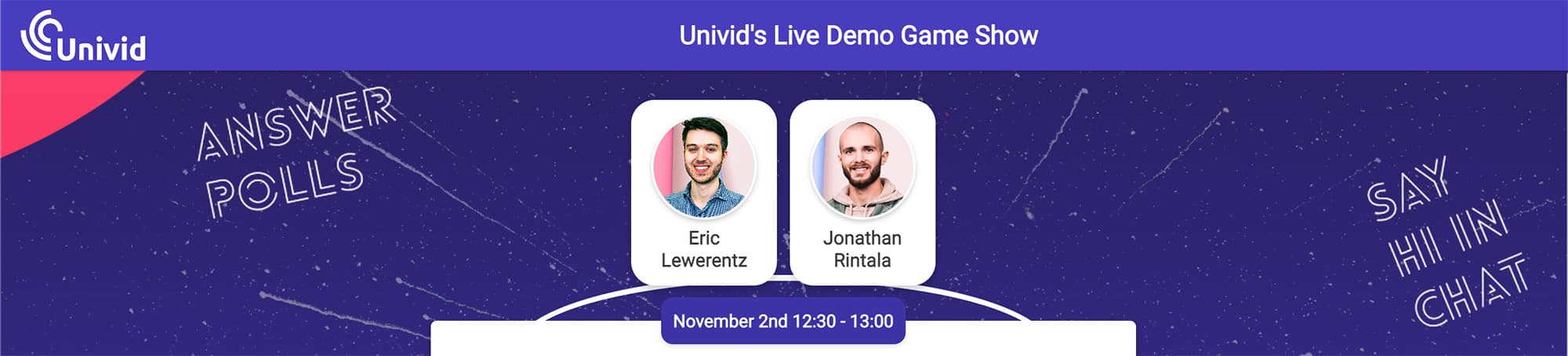
Example: speaker section of webinar landing page
Q9. "How did the session length feel?"
Too short / Just right / Too long.
Length data shows whether you should be running 30-minute briefings or 60-minute deep dives. Most B2B audiences vote for shorter than hosts assume, so resist the temptation to read the room from the chat alone.
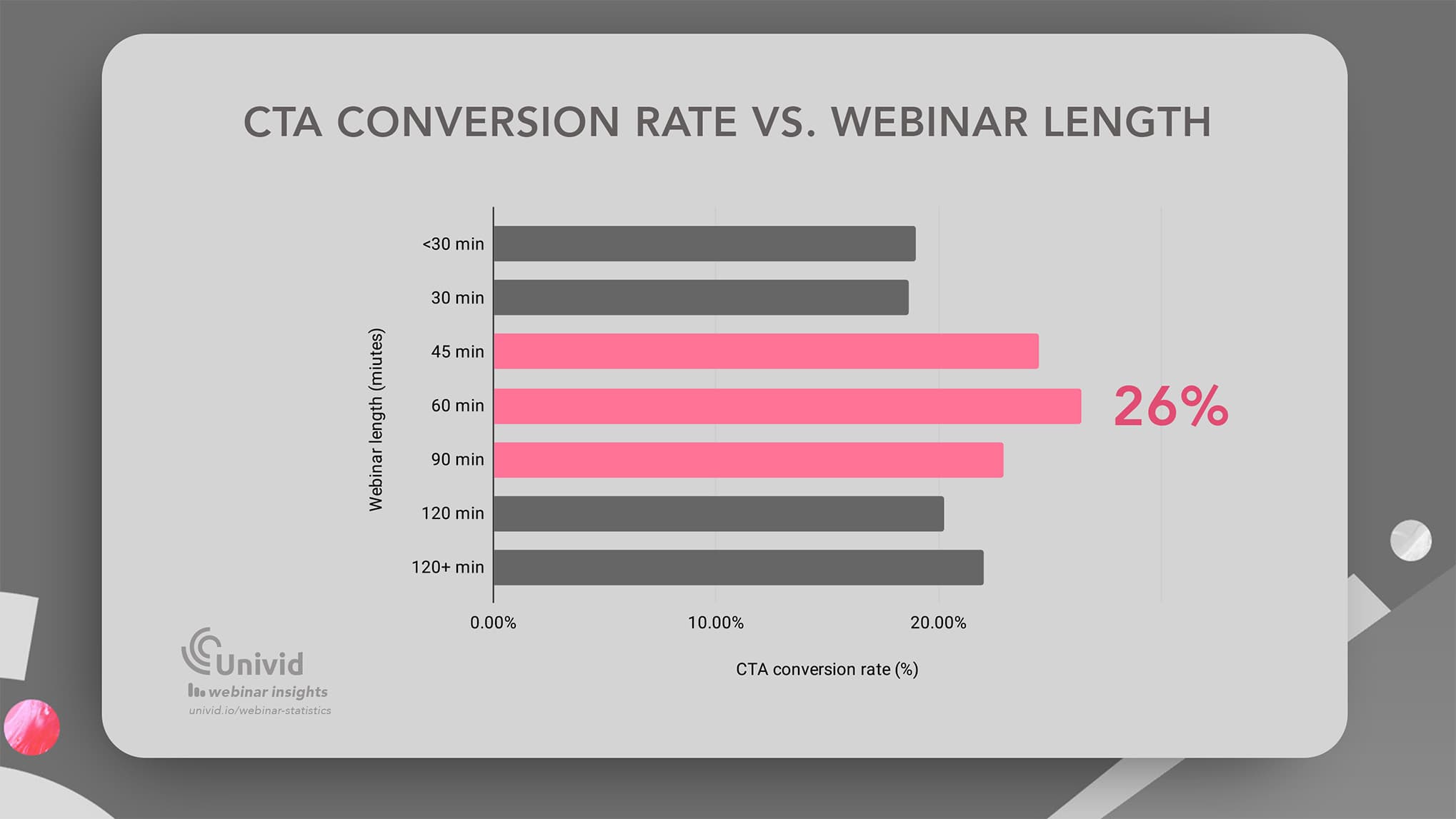
Also, keep in mind webinar data also suggests 60 minute webinars convert the highest.
Q10. "Which format do you prefer for topics like this?"
Solo presentation / Panel / Fireside chat / Workshop with exercises.
Format-fit insight that compounds across your whole webinar program. Useful when you are deciding how to moderate the next session, whether to bring in a guest, or whether to drop the slides entirely and run something more conversational.
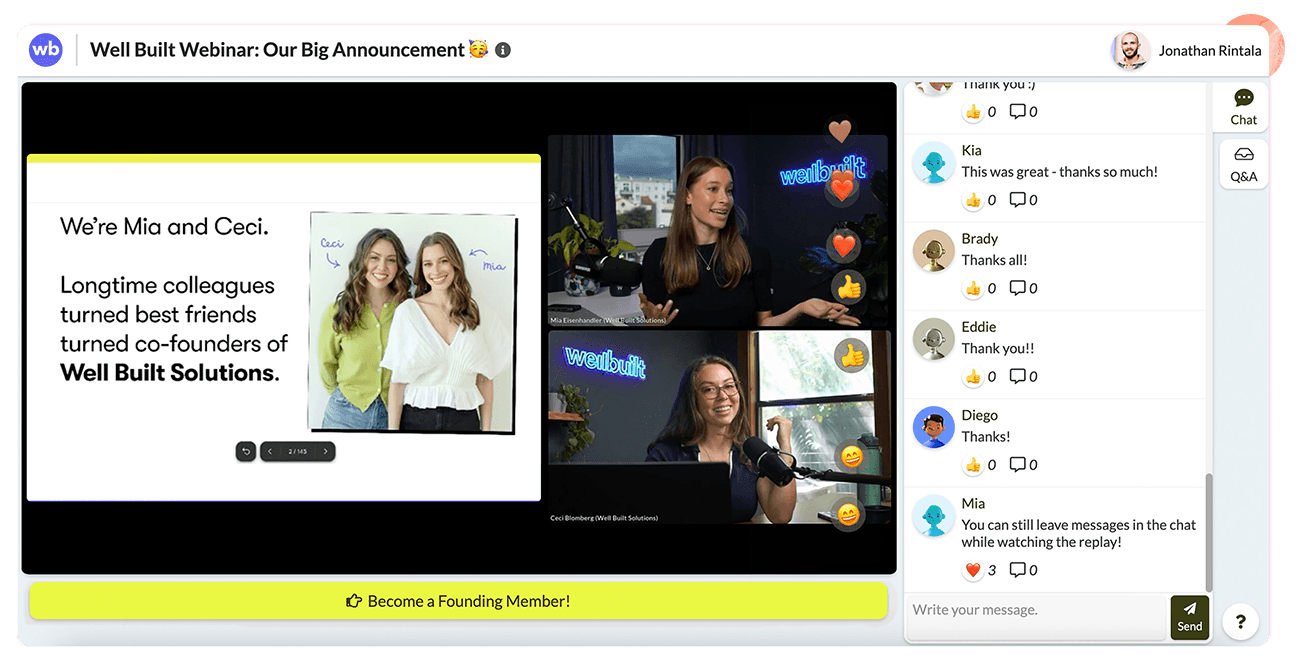
Example: Panel webinar in informal and conversational style (in Univid)
Q11. "Were the slides and visuals easy to follow?"
Yes / Somewhat / No.
A simple proxy for production quality, and the canary in the coal mine for slide-design problems you cannot see from the host view. Persistent "Somewhat" answers mean the deck is the issue, not the content.
Engagement and Platform Experience
The session itself is only half of what attendees experience, with the rest being friction, lag, and whether they could find the join link. The next three questions surface technical issues your chat will never report.
Q12. "Did you find it easy to join and watch the webinar?"
Yes / No, with optional comment.
Friction in the joining flow is the silent killer of webinar marketing, and the people who churned at the join screen never made it to the chat to complain.
If even 10% answer "No," you are losing pipeline before the speaker says hello, which is also a strong argument for browser-based delivery over anything that requires a download.
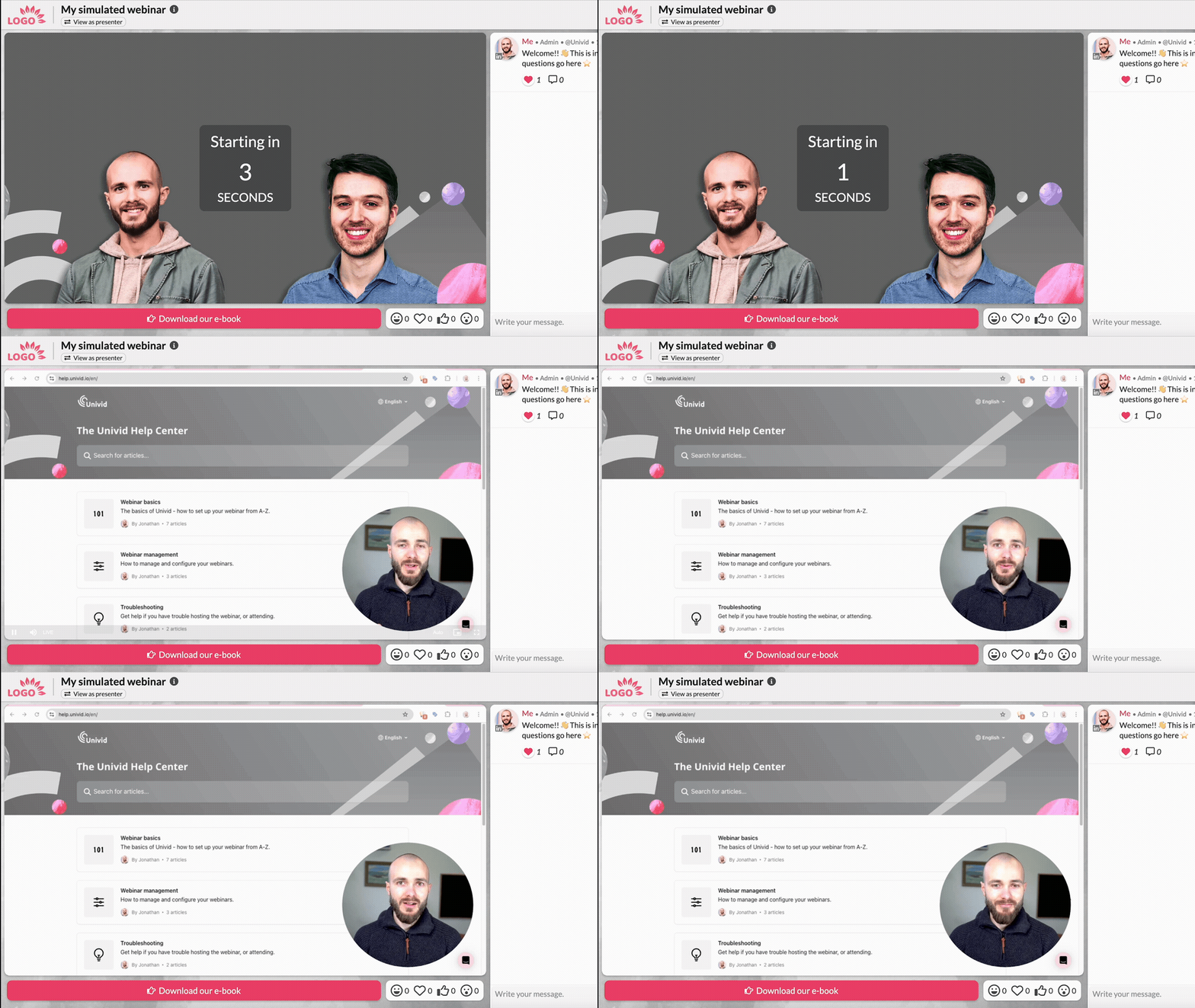
Example: Webinar going live in easy-to-use webinar platform Univid
Q13. "Which interactive features did you use today?"
Multi-select: Polls, Chat, Q&A, Reactions, CTA buttons.
Reveals which engagement tools are actually pulling weight versus which ones you build for yourself.
Data shows webinars with high engagement gets the most conversions, but getting there might require some tweaking. If nobody touched the polls, stop running them, and if everybody used Q&A, design the next session around it. There are plenty of other ways to make a webinar more interactive that you might not have tested yet.
Note: a solid webinar software (like Univid) allows you to see the engagement data like who answered in polls, reacted, or wrote in the Q&A; thus, you can skip this question in that case and focus on the others.
Q14. "How was the video and audio quality on your end?"
1 to 5 scale.
Production complaints surface here, not in the chat, where people are too polite or too distracted to flag a feed issue. Run this question across 10 sessions and you will have a real benchmark for your delivery setup, not a vibe.
Conversion and Buying Signals
This is the section that turns the whole survey from feedback exercise into pipeline tool. Four questions, four hand-offs sales can act on by the end of the day.
Q15. "Where are you in your evaluation process for tools in this space?"
Just researching / Comparing options / Ready to decide soon / Already a customer.
The single most important question on the survey, and the one most teams forget to ask. Maps every respondent to a stage of the funnel in one click, so sales can prioritize outreach in hours instead of triaging the full attendee list on Friday.
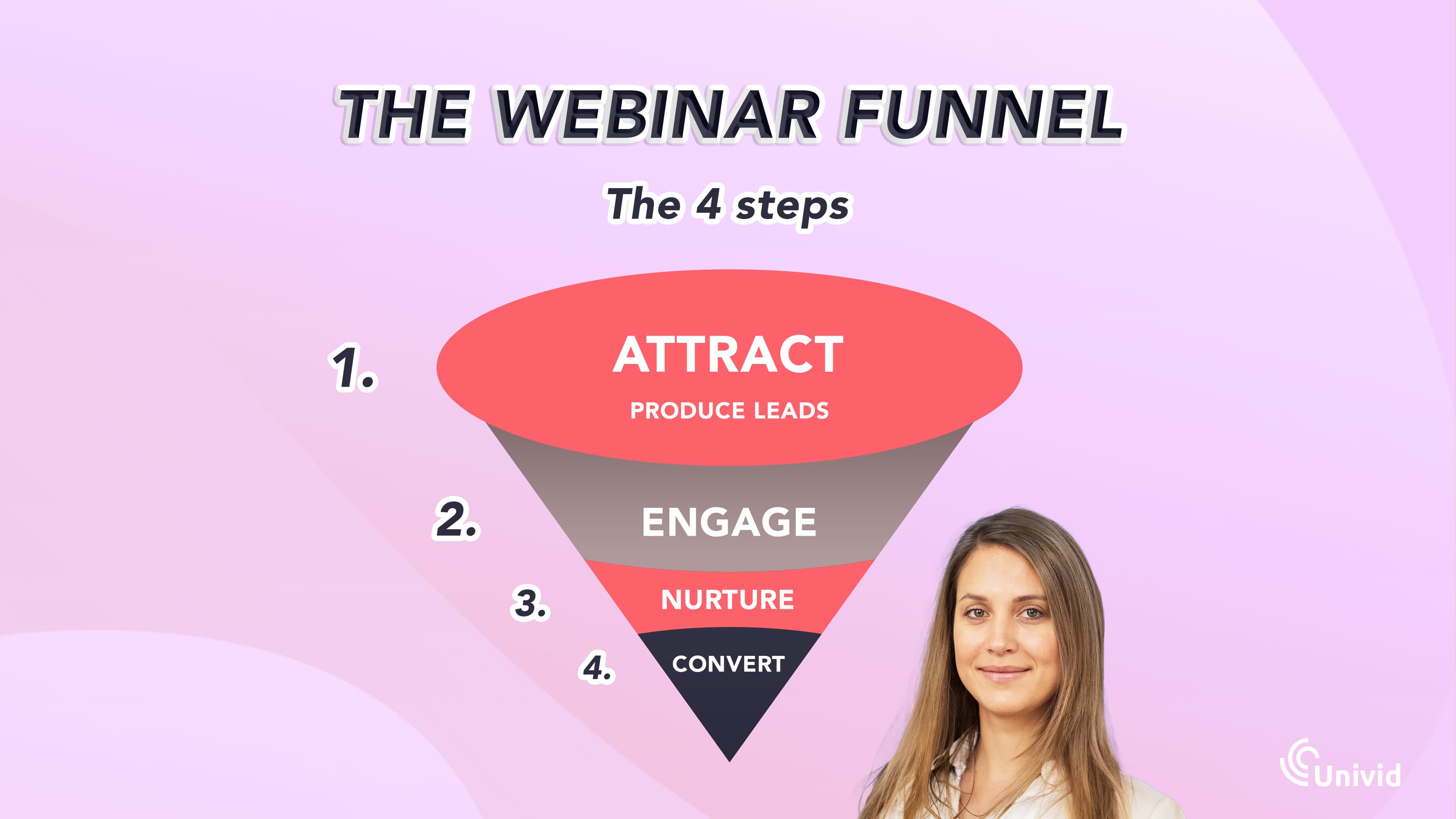
Also, you can adjust the topic and approach in coming webinars to know how hard to push for a direct CTA like "book a demo", or if you should continue nurture your attendees for some time with softer ones like "download our free guide".
Q16. "After today, how likely are you to consider [your product] for your team?"
1 to 10 scale
A purchase-intent score you can pipe straight into your CRM as a lead-grade modifier. Combined with Q15, this gets you very close to a real qualified opportunity without a discovery call, which means your SDRs are calling people who already raised a hand.
Q17. "Would you like to speak with our team about how this applies to your situation?"
Yes, please reach out / Not right now / Already a customer.
A consent-based hand-raise, which means the "Yes" responses are demos worth booking the same day rather than chasing through a nurture sequence.

Note: if you have a webinar software that supports live CTA:s like Univid, this can instead be run through conversional CTAs inside the live session, so the survey becomes a second shot at the meeting.
Q18. "What would make this an obvious next step for you?"
Open-ended.
The objection handler in the buyer's own words, before sales has even picked up the phone. AEs walk into the first call with warm context and the exact language to mirror, while marketing gets nurture-email content for free.
Retention, Referral, and Future Topics
Two final questions, both about what happens after this session ends. Get these right and your next webinar starts with a warmer audience and a sharper topic.
Q19. "How likely are you to recommend this webinar to a colleague?"
0 to 10, NPS-style.
If you should ask 1 question in your post-webinar survey - this is it.
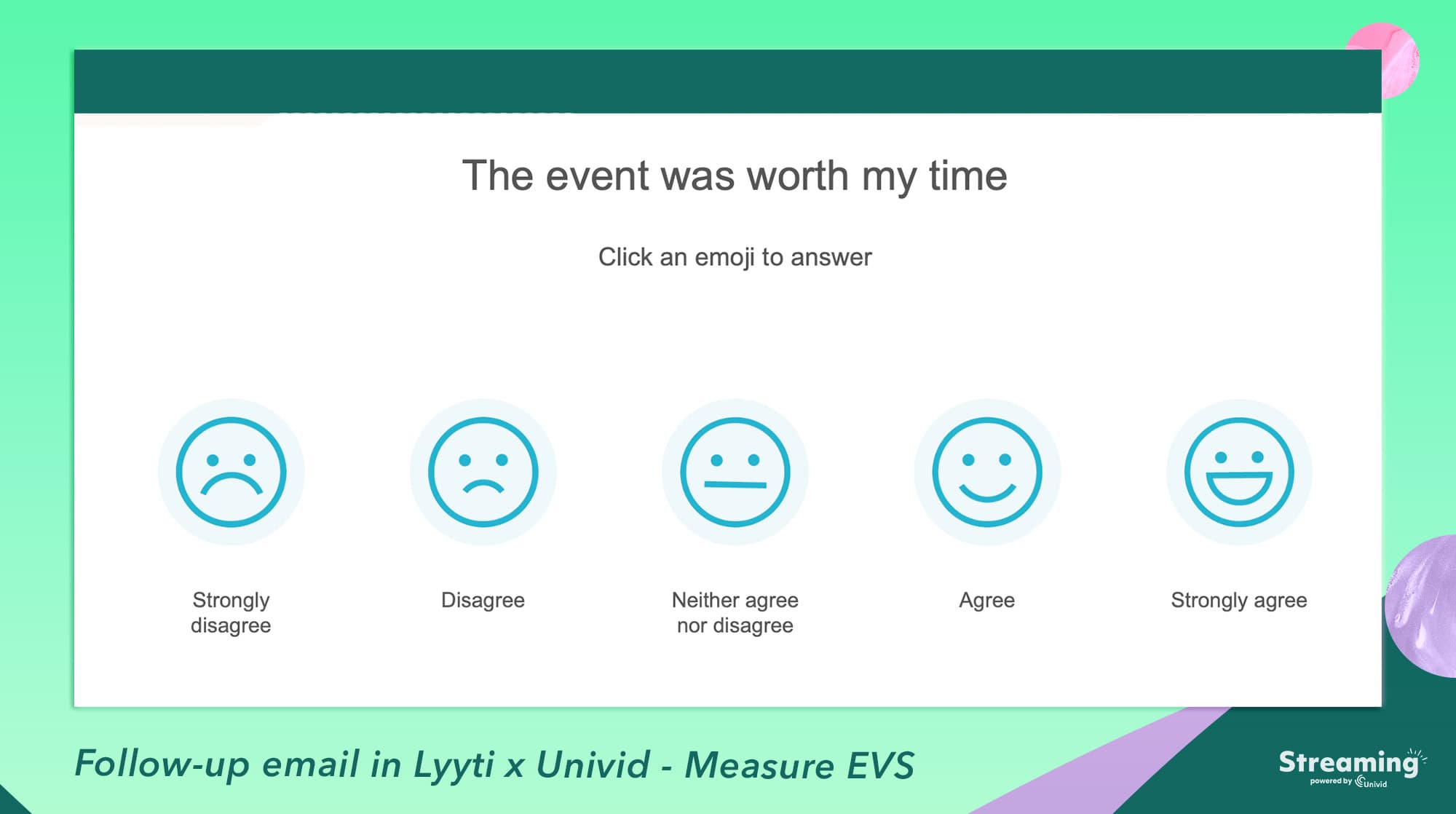
A clean referral signal that doubles as an invite-a-colleague upsell for the next session. Promoters scoring 9 or 10 are the people you ask to forward the registration link, and they will, because you just asked them to admit on a form that they would.
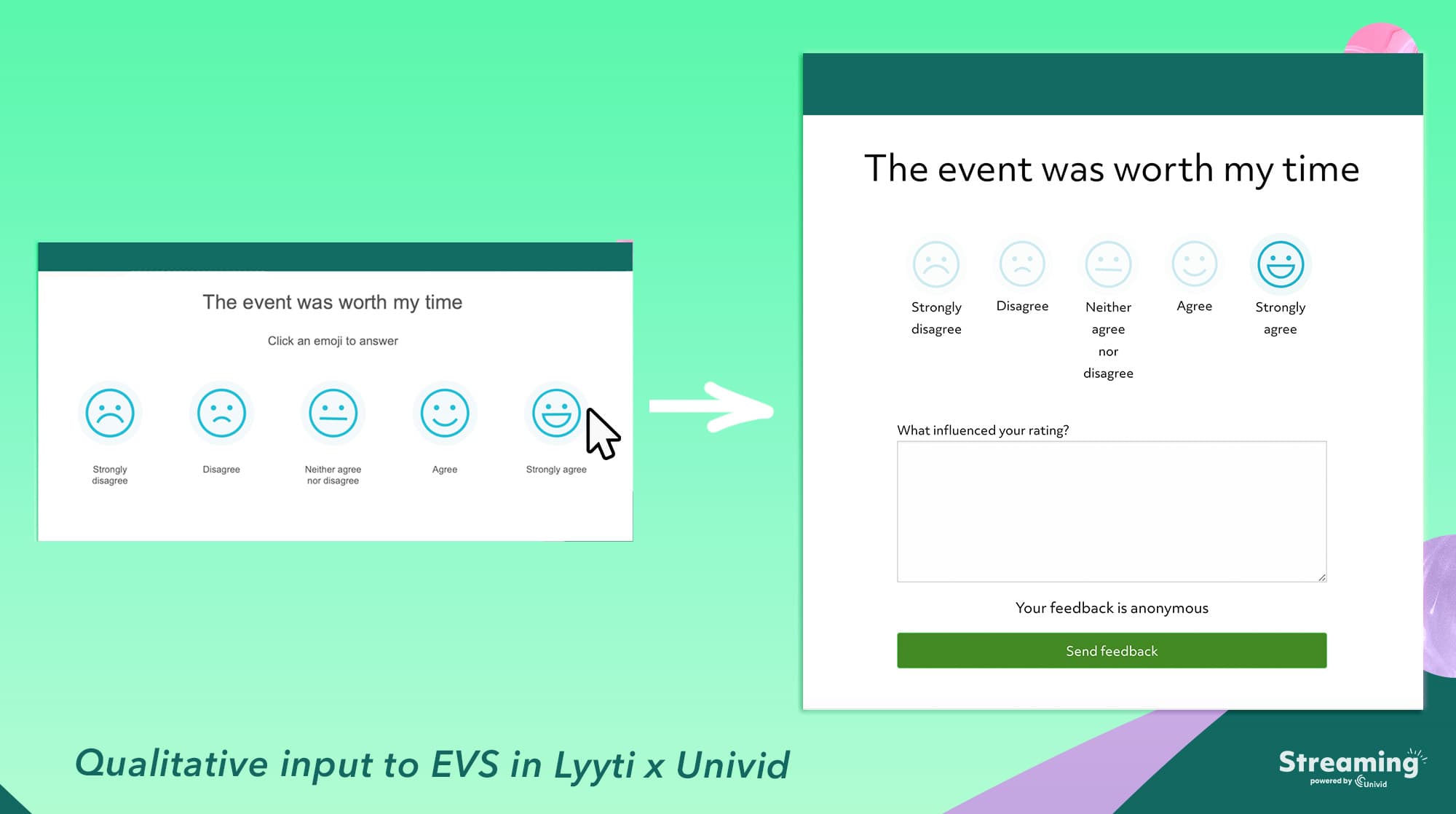
Also, a similar webinar KPI is commonly referred to as the EVS score (experience value score) that can be automated with the integration between Univid and Lyyti.
Aloita tänäänLiity yli 70 000 käyttäjään ja luo ainutlaatuisia webinaareja Unividin kanssa.Hanki demo
Q20. "What topics would you like us to cover next?"
Open-ended or multi-select with "Other."
An editorial calendar built by the people who actually attend, not the marketing team guessing on a Monday. Stop running topic votes in your internal Slack when the audience is happy to tell you for free.
Quick Reference: Which Question Does What
If you are scanning for the punchline, here it is. Six categories, 20 questions, and the exact pipeline move each one unlocks. Bookmark this and skip the rest of the article when you are mid-launch.
Category | Question examples | What it measures | Pipeline action it enables |
|---|---|---|---|
Attribution | Q1, Q2, Q3 | Channel performance and audience freshness | Reallocate paid spend, score repeat attendees differently in your CRM |
Content fit | Q4, Q5, Q6, Q7 | Topic-market fit and depth calibration | Refine landing pages, editorial calendar, and follow-up copy in the buyer's own words |
Speaker and format | Q8, Q9, Q10, Q11 | Talent and format effectiveness | Shape future programming, rotate speakers, swap the format that is not landing |
Platform experience | Q12, Q13, Q14 | Friction and engagement quality | Fix the join flow, prune the features nobody uses, benchmark production over time |
Buying signals | Q15, Q16, Q17, Q18 | Funnel stage and purchase intent | Prioritize sales follow-up, book demos same day, hand AEs warm context |
Retention and referral | Q19, Q20 | Loyalty and topic demand | Identify promoters for invite-a-colleague, plan the next 6 months of topics |
When and How to Ask: Timing, Length, and Design Rules That Lift Response Rates
You can build the perfect 20-question playbook and still get a 3% response rate if you ship it 24 hours late on a generic Google Form.
Just like when scheduling your webinar on the best time and day, timing and design carry more weight than the questions themselves. Here is what actually moves the number.
1. The Single Best Moment to Ask
Send the survey the second the presentation ends and before Q&A wraps, while attendees are still in the seat and the experience is fresh.
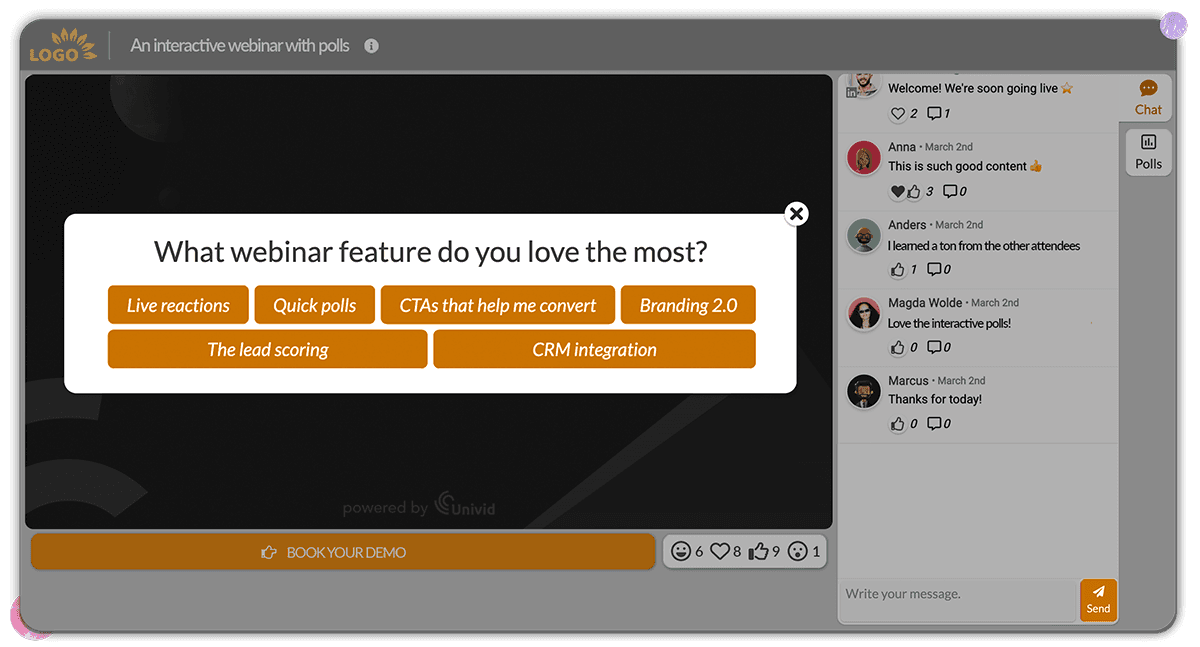
A prompt shown in-platform during the final two minutes typically earns 3 to 5 times the response rate of a post-event email, because you are not asking people to come back, you are catching them before they leave.
Treat your Q&A as the natural transition into the survey rather than a separate closing act.
2. The Follow-Up Window
For attendees who skipped the in-session prompt, send a follow-up email within 2 hours. After 24, what you collect is mostly noise from your most loyal subscribers.
No-shows get a different treatment: three questions maximum, focused only on attribution and topic interest, since asking for content feedback on a session they did not see is just polite spam.
Survey Length Rules
One to three questions in-session, and the goes for the email follow-up if you genuinely need more.
Anything over 3 cuts completion in half, so pick what you actually need rather than what would be nice to have.
Mix scaled, multi-select, and one or two open-ended prompts. All open-ended is a graveyard, and all multiple-choice gives you nothing in the buyer's own voice.
Design Tips That Actually Matter
Default to anonymous with an optional "include my email" checkbox: You get more honest answers on speaker quality and content fit, and still capture the hand-raisers who want a follow-up call.
Use conditional logic on Q15: If they pick "Ready to decide soon," surface Q17 immediately so the demo request lands while the intent is hot. If they pick "Just researching," surface Q20 instead and feed your topic backlog.
Match the branding: Bouncing attendees to a generic third-party form signals the whole thing is an afterthought. Keeping it inside the same branded session, the way Univid does, treats it as part of the show.
Plan for what happens after responses come in: Raw answers sitting in a spreadsheet are not insight, and the engagement data only pays off when someone owns the action layer that turns them into pipeline moves.
How to set up a post-webinar survey (in 4 steps)
Knowing what to ask is one thing. Getting people to actually answer is where most teams fail.
Here is a simple setup for setting up a post-webinar survey that works in practice, using Univid:s webinar software.
1. Add the survey before the webinar starts
Set up your questions as a webinar poll in advance so they can be triggered during the final minutes.
The highest response rates come from surveys shown in-session, not sent after.
2. Trigger it during the closing moments
Press "launch poll" to show the survey just before the session ends or as Q&A wraps.
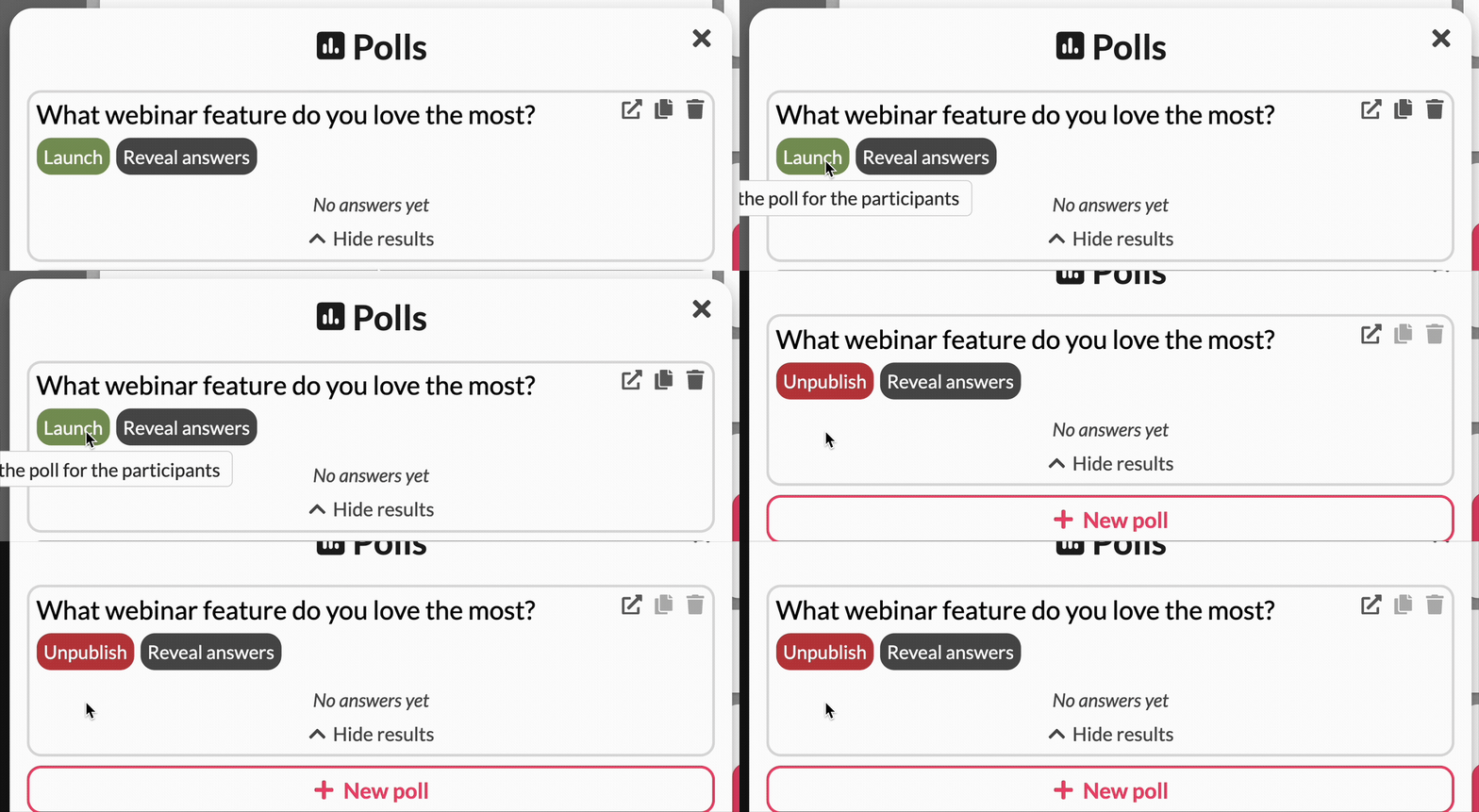
This is where attention is highest and drop-off has not started yet.
3. Keep it short and focused
Use 1 to 3 questions live, and talk through them while launching - and optionally expand in a follow-up email.

Prioritize:
one attribution question
one quality question
one intent question
Also, explain the value for the attendees that answer - maybe they get a gift, or just get to part take in the next session or see some of the exclusive data afterwards.
4. Connect responses to your attendees
Look at qualitative feedback from individual answers, and connect it to their webinar engagement data, also build a report of the survey responses on aggregated level.
Survey data only matters if it is tied to the person.
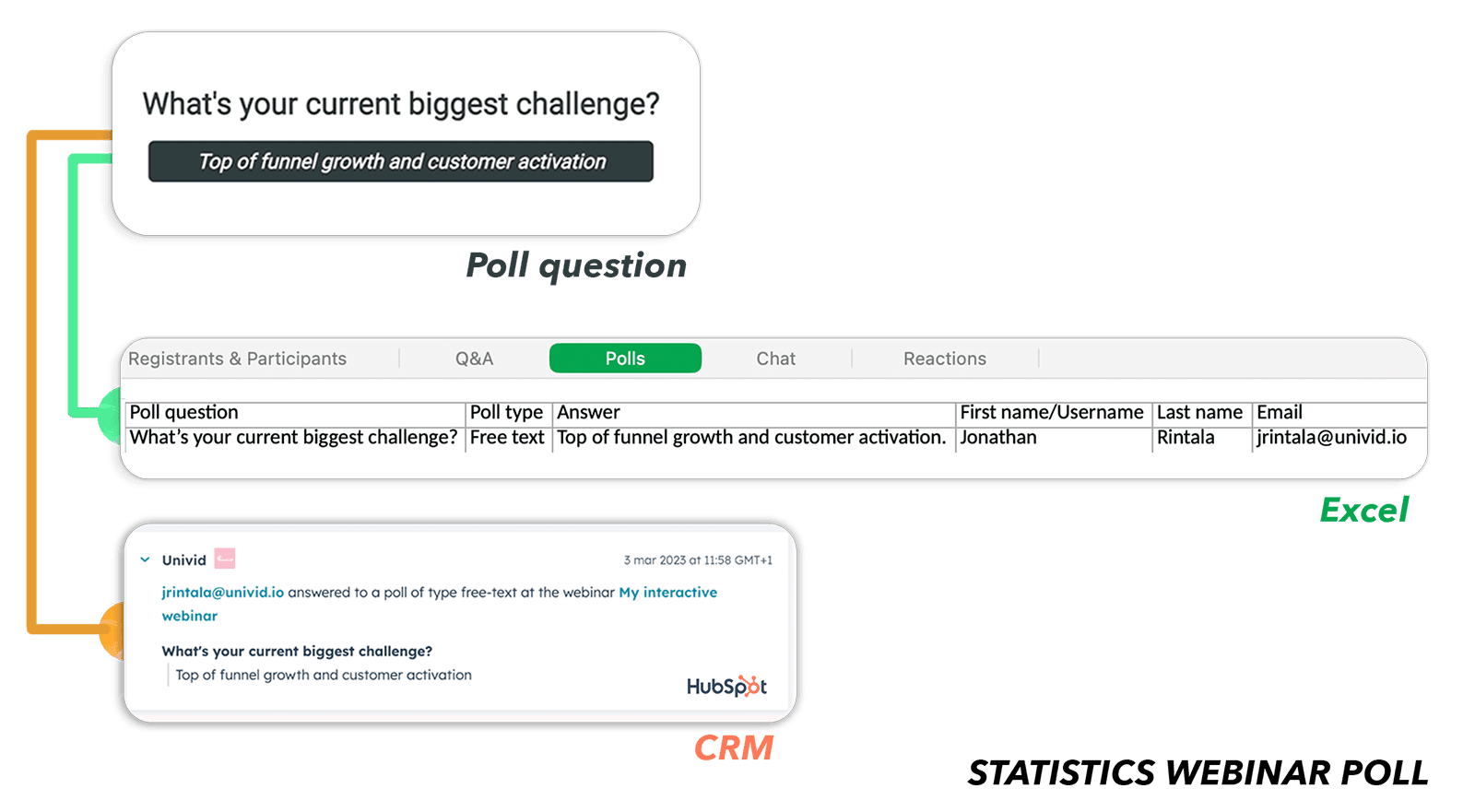
With Univid, responses are automatically linked to each registrant, making it easy to:
identify high-intent leads
trigger follow-ups
feed your CRM with real signals
Aloita tänäänLiity yli 70 000 käyttäjään ja luo ainutlaatuisia webinaareja Unividin kanssa.Hanki demo
Alternative ways to collect webinar feedback
Two other effective ways to survey your attendees is to either (1) include a question already on your webinar registration page (a simple one, so you don't introduce too much friction).
Or (2) include it in the webinar follow-up email, using a webinar tool like Univid, or integrated with an event management software like Lyyti.
And of course the best one of all (3) using the webinar engagement data to build this data directly from how the attendees behave, the Q&A questions they ask, etc. to maximize the learnings you get with zero friction in their journey.
How to Turn Survey Data Into Pipeline
Collecting answers is the easy part. The leverage shows up in the 24 hours after the session ends, when the data is hot and someone owns each next step.
The 24-Hour Webinar Survey Playbook
The window between the closing slide and tomorrow morning is where most teams quietly lose the pipeline they just earned.
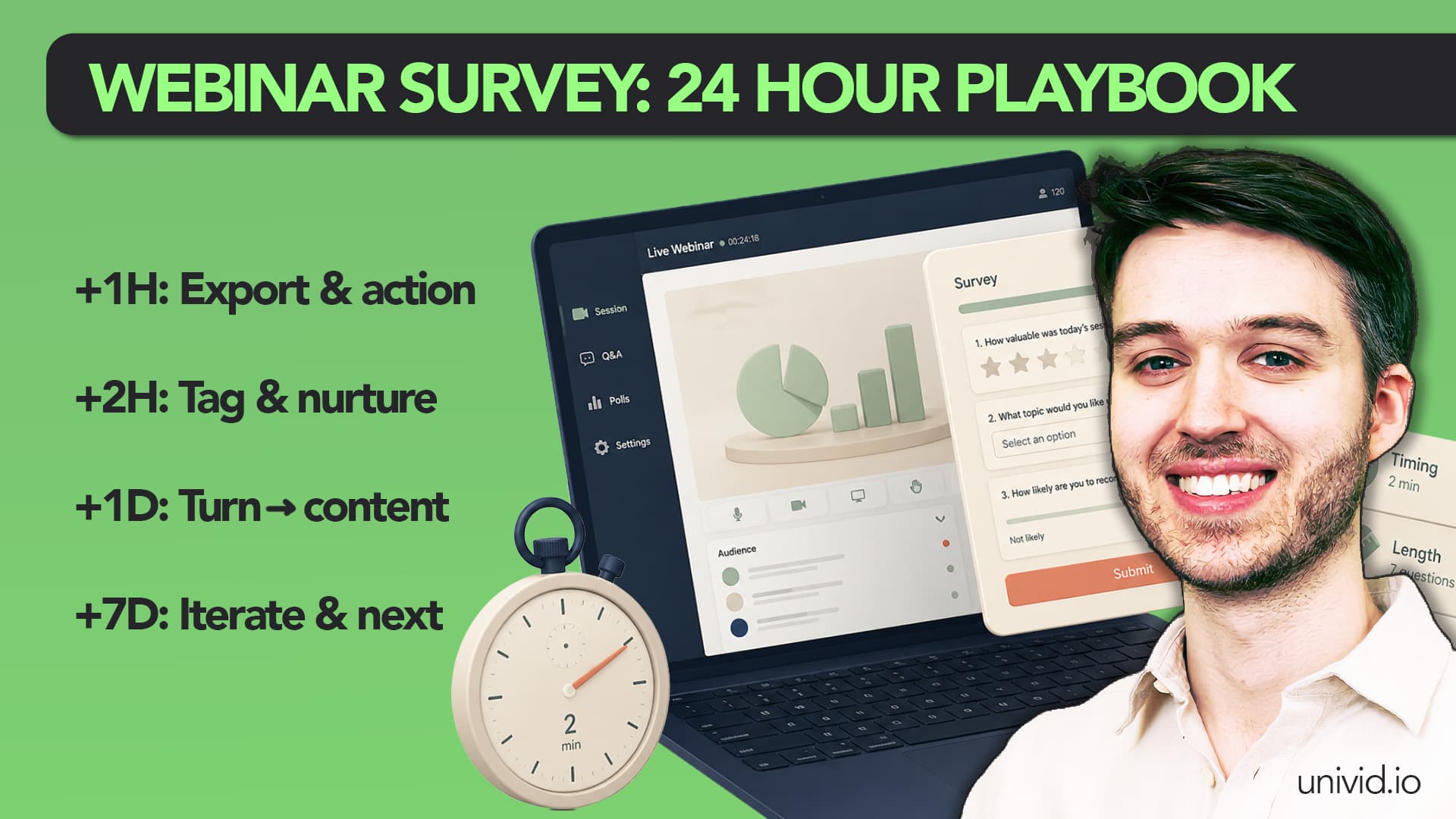
Here is what each hour should look like:
Hour 1: Export the "Yes" responses from Q17 and route them to sales as warm demo requests, while the session is still on the buyer's screen.
Hour 2: Tag the 8+ scores from Q16 as marketing-qualified leads and drop them into a 5-touch nurture sequence with the speaker's deck attached.
Day 1: Pass the open-ended answers from Q6 and Q18 to your content team. That is your next blog headline, ad hook, and sales objection-handling doc, written by buyers.
Week 1: Review the Q1 attribution data and adjust the channel mix on the next campaign before paid spend goes live.
The Monthly Review
One webinar's data is a snapshot, but three to five stacked together is a pattern. Compare the last few sessions side by side and the real story shows up: the speaker who consistently outperforms, the channel that always over-registers and under-converts, the topic that keeps surfacing in Q20.
Roll the numbers into the same dashboard you use to evaluate webinar KPIs so the survey data sits next to attendance, conversion, and pipeline contribution rather than living in its own spreadsheet nobody opens.
The Takeaway
Post-webinar surveys are the cheapest pipeline tool you have and the one most teams quietly waste.
The 20 questions above do three jobs at once: qualify leads, sharpen content, and tell you what to run next. Build them once, run them on every session, and let the data compound.
Do like 1000s of other companies and marketing teams that run on Univid for their webinars. Spin up your next branded webinar in 60 seconds, drop a few of these survey questions in, and enjoy data your CRM has been waiting for.
Aloita tänäänLiity yli 70 000 käyttäjään ja luo ainutlaatuisia webinaareja Unividin kanssa.Hanki demo