Wellness B2C Webinars to Scale a Nordic Community
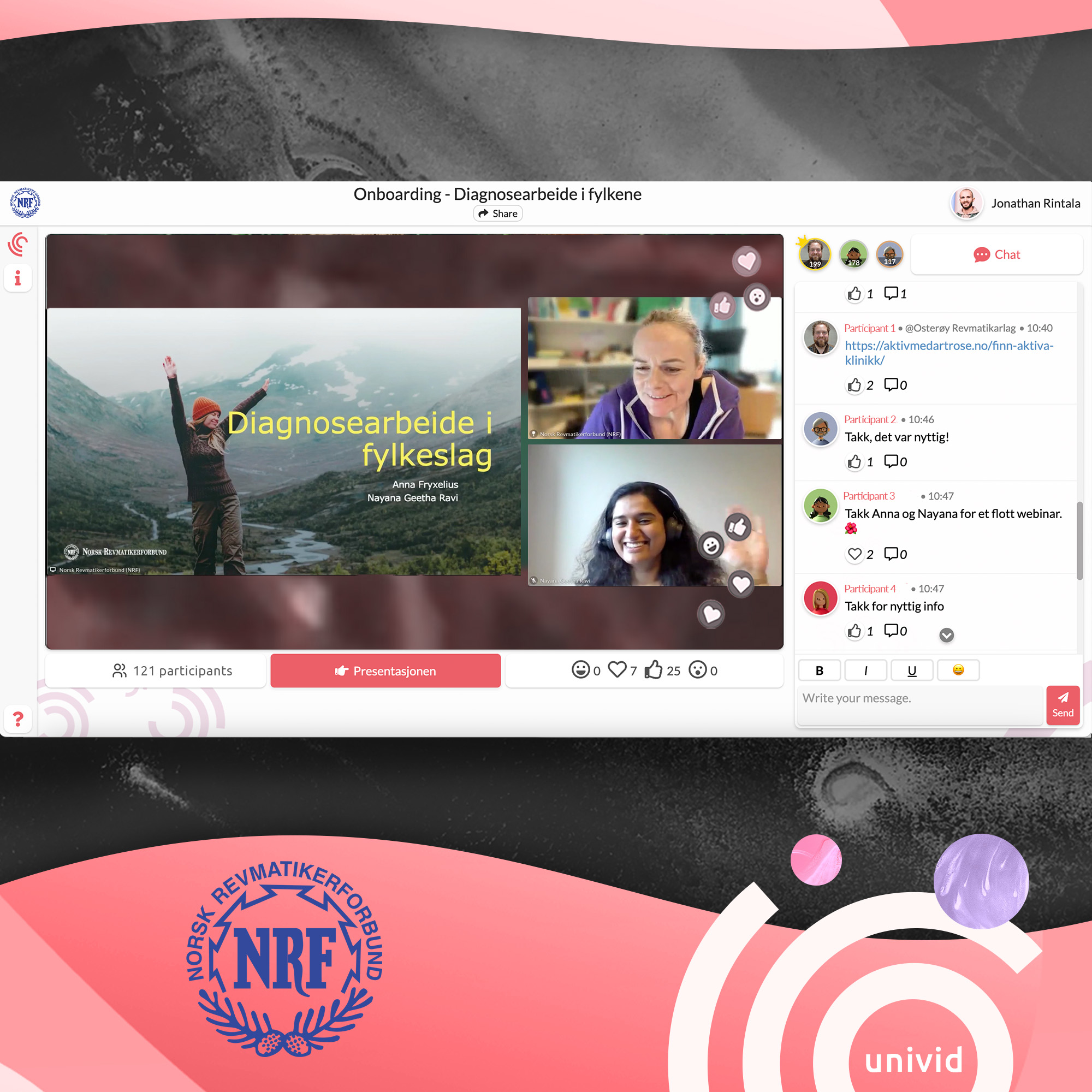
NRF runs weekly webinars for the Nordic community around healthcare topics. They are also scaling interactive training and courses through live webinars - in a distributed way where many colleagues run their webinars independently.
How NRF engages their audience to win
NRF runs weekly webinars for the Nordic community around healthcare topics. They are also scaling interactive training and courses through live webinars - in a distributed way where many colleagues run their webinars independently.
Enable everyone in the organization to run webinars
NRF runs their webinars in a distributed way by doing two things right:
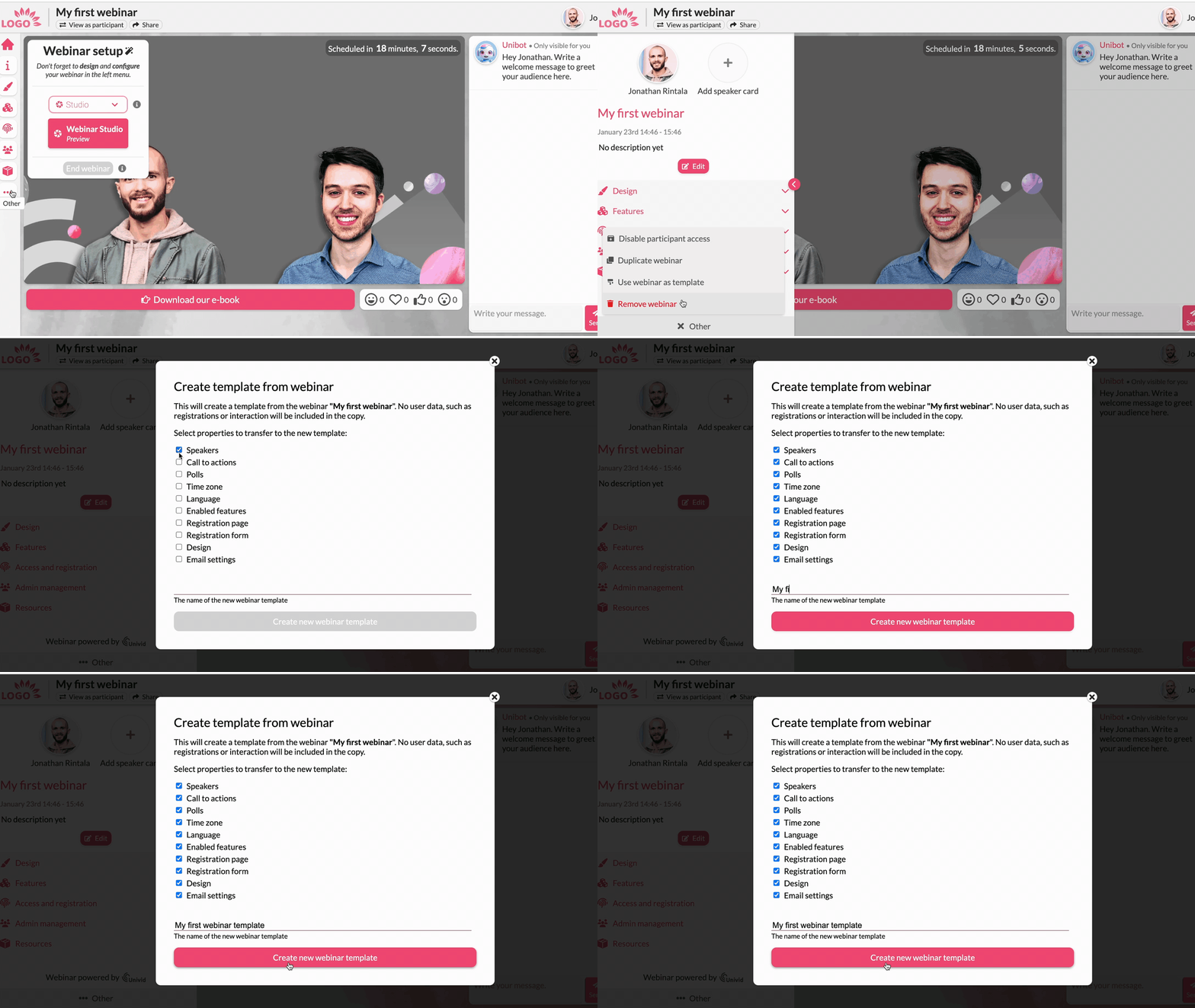
(1) Making it easy to set things up with webinar templates
Webinar templates also allows them to stay on brand, despite who creates the webinars.
(2) Inviting new team members to their workspaces
Here it's good to use a webinar solution like Univid that do not cap the number of team members on the workspace, and allows to create multiple workspaces if needed
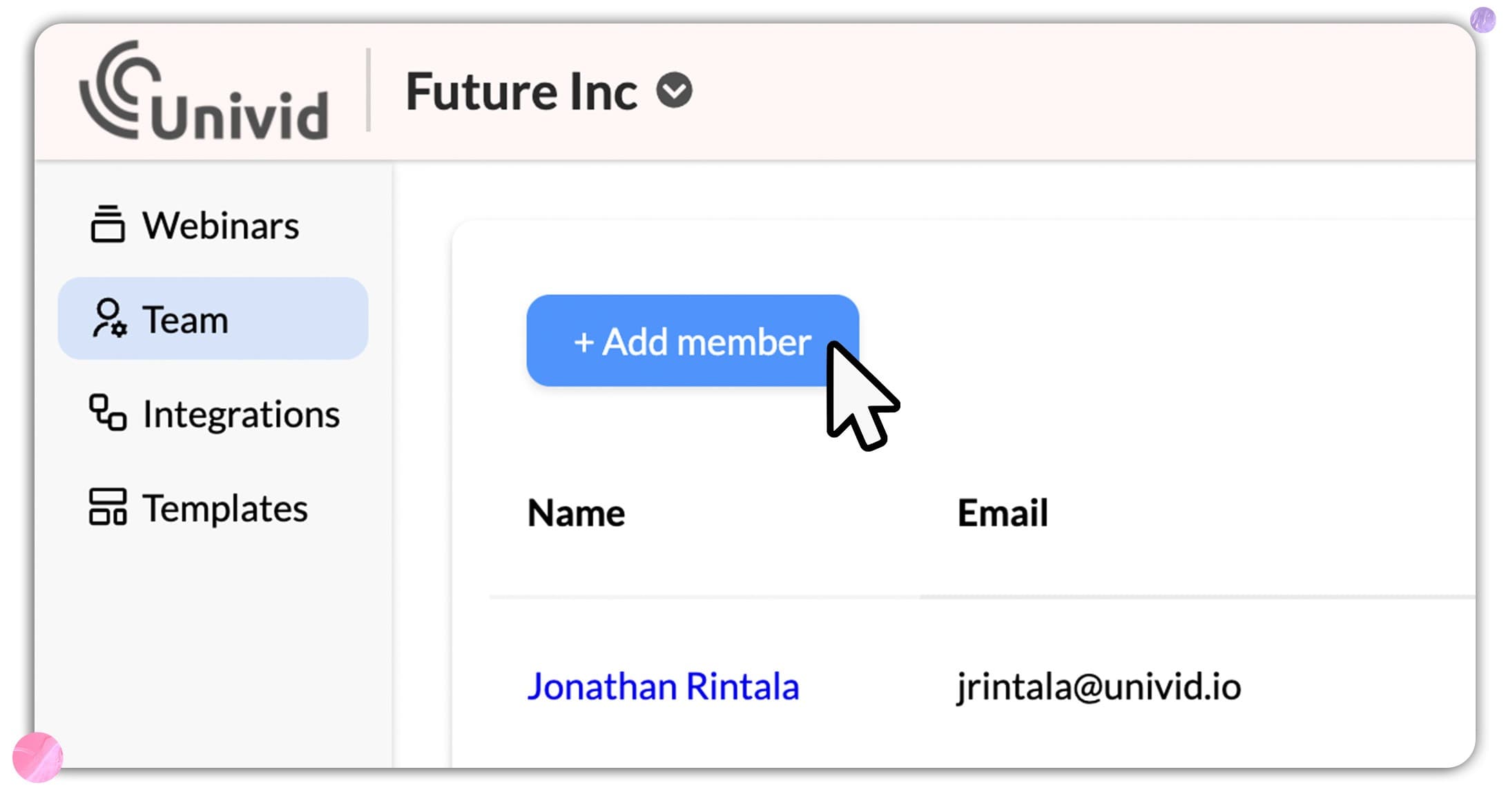
NRF invites members of the team, and gives them correct permissions - so they can for example manage all webinars, or just create or remove webinars.
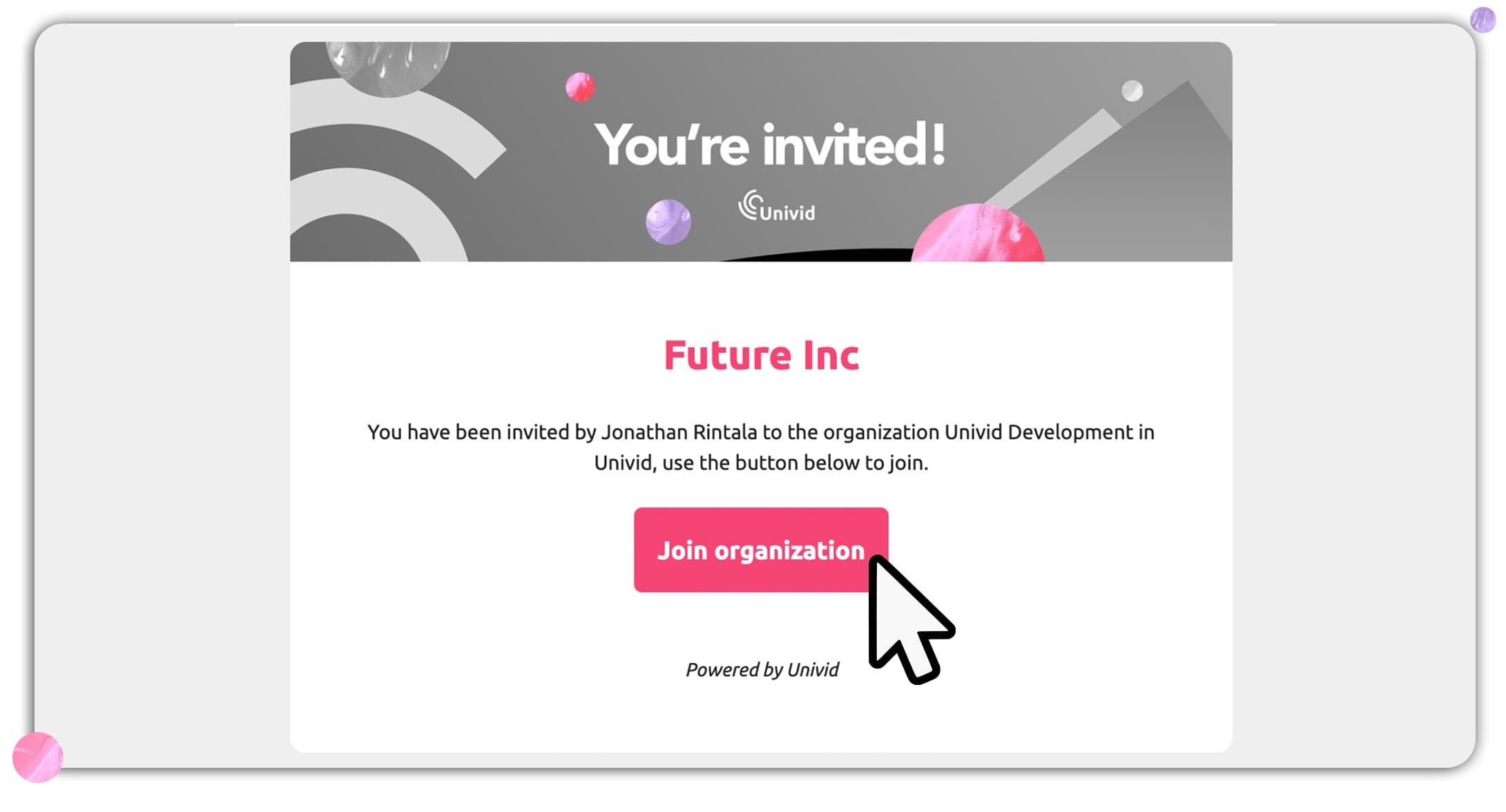
And on occasion also invite guest speakers, that get access only to one specific webinar at at time. Guest speakers also by default get restricted access - so they can't turn the live stream off for example, or see the webinar settings. It should be easy to do right!!
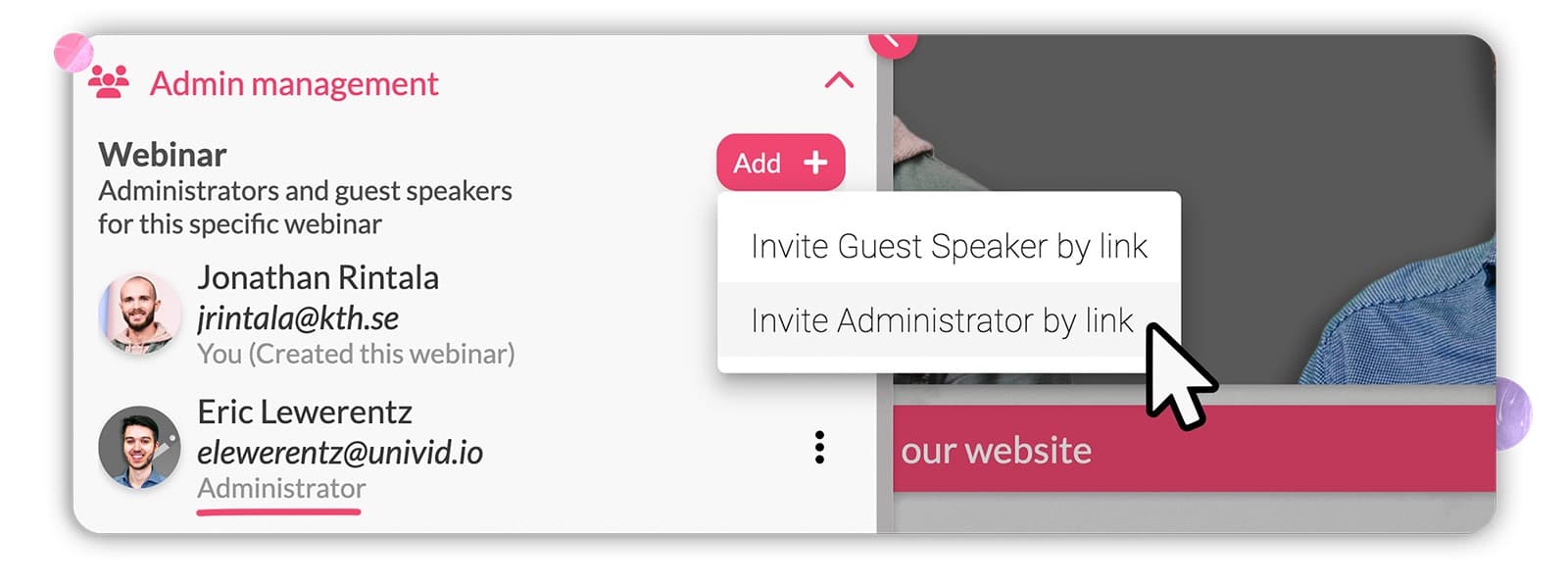
Collaborating this way, means any employee in their organization can easily host webinars - without relying on a single bottle neck of a marketer, and inviting guest speakers that can feel comfortable presenting with them.
This webinar setup allows them to run webinars frequently and in parallell - with some weeks hosting up to 7 webinars a week.
Yeah.. that's 1 webinar a day!! 👀
Switching from another dedicated webinar tool
Being true webinar veterans, hosting ALOT of webinars, NRF felt the quality in prior tool lacked. Thus, NRF made the switch from another dedicated webinar tool to Univid.
They felt the transition to Univid was smooth and were up and running quickly by (1) migrating previous webinar recordings to Univid, and (2) after a quick onboarding were ready for their big new webinar year - hosting 20+ webinars their first few months!
Use interactive chat to engage the community
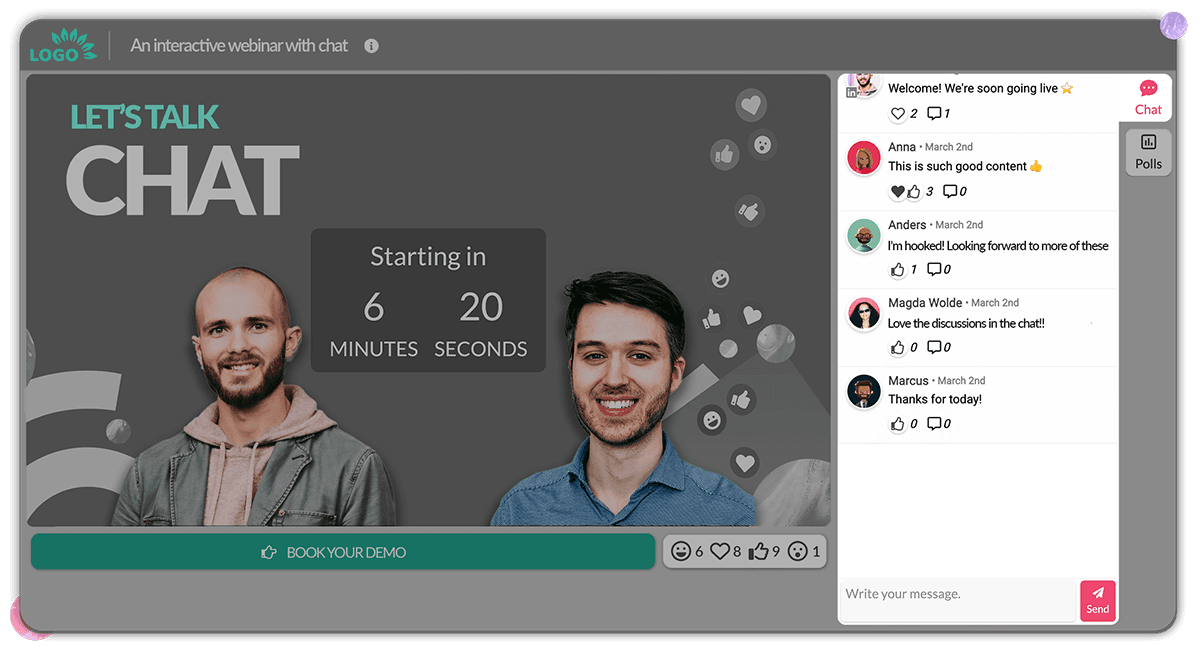
A community is all about relationships - both between the members (attendees) and the community moderator (hosts). By keeping the webinar chat in Univid open during the live webinar - NRF allows everyone to chat with each other and the hosts - creating a transparent and open vibe.
Use CTA button to easily download slides
NRF focuses on educational content - where the webinar attendees often want to deep dive in the material afterwards. To offer the attendees an easy way to download the slides - NRF uses the CTA button in Univid:s webinar platform.
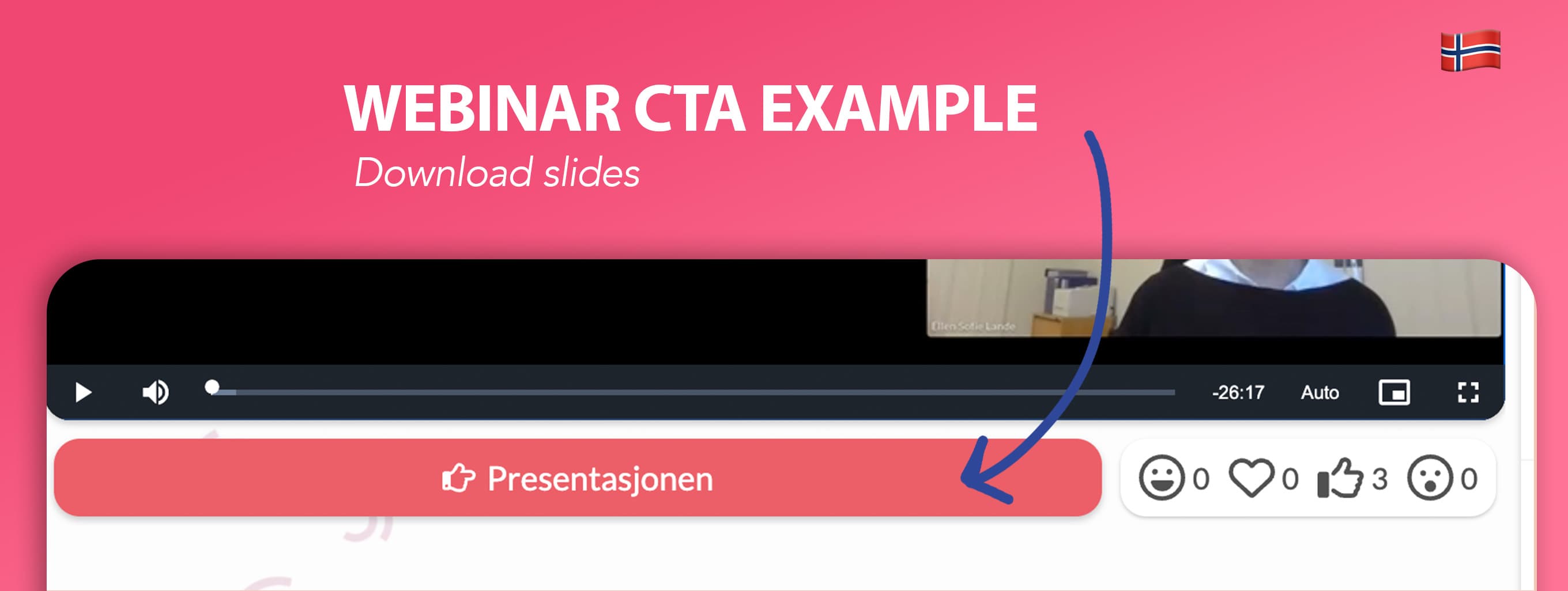
To offer the webinar slides to download - they simply:
Prepare a CTA button with the PDF download before.
Launch the CTA to allow attendees to download the PDF slides with one click.
And as a plus they can see in the data afterwards who many and who pressed the CTA (and who did not) - good info to know how interesting the topic was, and how many took a next step.
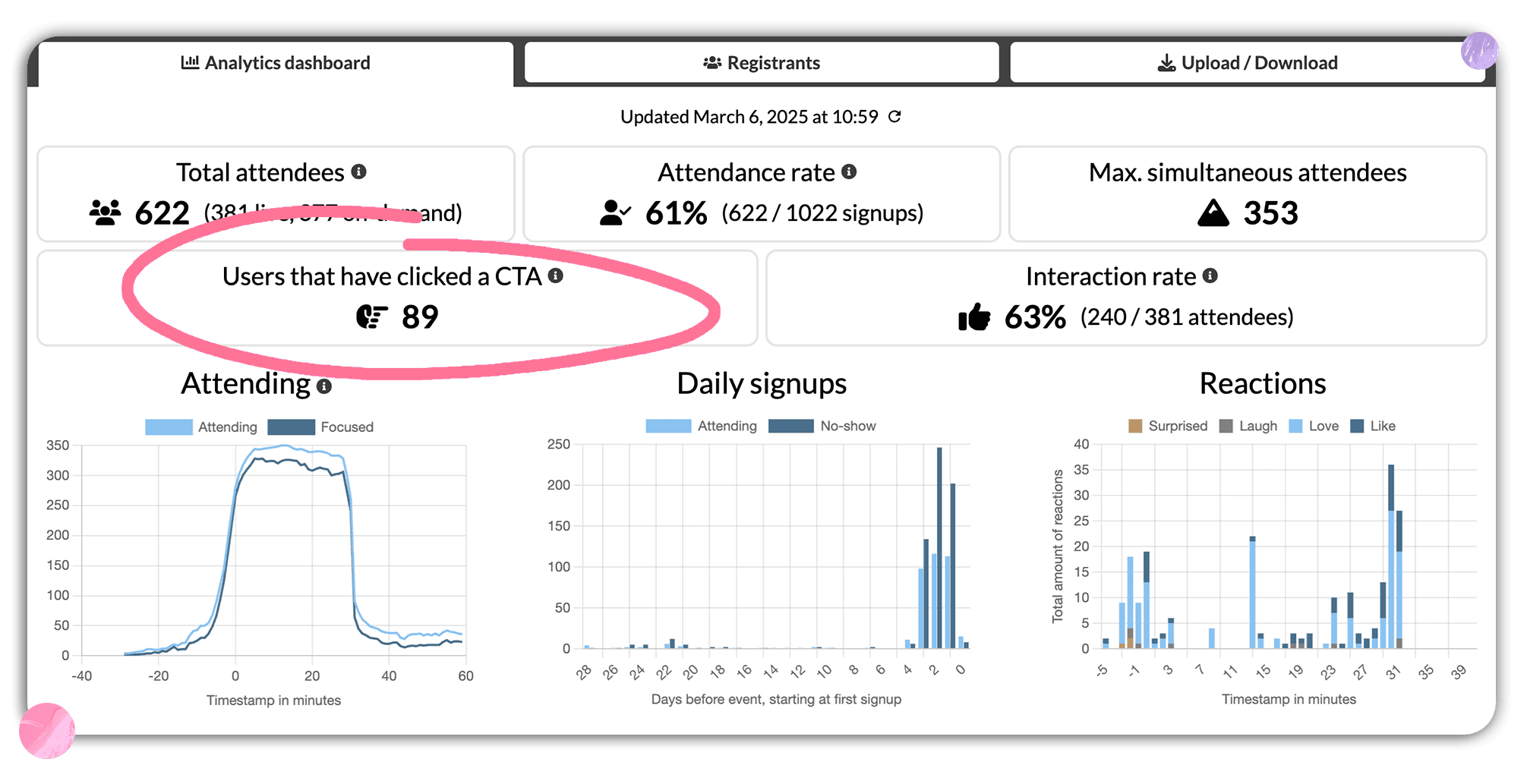
During most of their webinars, they have managed to keep a stable 50% conversion rate on the call-to-action button, typically with softer CTA's such as "Download presentation", etc. Also, a result of choosing good topics and offering several ways to interact (optimal as shown in the Univid webinar statistics report).
Building a webinar portal for on-demand replays
Using Univid:s webinar spaces NRF offer their webinar's on-demand in an accessible webinar portal.
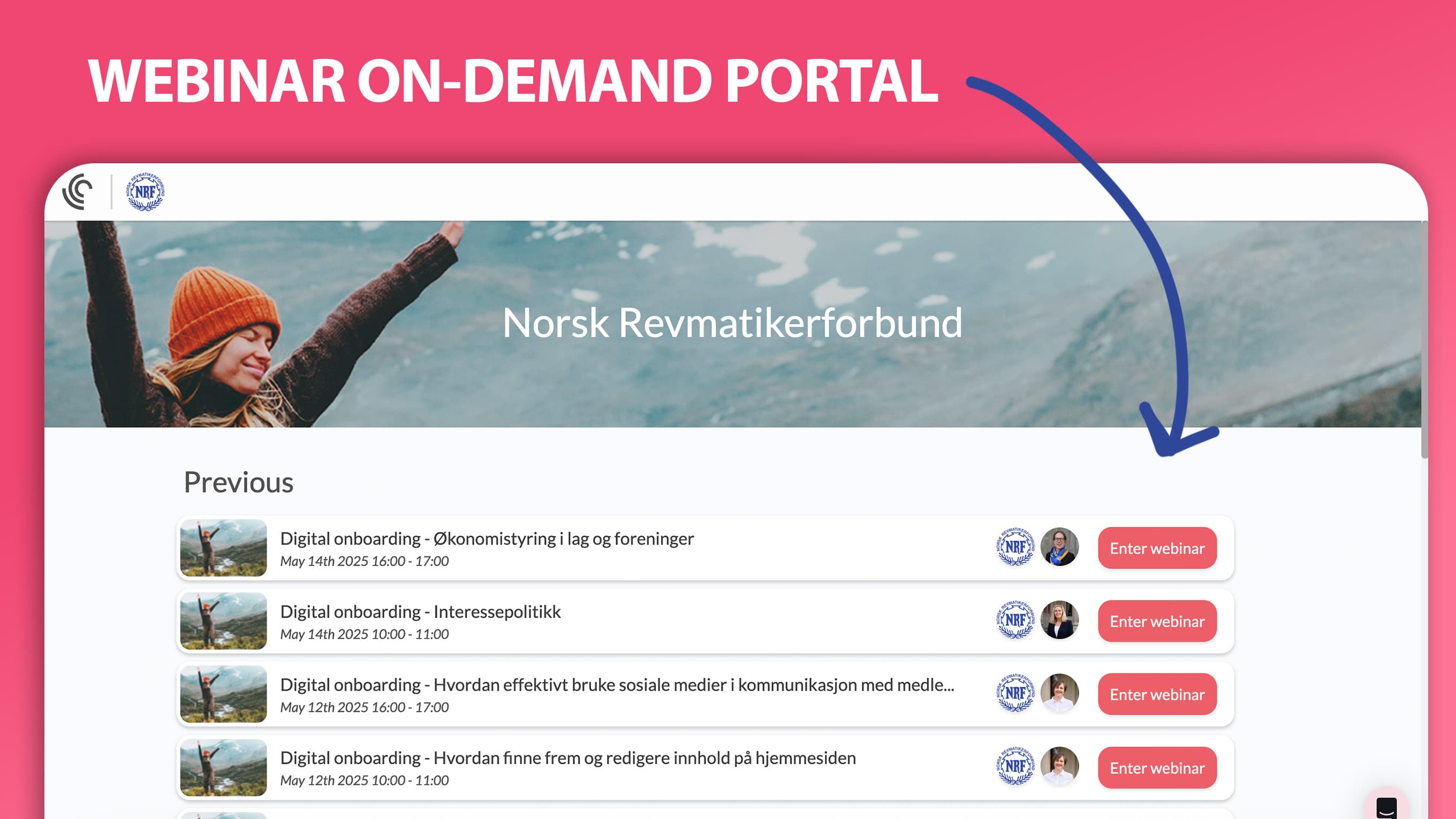
They can gather both live (upcoming) webinars and on-demand ones on the same link, and give the attendees one clear link where they can find and register to all the community's content.